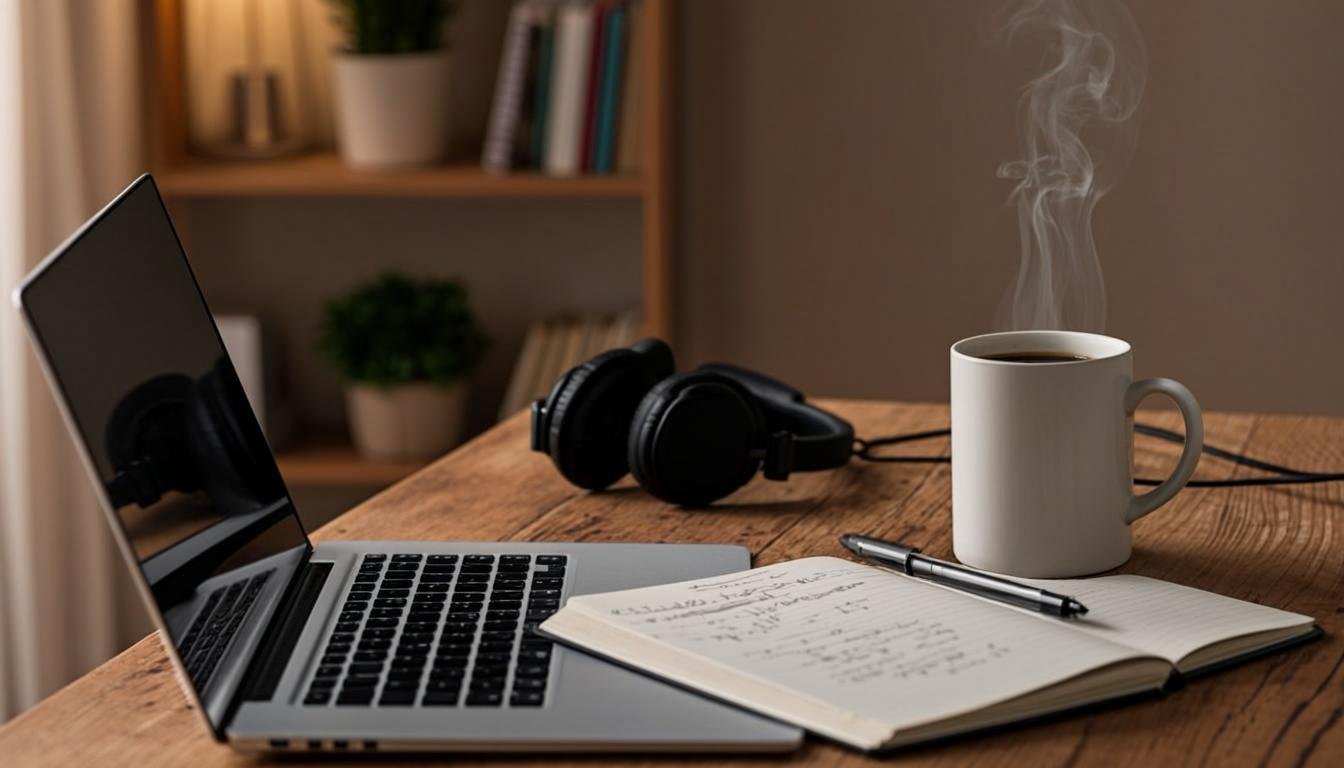

I bought my first "freelance writing setup" in 2019. It was a $350 Lenovo Ideapad, a $20 Logitech keyboard from Walmart, and a pair of earbuds I already owned. That was it. I made $42,000 that year writing blog posts from my kitchen table.
The gear worked fine. But my wrists ached by noon, my laptop fan screamed during Zoom calls, and I lost an entire article draft when the machine crashed on a deadline day.
So yeah. Gear matters. Not in the way influencers want you to believe, where you need a $3,000 MacBook and a standing desk to call yourself a writer. But in a practical, this-thing-costs-$45-and-saved-me-three-hours-this-week kind of way.
BloggingJobsHub.com is created by an individual to help you find AI, WordPress, Article Writing and Blogging Jobs, and teach you skills to work long-term. Part of those skills includes knowing what tools and equipment actually help you produce better work, faster.
This guide covers every piece of gear a freelance content writer needs, organized by category, with real product names and honest price ranges. I have used or tested most of these. The rest come from recommendations I trust at Wirecutter, PCMag, Tom's Guide, and Lifehacker.
Let's get into it.
Why your gear matters for freelance writing income
Freelance writing is a volume game for most people. You get paid per word, per article, or per project. The faster you write good content, the more you earn.
Slow equipment slows you down. A laptop that takes 90 seconds to boot is 90 seconds of dead time, every single morning. Multiply that by 250 work days. That is over 6 hours a year you spend staring at a loading screen.
Bad ergonomics cost you more time in the long run. I ignored wrist pain for two years before I bought a mechanical keyboard and a laptop stand. Within a week, I could type for 6 hours straight without stopping. My daily output went from 3,000 words to 4,500 words.
Audio quality affects your client relationships directly. If you are on a kickoff call with a new client and your microphone sounds like you are broadcasting from inside a washing machine, that client remembers it. First impressions carry weight, especially in a remote working relationship.
The right software saves you from embarrassing mistakes. Missing a comma is one thing. Submitting an article with a factual error because you did not run it through a plagiarism checker can cost you a client permanently.
Google's helpful content guidelines stress creating content that is useful and reliable for readers. The same principle applies to your own workspace. Your setup should serve your ability to produce quality work, consistently, without unnecessary friction.
Check out these content writing tips for more on producing work that keeps clients coming back.
The core setup: what every freelance content writer needs
This is the foundation. Without these four things, you cannot do the job. Everything else on this list is an upgrade.
Laptop (the non-negotiable)
You need a computer. For most freelance writers, a laptop makes more sense than a desktop because you might work from home, a coffee shop, a co-working space, or a client's office.
Best overall: MacBook Air M2 or M3
Apple's M-series chips changed the game for writers who do not need a dedicated GPU. The Air M2 starts around $999 and runs completely silent. The battery lasts 12 to 15 hours of actual writing work. The keyboard is comfortable enough for long sessions without an external board. It weighs 2.7 pounds, so tossing it in a backpack feels like carrying a notebook.
Best Windows option: Lenovo ThinkPad X1 Carbon
If you prefer Windows (and many writers do), the ThinkPad X1 Carbon is the gold standard for typing comfort. The keyboard has deep key travel and a satisfying click. It weighs about 2.5 pounds. Prices usually fall between $1,000 and $1,400 depending on specs. The build quality holds up for years.
Best budget pick: Acer Aspire 5
You can pick up an Acer Aspire 5 for $350 to $500. It has 8GB of RAM, a 256GB SSD, and a 15.6-inch screen. It will not blow you away with speed, but it handles Google Docs, WordPress, and a dozen browser tabs without choking. I used an Aspire for my first 8 months of freelancing and it never failed me.
Key considerations for writers:
Screen size matters. I recommend 13 inches minimum. Anything smaller and you will squint at your drafts. Weight matters if you travel. Battery life matters if you write in places without accessible outlets. Get at least 8GB of RAM. 16GB is better if you run Grammarly, multiple browser tabs, and a content management system simultaneously.
External keyboard and mouse
Even if your laptop keyboard is decent, an external keyboard and mouse transform your daily comfort. Typing on a flat laptop for 6 hours puts your wrists at a bad angle. An external board lets you position your hands correctly.
Best mechanical keyboard: Keychron K2
The Keychron K2 is a tenkeyless wireless mechanical keyboard that costs around $70 to $80. It connects via Bluetooth or USB-C. The Brown switches give you a soft tactile bump without the loud click that bothers everyone around you. Battery life is solid for weeks of daily use. It works with both Mac and Windows.
Best membrane keyboard: Logitech K380
If you hate the noise of mechanical keyboards, the Logitech K380 is a quiet, compact membrane board that costs about $30. It connects to three devices simultaneously, which is handy if you switch between a laptop and a tablet. The keys are low-profile and comfortable for touch typists.
Best budget mouse: Logitech M585
The Logitech M585 runs about $25. It has two thumb buttons you can program for copy, paste, or back/forward in your browser. The scroll wheel has a ratcheted mode and a free-spin mode. It runs on a single AA battery for up to 2 years. Bluetooth and USB receiver connections both work.
Best ergonomic mouse: Logitech MX Master 3S
At around $100, the MX Master 3S is the mouse most full-time writers eventually upgrade to. It has an ergonomic shape that reduces wrist strain, a thumb rest, and a scroll wheel that flies through long documents. The side thumb wheel is useful for horizontal scrolling in spreadsheets or wide documents. It charges via USB-C and holds a charge for about 70 days.
Headphones or headset
You need audio gear for two reasons: client calls and focus. Headphones block out noise when you need to concentrate. A decent microphone makes you sound professional on calls.
I will cover specific audio gear in more detail later in this guide. For now, know that you need something. Even a $30 pair of wired earbuds with a built-in microphone beats nothing.
Internet connection
Your internet connection is the one piece of gear you cannot buy on Amazon. But it is essential. A slow or unreliable connection means missed deadlines, dropped client calls, and lost work.
Aim for at least 50 Mbps download speed. Upload speed of 10 Mbps or higher is ideal for video calls. If cable or fiber is available at your address, get it. Satellite internet works in a pinch but introduces latency that makes Zoom calls awkward.
If your home internet is unreliable, a mobile hotspot from your phone can serve as a backup. I have tethered my laptop to my phone during outages more times than I can count. It saved a deadline on at least 4 occasions.
Writing tools that save time
Hardware is only half the equation. The software you use determines how fast you move from blank page to finished draft.
Grammarly and writing assistants
Grammarly is the most widely used writing assistant among freelance content writers, and for good reason. The free version catches spelling mistakes, basic grammar errors, and punctuation problems. The Premium version ($12 per month billed annually) adds tone detection, full-sentence rewrites, vocabulary suggestions, and a plagiarism checker.
I use Grammarly Premium daily. It catches things I miss on my fourth read-through, like passive voice I overuse, repeated sentence structures, and unclear phrasing. The plagiarism checker alone has saved me from potential embarrassment twice.
Other options worth considering:
ProWritingAid ($10 per month) gives you a more detailed style analysis than Grammarly. It breaks down your writing by readability score, pacing, dialogue tags, and clichés. The interface is clunkier, but the depth of feedback is useful for long-form content.
Hemingway Editor is free on the web and costs $20 for the desktop app. It flags complex sentences, passive voice, and adverb overuse. I run important drafts through the Hemingway web app before final submission.
Note-taking apps
Writers need a place to capture ideas, client briefs, research notes, and random thoughts that turn into future articles.
Notion (free for personal use)
Notion works as a note-taking app, a project tracker, a content calendar, and a wiki all in one. The learning curve is steeper than simpler tools, but once you build templates for client projects, article outlines, and research notes, it speeds up your workflow significantly.
Google Keep (free)
Google Keep is dead simple. Sticky notes on a screen. You can tag them, color-code them, and set reminders. It is perfect for quick captures like "add a stat about email marketing to that SaaS article" or "follow up with Sarah about the Q3 blog contract."
Evernote (free tier available, Premium $10.83/month)
Evernote has been around forever and still works well for organizing research. The web clipper browser extension lets you save articles, PDFs, and web pages directly into notebooks. The search function even reads text inside images, which is useful for saving screenshots of client briefs.
Plagiarism checkers
Submitting original content is non-negotiable. Even accidental plagiarism, like using a sentence structure you read somewhere and forgot about, can damage your reputation.
Grammarly Premium plagiarism checker
Included with the Premium subscription. It checks your text against billions of web pages. I run every article through it before submission.
Copyscape ($0.03 per search or $0.01 per word with Copysentry)
Copyscape is the industry standard. Many content agencies require writers to pass a Copyscape check before accepting work. You paste your article URL or text, and it flags any matching content on the web.
Quetext (free tier, Pro $9.99/month)
Quetext uses a "DeepSearch" algorithm that catches paraphrased content better than some competitors. The free tier gives you a few searches per month. The Pro version removes limits and adds citation assistance.
Content brief templates
A content brief is the document that tells you what to write: target keyword, word count, outline, competitor articles, audience, and tone. Having a template saves you 15 to 20 minutes per assignment.
I built mine in Google Docs. It has sections for the article title, target keyword, secondary keywords, word count target, outline with H2s and H3s, a notes section for client preferences, and a checklist for the final review.
You can create something similar in Notion, Google Docs, or even a simple text file. The point is consistency. When every assignment follows the same structure, you spend less time figuring out what the client wants and more time writing.
Comfort gear for 8+ hour writing days
Writing for a living means sitting in a chair for long stretches. Your body will tell you, loudly, if your setup is wrong.
Ergonomic chair
I put off buying a real chair for 3 years. I used a wooden dining chair with a $15 cushion from Amazon. Then I started getting lower back pain that lasted into the weekends. I bought a proper office chair and the pain went away within a week.
Best overall: Steelcase Gesture
The Steelcase Gesture costs between $900 and $1,400 depending on the configuration. Wirecutter named it their top pick for office chairs, and after sitting in one at a co-working space, I understand why. The armrests move in 4 directions, the seat depth adjusts, the lumbar support is firm but not intrusive, and the mesh back breathes well during long sessions.
It is expensive. But if you sit 8 hours a day, 5 days a week, 50 weeks a year, that is 2,000 hours annually. Spending $1,200 on something that supports your body for 2,000 hours per year is $0.60 per hour. That math made the decision easy for me.
Best budget: HON Ignition 2.0
The HON Ignition 2.0 runs between $300 and $500. It has adjustable lumbar support, adjustable armrests, and a mesh back. It is not as refined as the Steelcase, but it is a massive step up from any dining chair or cheap office chair from a big-box store.
Honorable mention: IKEA Markus
The IKEA Markus costs about $250. It has a high backrest, tilt tension, and a built-in lumbar support that some people love and others find too firm. It is widely available, easy to assemble, and holds up well over years of use. Lifehacker has recommended it repeatedly for home office setups.
Laptop stand
A laptop stand raises your screen to eye level, which reduces neck strain. Combined with an external keyboard and mouse, it creates an ergonomic setup that lets you work comfortably for hours.
Best overall: Rain Design mStand
The mStand is a solid aluminum stand that matches the aesthetic of a MacBook. It raises your laptop about 6 inches. The aluminum acts as a heat sink, which helps keep your laptop cooler during long writing sessions. It costs about $50.
Best adjustable: Roost Laptop Stand
The Roost is a portable, foldable stand that raises your laptop 10 to 12 inches. It weighs only 6.5 ounces and collapses flat enough to fit in a laptop bag. It costs around $90. If you split your time between a desk and coffee shops, the Roost is the most practical choice.
Best budget: Nulaxy Ergonomic Laptop Stand
The Nulaxy stand costs about $25. It is made of aluminum, has 6 adjustable height angles, and includes a small storage shelf for your phone. It is not as sturdy as the mStand, but it does the job for the price.
Desk lamp
Good lighting reduces eye strain during long writing sessions. A desk lamp with adjustable color temperature lets you set cool white light for daytime focus and warm light for evening sessions.
Best overall: BenQ ScreenBar
The BenQ ScreenBar clips to the top of your monitor and shines light down onto your desk without causing screen glare. It has a built-in ambient light sensor that adjusts brightness automatically. The color temperature adjusts from warm (2700K) to cool (6500K). It costs about $110.
Best budget: TaoTronics LED Desk Lamp
The TaoTronics lamp costs around $30 to $40. It has 5 color temperature modes, 7 brightness levels, and a USB charging port on the base. It is not as sleek as the BenQ, but it provides solid, adjustable light at a fraction of the price.
Monitor (single vs dual)
This one is optional, but a second screen makes a real difference in your daily workflow. On one screen, you have your draft. On the other, you have your research, content brief, or client communication.
Single monitor upgrade: Dell UltraSharp U2722D
This 27-inch 4K monitor costs around $400 to $500. The color accuracy is excellent, text is sharp, and the adjustable stand lets you set the perfect height. PCMag has recommended the UltraSharp line consistently for office use.
Dual monitor setup: Two Dell P2422H monitors
Two 24-inch 1080p Dell P2422H monitors run about $250 to $300 each. Together they give you 48 inches of screen space. The 1080p resolution is plenty for text work. You do not need 4K for writing articles.
Do you need dual monitors?
Honestly, no. A single 27-inch monitor is enough for most freelance writers. I used a single screen for 4 years before adding a second one. The second screen is nice for research-heavy projects, but it is not essential. A single good monitor plus your laptop screen gives you two screens already if you use a laptop stand.
For more on building a sustainable writing practice, read these blogging tips for beginners.
Audio gear for client calls and interviews
Bad audio on a client call is unprofessional. I learned this the hard way during my first video call with a marketing agency. They asked if I was in a tunnel. I was in my apartment. I bought a real microphone the next day.
Budget microphones
Blue Yeti ($70 to $130 depending on model)
The Blue Yeti is a USB condenser microphone that plugs directly into your computer. No audio interface needed. It has four pickup patterns: cardioid for solo calls, omnidirectional for group conversations, bidirectional for interviews, and stereo for music. For freelance writers, cardioid mode is what you will use 99% of the time.
The sound quality is noticeably better than any laptop or headset microphone. Clients will comment on it. The drawback is that it picks up background noise easily, so you need a relatively quiet room.
Samson Q2U ($60 to $70)
The Samson Q2U is a USB/XLR microphone with a moving-coil capsule. Moving-coil microphones reject background noise better than condensers, which makes the Q2U ideal if you do not have a quiet recording space. It also works with an XLR cable if you ever upgrade to a dedicated audio interface. For the price, it is one of the best value microphones available.
Rode NT-USB Mini ($99)
The Rode NT-USB Mini is compact, sounds clean, and has a built-in pop filter. The base is heavy enough that it stays put on your desk. Installation is straightforward on both Mac and Windows. If you want better audio than a Blue Yeti without spending more than $100, this is the one.
Noise-cancelling headphones
Noise-cancelling headphones serve double duty. They block ambient noise when you need to focus, and they deliver clear audio during client calls and interviews.
Sony WH-1000XM4 or XM5 ($250 to $350)
Sony's WH-1000XM4 and XM5 are the standard recommendation for noise-cancelling headphones. Tom's Guide rated both highly for comfort, sound quality, and noise cancellation. The XM4 costs around $250 and is widely considered the better value. The XM5 has slightly better noise cancellation and a new design but costs closer to $350.
Battery life is 30 hours with noise cancellation on. The ear cushions are soft enough for all-day wear. I use mine during deep-focus writing blocks and client calls equally.
Bose QuietComfort 45 ($250 to $300)
Bose QC45 headphones are comfortable, sound great, and cancel noise effectively. They are slightly lighter than the Sony options, which matters if you wear them for 8 hours straight. The battery lasts about 24 hours. They connect via Bluetooth and include a wired option for when the battery dies.
Budget pick: Anker Soundcore Life Q30 ($50 to $80)
The Anker Soundcore Life Q30 costs a fraction of the Sony or Bose options and delivers respectable noise cancellation for the price. The sound quality is good but not audiophile-level. Battery life reaches 40 hours. For a freelance writer on a budget, these are perfectly adequate for calls and focus sessions.
Headsets with boom mics
If you spend a lot of time on client calls, a headset with a boom microphone keeps the mic close to your mouth, which means clearer audio for the other person.
Jabra Evolve2 40 ($100 to $130)
The Jabra Evolve2 40 is a wired headset with a boom microphone, passive noise isolation, and a comfortable over-ear design. The microphone arm flips up to mute, which is a small feature that saves you from fumbling for a mute button on screen. Jabra makes several models in the Evolve2 line; the 40 is the wired budget option, while the 75 is wireless with active noise cancellation at around $300.
Logitech H390 ($25 to $35)
The Logitech H390 is a basic USB headset with a noise-cancelling boom microphone. It is cheap, it works, and it sounds decent. If you just need something for the occasional video call and do not want to spend $100+, this gets the job done.
Portable gear for writers who work from cafes
Some writers work exclusively from home. Others bounce between coffee shops, libraries, and co-working spaces. If you are in the second group, your portable setup matters.
Portable laptop stand
I already mentioned the Roost above, and it remains the best portable laptop stand. It folds flat, weighs less than 7 ounces, and raises your screen to a comfortable height on any surface. At $90, it pays for itself in neck pain prevention.
Power bank
Coffee shop outlets are unreliable. Some cafes have them at every table; others have exactly two, both occupied. A power bank removes the anxiety.
Anker PowerCore 26800mAh ($50 to $70)
This Anker power bank charges a MacBook Air about 1.5 times from empty. It has two USB-A ports and one USB-C port. It weighs about 1 pound, which is noticeable in a bag but manageable. If your laptop charges via USB-C (most modern laptops do), this is the power bank to get.
Anker PowerCore 10000 ($20 to $30)
Smaller, lighter, and cheaper. The 10,000mAh version charges a phone 2 to 3 times but cannot fully charge a laptop. If you only need backup power for your phone and wireless earbuds, this is enough.
Compact wireless mouse
Logitech Pebble M350 ($25 to $30)
The Logitech Pebble is tiny. It fits in a pocket. It connects via Bluetooth, so no USB dongle to lose. It runs on a single AA battery for about 18 months. It is not the most ergonomic mouse for all-day use, but for a 2-hour cafe session, it is perfect.
USB-C hub
Modern laptops are shedding ports. Many only have 2 USB-C ports. If you need to plug in a mouse, a monitor, and charge your laptop at the same time, a hub is essential.
Anker 555 USB-C Hub ($40 to $50)
The Anker 555 has 2 USB-A ports, 1 HDMI port (4K at 30Hz), SD and microSD card readers, and USB-C power delivery pass-through. It is small, aluminum, and does not overheat with extended use. I keep one in my bag permanently.
Satechi USB-C Multi-Port Adapter ($30 to $45)
Satechi makes several USB-C hubs in different configurations. Their 6-in-1 adapter includes HDMI, 2 USB-A ports, USB-C PD, SD/microSD, and Ethernet. The build quality matches Apple aesthetics, which matters to some people. Performance is reliable across all configurations.
Photography gear for content writers who need visuals
More content agencies and clients expect writers to provide or source images alongside their articles. Even if your primary job is writing, having basic photography gear opens up higher-paying opportunities.
Smartphone camera tips
You probably already have a decent camera in your phone. Modern smartphones shoot better photos than most point-and-shoot cameras from 5 years ago.
A few tips for getting usable photos with your phone:
Clean the lens before shooting. It makes a bigger difference than you would think. Use natural light from a window whenever possible. Avoid overhead fluorescent lighting. Frame your shots straight. Crooked photos look unprofessional. Tap the screen to set focus and exposure before pressing the shutter. Use the grid overlay (available in most phone camera settings) to compose better shots.
Budget ring light
A ring light provides even, flattering lighting for photos and video. If you need to take product photos for a client or record a quick video intro, a ring light makes a visible difference.
Ulanzi VL49 LED Video Light ($20 to $25)
This is a small, rechargeable LED light that clips onto your phone or sits on a desk. It has 3 color temperature modes and 10 brightness levels. It is not a full ring light, but it serves the same purpose in a compact form factor. I keep one in my bag for impromptu photos.
Sensyne 10-inch Ring Light ($25 to $40)
A proper ring light with a stand, phone holder, and remote shutter. It has 3 color modes and 11 brightness levels. It is not professional studio equipment, but it is more than enough for blog images, social media photos, and quick client deliverables.
Portable backdrop
A clean background makes any photo look more professional. You do not need a full studio setup. A foldable backdrop board does the job.
Eligold Pop-Up Background ($20 to $35)
This is a collapsible fabric backdrop that folds into a 24-inch circle. It comes in several solid colors: white, black, gray, blue, and green. Unfold it, lean it against a wall, and you have an instant clean background for product photos or flat lays. It weighs almost nothing and fits in a drawer when collapsed.
Organization and storage
Losing a finished article because your laptop died is a career-defining nightmare. It has happened to writers I know. It has happened to me. Here is how you prevent it.
External hard drive or cloud storage
You need both. Cloud storage protects against hardware failure. An external hard drive protects against cloud service outages and account issues.
Cloud storage: Google Drive (free 15GB, 100GB for $2/month, 2TB for $10/month)
Google Drive integrates directly with Google Docs, which many freelance writers use daily. The 15GB free tier fills up fast if you also use it for email, so expect to upgrade to at least 100GB. The 2TB plan at $10/month is the sweet spot for active writers who store research documents, images, and client files.
External hard drive: Samsung T7 Shield (1TB for $90 to $110)
The Samsung T7 Shield is a portable SSD with USB-C connectivity. It is drop-resistant, water-resistant, and fast enough to transfer large files in seconds. The 1TB model holds thousands of documents, images, and backups. It is small enough to toss in a bag.
Alternative: Seagate One Touch HDD (2TB for $60 to $80)
If you need more storage for less money, a traditional hard drive like the Seagate One Touch works. It is slower than an SSD but costs roughly half the price per terabyte. Use it for archival storage of completed projects.
File organization system
The best storage in the world is useless if you cannot find anything. You need a file structure that makes sense and that you actually follow.
Here is what works for me:
Top-level folder: Freelance Writing
Inside that, one folder per client, named with the client name and year.
Inside each client folder: Current Projects, Completed Projects, Invoices, Contracts.
Inside each project folder: the article draft, research notes, images, and the content brief.
Google Drive works well for this because you can color-code folders and star important files. Notion works if you prefer a database approach.
Backup strategy
The rule is simple: if a file exists in only one place, it does not really exist.
Use the 3-2-1 method:
3 copies of every important file
2 different storage types (cloud + local)
1 offsite backup (cloud counts as offsite)
For me, that means every article lives in Google Drive, gets backed up to my Samsung T7 weekly, and lives on my laptop's local drive while I am actively working on it. That is three copies across two storage types with one offsite.
Automate your backups if possible. Google Drive syncs automatically. Set a weekly calendar reminder to run your external drive backup.
Complete gear setup examples by budget
Here is what a complete freelance writing setup looks like at three different price points. These are realistic starting points, not wish lists.
Under $200 (bare minimum)
Laptop: You probably already own one. If not, a used laptop on eBay or Facebook Marketplace for $150 to $200.
External keyboard: Logitech K380 ($30)
Mouse: use your laptop trackpad or a basic wired mouse ($10)
Headphones: wired earbuds with built-in mic ($15)
Internet: use your existing home connection
Software: Grammarly Free, Google Docs, Google Drive (free)
Total new purchases: about $55
This setup works. I started with less. You will feel the limitations within a few months, especially if you are working 30+ hours per week. But it gets you started.
Under $500 (comfortable freelancer)
Laptop: Acer Aspire 5 or similar budget laptop ($400)
External keyboard: Keychron K2 ($75)
Mouse: Logitech M585 ($25)
Headphones: Anker Soundcore Life Q30 ($60)
Laptop stand: Nulaxy stand ($25)
Cloud storage: Google Drive 100GB ($2/month)
Software: Grammarly Premium ($12/month)
Total new purchases: about $585 upfront, plus $14/month for subscriptions
This is the setup where you stop making excuses about discomfort and start writing more. The external keyboard and mouse alone will change your daily experience. The laptop stand fixes your neck posture. The headphones give you focus time.
Under $1000 (serious professional)
Laptop: MacBook Air M2 or Lenovo ThinkPad X1 Carbon ($999)
External keyboard: Keychron K2 ($75)
Mouse: Logitech MX Master 3S ($100)
Monitor: Dell P2422H 24-inch ($260)
Headphones: Sony WH-1000XM4 ($250)
Microphone: Blue Yeti or Rode NT-USB Mini ($100)
Laptop stand: Rain Design mStand ($50)
USB-C hub: Anker 555 ($45)
Cloud storage: Google Drive 2TB ($10/month)
Software: Grammarly Premium ($12/month)
Total new purchases: about $1,880 upfront, plus $22/month for subscriptions
I know this exceeds $1,000. Realistically, a professional setup lands between $1,000 and $2,000 if you buy everything at once. But you do not have to buy it all at once. Start with the core setup, then add pieces over months as your income grows.
Most of this equipment lasts 3 to 5 years. Spread across that timeline, a $1,500 setup costs $25 to $40 per month. If that setup helps you write 20% more content per week, it pays for itself quickly.
Mistakes freelance writers make when buying gear
Buying everything at once.
Do not drop $1,500 on gear in your first month. Start with what you have. Upgrade the thing that bothers you most first. For most writers, that is the keyboard or the chair.
Prioritizing aesthetics over function.
A rose gold mechanical keyboard that matches your desk decor is nice, but if the switches feel terrible, you will hate using it. Function first. Looks second. Always.
Ignoring ergonomics entirely.
Wrist pain, neck pain, and back pain are not badges of honor. They are signs that your setup is hurting you. Address them before they become chronic issues.
Buying cheap headphones for client calls.
You can write brilliant content. But if you sound like you are calling from a drive-through speaker on your first client call, you start at a disadvantage. A $70 Blue Yeti makes a bigger impression on clients than a $700 monitor.
Skipping backup equipment.
No external hard drive. No cloud backup. No backup internet plan. Then your laptop dies on a Friday with a Monday deadline, and you have nothing. Spend $90 on a portable SSD and set up Google Drive sync. Do it today.
Overbuying specs you do not need.
You are writing articles, not rendering 4K video. You do not need 32GB of RAM. You do not need a dedicated graphics card. You do not need the newest processor. A mid-range laptop from the last 2 years handles writing work without breaking a sweat.
How to deduct gear expenses as a freelance writer
In the United States, freelance writers can deduct business expenses on Schedule C of their tax return. Gear you buy for your freelance work counts as a business expense.
What qualifies:
Your laptop, if you use it primarily for freelance work. External keyboard, mouse, and monitor. Office chair and desk. Headphones and microphone. Software subscriptions like Grammarly Premium. Internet service (proportional to business use). Cloud storage subscriptions.
How to claim it:
Keep receipts for everything. Take a photo of each receipt with your phone and save it to a dedicated folder. Track the purchase date, item, price, and what you use it for. At tax time, list these expenses on Schedule C under the appropriate categories (office expenses, equipment, or supplies).
The home office deduction:
If you have a dedicated space in your home used exclusively for your freelance work, you may qualify for the home office deduction. This can include a portion of your rent or mortgage interest, utilities, and internet. The simplified method lets you deduct $5 per square foot of home office space, up to 300 square feet ($1,500 maximum). The regular method requires more calculation but can result in a larger deduction.
Important caveat:
I am a writer, not a CPA. Tax laws change and vary by location. Consult a tax professional who understands freelance and self-employment income. The cost of a good accountant is itself a deductible business expense.
Where to buy freelance writing gear
Amazon
The obvious choice for most items. Fast shipping, easy returns, and a massive selection. Prime membership speeds things up if you need something before a deadline. Be careful with third-party sellers; stick to items "Shipped and Sold by Amazon" when possible.
Best Buy
Good for laptops, monitors, and audio equipment. You can walk into a store and test keyboards and headphones before buying. Their price-match policy covers most major retailers.
B&H Photo Video
B&H is particularly strong for audio gear, monitors, and camera equipment. Their customer service is knowledgeable. Shipping is reliable. No sales tax in many states, which can save you a noticeable amount on larger purchases.
Direct from manufacturer
Apple, Dell, Lenovo, and Logitech all sell directly from their websites. Buying direct sometimes gets you customization options (like choosing RAM and storage for a laptop) that third-party retailers do not offer. Warranty claims are also simpler when you buy direct.
Refurbished and used
Refurbished laptops from Apple, Dell, and Lenovo come with warranties and cost 15% to 30% less than new. eBay and Facebook Marketplace work for accessories like keyboards and monitors, but carry more risk. Check return policies and seller ratings before buying used gear.
Wirecutter, PCMag, and Tom's Guide all have dedicated sections for home office gear reviews. I recommend checking their picks before making any major purchase. Lifehacker also regularly publishes roundups of budget-friendly office setups.
For more context on writing gear from a freelance writing perspective, ProBlogger has covered this topic from the angle of working writers who need practical, income-supporting equipment rather than flashy tech.
Frequently asked questions
What gear do I need to start freelance content writing?
A working laptop, a reliable internet connection, and a free Google account for Docs and Drive. That is the absolute minimum. Upgrade to an external keyboard and mouse when you can. Add headphones next. Everything else comes after.
Do I need a Mac to be a freelance writer?
No. Macs are popular among writers, and the MacBook Air is an excellent machine for this work. But Windows laptops work just as well. Google Docs runs in a browser on any operating system. Your writing quality depends on your skills, not your operating system.
How much should I spend on a laptop for freelance writing?
Between $400 and $1,000 for a new laptop. Below $400, you sacrifice build quality and performance. Above $1,000, you are paying for specs that do not noticeably improve the writing experience. A used or refurbished laptop in the $300 to $700 range is a smart middle ground.
Is a monitor worth it for writers?
Yes, but it is not urgent. A monitor becomes useful once you regularly work with research materials, content briefs, and draft documents simultaneously. Start with one monitor. Add a second only if you find yourself constantly switching between windows.
Do I need an expensive microphone?
For most freelance writers, a $70 Blue Yeti or a $60 Samson Q2U is plenty. You are not recording podcasts. You are having client calls and occasional interviews. A decent USB microphone makes you sound professional without spending hundreds of dollars on studio equipment.
What is the single best gear purchase for a new freelance writer?
An external keyboard. At $30 to $80, it is the cheapest upgrade that makes the biggest daily difference. Your typing speed increases, your wrists hurt less, and you can position your screen at a better height by putting your laptop on a stack of books or a cheap stand.
Can I deduct my home office gear on my taxes?
In most countries, yes. In the United States, freelance writers can deduct gear purchased for business use on Schedule C. Keep your receipts and consult a tax professional for specifics about your situation.
Should I buy everything at once or upgrade gradually?
Upgrade gradually. Start with what you have, identify the piece of gear that causes you the most frustration or discomfort, and buy that first. Spread your purchases over several months. This approach keeps your expenses manageable and lets you evaluate each upgrade's actual impact on your work.
What internet speed do I need for freelance writing?
At minimum, 25 Mbps download and 5 Mbps upload. That handles Google Docs, email, and basic video calls. For a comfortable experience with multiple browser tabs, video calls, and cloud backups running simultaneously, aim for 50 Mbps download and 10 Mbps upload or higher.
Is noise-cancelling headphones worth the money?
If you work in a shared space, a noisy apartment, or coffee shops, yes. Noise-cancelling headphones improve your focus and your call quality simultaneously. The Sony WH-1000XM4 at around $250 is the best balance of price and performance. Budget options like the Anker Soundcore Life Q30 at $50 to $80 work well enough for most writers.
How long should freelance writing gear last?
A good laptop lasts 4 to 6 years. Keyboards and mice last 3 to 5 years. Monitors last 5 to 8 years. Headphones last 3 to 5 years with regular use. Chairs last 5 to 10 years if you buy from a reputable brand. Budget for replacements every 3 to 4 years on average, with laptops being your largest periodic expense.
Google's helpful content guidelines remind us that creating genuinely useful content means understanding what your audience actually needs. For freelance writers choosing gear, that means buying what solves real problems in your daily workflow, not what looks impressive on a desk. Wirecutter's home office recommendations are a solid reference for ongoing gear recommendations backed by testing.
BloggingJobsHub.com exists to help you find work and build the skills to keep it. The right gear supports that mission. It does not replace skill, consistency, or good relationships with clients. But it removes the physical obstacles between you and your best work. Buy what you need. Skip what you don't. Start writing.