
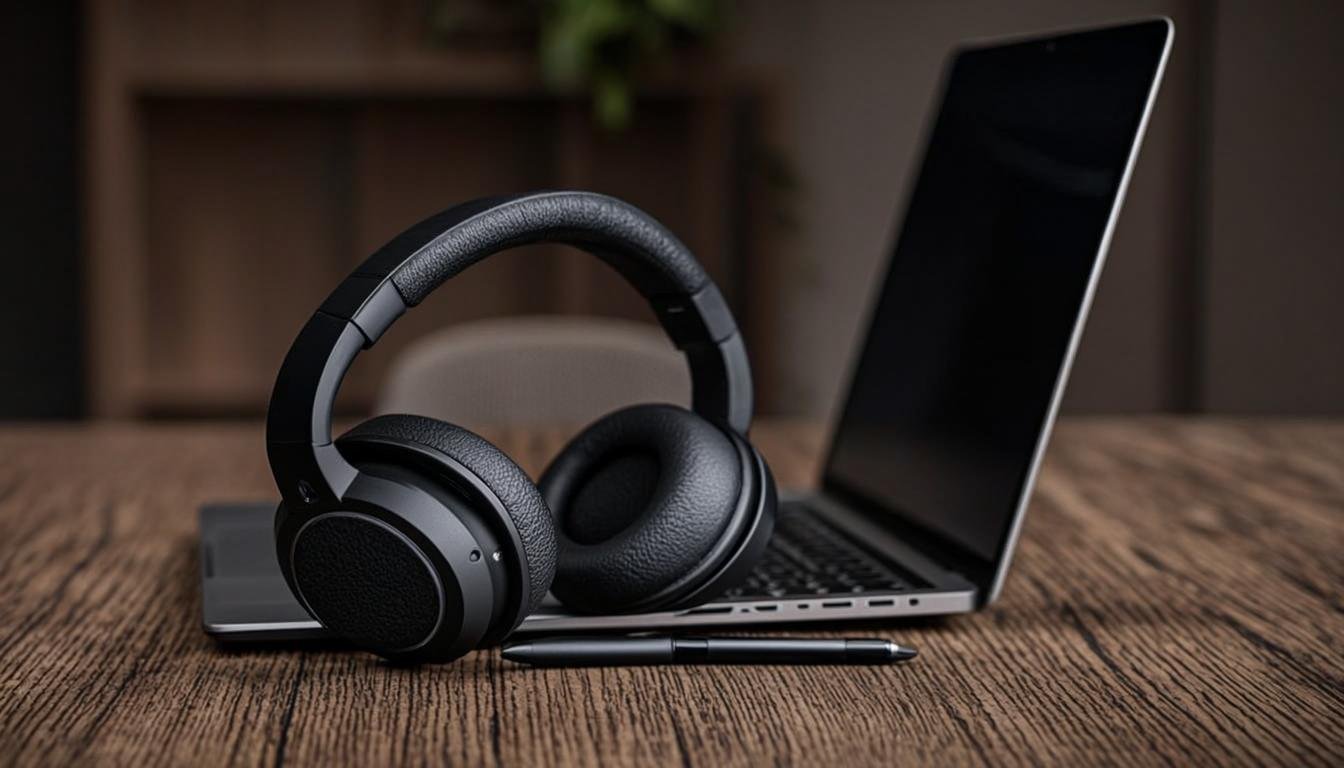

I work from home. My neighbors like to mow their lawn, my dog barks at delivery trucks, and my refrigerator hums louder than it should. Without good noise-cancelling headphones, I would spend half my workday apologizing to clients on video calls.
If you have a remote job, you already know the problem. Background noise is not just annoying. It is unprofessional. Clients notice when your dog starts barking during a pitch meeting. Team members get distracted when your kids are arguing in the next room. Good headphones fix this. They block the noise on your end so you can focus, and they filter it out of your microphone so others hear you clearly.
BloggingJobsHub.com is created by an individual to help you find AI, WordPress, Article Writing and Blogging Jobs, and teach you skills to work long-term. Noise-cancelling headphones are one of those skills worth knowing about, because the right pair makes every remote work session more productive.
How noise cancellation actually works
There are two types of noise cancellation: passive and active. Understanding the difference helps you pick the right headphones for your situation.
Passive noise isolation is the simplest form. It works by physically blocking sound from reaching your ears. Over-ear headphones with thick ear pads do this naturally. The padding creates a seal around your ear that muffles outside sounds. In-ear earbuds do the same thing by sitting inside your ear canal.
Active noise cancellation, usually abbreviated as ANC, uses microphones to pick up ambient sounds and then creates an opposite sound wave to cancel them out. The technology works best on consistent, low-frequency sounds like engine noise, air conditioning hums, and fan whirs. It is less effective on sudden, high-frequency sounds like dog barks or human speech.
Some headphones combine both approaches. They use passive isolation from the ear cups plus active cancellation through electronics. This combination gives you the best overall noise reduction.
Why remote workers need noise-cancelling headphones
Remote work comes with noise challenges that office workers do not face. In an office, everyone is working. At home, your environment is unpredictable.
Video calls are the biggest reason. Clients and colleagues hear everything on your end. Even a quiet background noise can make you sound less professional. Headphones with good ANC and a quality microphone ensure that your voice comes through clearly without background noise competing for attention.
Focus is the second reason. When you are trying to write, code, or analyze data, background noise breaks your concentration. Noise cancellation creates a quiet bubble where you can think without constant interruption.
Burnout prevention is the third reason. Constantly fighting background noise is exhausting. Your brain works harder to filter out distractions, which drains your energy faster. Noise-cancelling headphones reduce that cognitive load, letting you work longer without feeling wiped out.
Over-ear vs on-ear vs in-ear headphones
The form factor you choose affects comfort, noise isolation, and portability.
Over-ear headphones have large ear cups that completely surround your ears. They offer the best passive noise isolation and usually the longest battery life. The trade-off is size and weight. They are bulkier than other options and can make your ears warm after extended use.
On-ear headphones rest on your outer ear rather than surrounding it. They are lighter and more portable than over-ear models but do not isolate noise as well. Some people find them more comfortable for long sessions because they do not trap heat around the ears.
In-ear earbuds sit inside your ear canal. They are the most portable option and provide surprisingly good passive isolation. The downside is comfort. Not everyone likes having something inside their ear for hours, and earbuds can cause fatigue over time.
For remote workers who spend most of their day on video calls and focused work, over-ear headphones are usually the best choice. They block the most noise, have the best microphones, and are the most comfortable for all-day wear.
Top noise-cancelling headphones for remote workers
I have used or tested most of the popular options. Here are my picks, organized by price and use case.
Sony WH-1000XM5
The Sony WH-1000XM5 is the current flagship from Sony and costs about $350. It has excellent active noise cancellation, a comfortable over-ear design, and up to 30 hours of battery life with ANC turned on. The sound quality is detailed and balanced, making it great for music between calls.
The microphone quality for calls is very good. Sony uses beamforming microphones with AI-based noise reduction to isolate your voice. Clients will hear you clearly even if there is some background noise on your end.
The headphones fold flat but do not fold into a compact shape like the previous XM4 model. The case is larger than some competitors. If you travel frequently, this is worth considering.
The touch controls on the ear cups let you play and pause music, skip tracks, and adjust volume with taps and swipes. You can also cover the right ear cup with your hand to temporarily disable ANC and let in ambient sound, which is useful for quick conversations.
Bose QuietComfort Ultra Headphones
Bose practically invented active noise cancellation, and the QuietComfort Ultra costs about $429. The noise cancellation is outstanding, possibly the best available in any consumer headphone. If your main priority is blocking out as much noise as possible, these are the ones to get.
Battery life is about 24 hours with ANC on. The ear cups are soft and comfortable, even after hours of wear. Bose has always been good at making headphones that you forget you are wearing.
The microphone quality for calls is solid but not quite as good as the Sony XM5 in my experience. Both are more than adequate for video calls, but the Sony has a slight edge in noisy environments.
The QuietComfort Ultra also supports spatial audio and has a surround sound mode for music listening. This is a nice bonus if you listen to music while you work, but it is not relevant to call quality.
At $429, these are expensive. But if noise cancellation is your top priority and you have the budget, the QC Ultra delivers.
Apple AirPods Max
The AirPods Max cost about $549, which puts them in a different pricing category. They have excellent noise cancellation, great sound quality, and a premium aluminum and stainless steel build. If you are in the Apple ecosystem, they work smoothly with your iPhone, iPad, and Mac.
The microphone quality for calls is excellent, and the transparency mode, which lets in outside sound, is the best I have used. It sounds natural, not like you are listening through a speaker.
The main drawbacks are the price, the weight (384 grams, heavier than most competitors), and the lack of a proper folding mechanism. The included case only covers the ear cups and leaves the headband exposed. For $549, you would expect better.
I recommend these only if you are fully invested in the Apple ecosystem and want the most connected experience.
Sennheiser Momentum 4 Wireless
The Sennheiser Momentum 4 costs about $250 and offers an impressive 60 hours of battery life with ANC turned on. That is double what most competitors offer. If you hate charging your headphones every few days, these are for you.
Sound quality is excellent, which is what you would expect from Sennheiser. The ANC is good but not quite at the level of Sony or Bose. For office noise and home background sounds, it works well. For very loud environments, it falls a bit short.
The microphone for calls is decent but not the best in this category. Your voice sounds clear but there is some background noise pickup compared to the Sony XM5.
At $250, these offer great value. You get long battery life, good sound, and solid ANC for significantly less than the flagship models.
JBL Tour One M2
The JBL Tour One M2 costs about $250 and offers strong noise cancellation with up to 50 hours of battery life. The sound profile is warm and punchy, which works well for music and podcasts.
The microphone quality surprised me. JBL uses beamforming microphones with noise reduction that perform well on video calls. Your voice sounds clear and natural.
The headphones are comfortable for long sessions, with soft ear cushions and a lightweight design. They also have spatial audio support and an app with a customizable equalizer.
If you want good performance across the board without spending over $300, the Tour One M2 is a strong contender.
Budget pick: Anker Soundcore Space Q45
The Anker Soundcore Space Q45 costs about $100 and punches well above its weight. The active noise cancellation is effective against low-frequency sounds like fans and air conditioning. It will not match the Sony or Bose at blocking everything, but for the price, it is impressive.
Battery life is about 50 hours with ANC on. The headphones are comfortable for extended wear, with memory foam ear cushions. The microphone quality is adequate for video calls, though it struggles a bit in noisy environments.
The companion app lets you customize the EQ and adjust the ANC level. You can choose between different noise cancellation modes depending on your environment. At $100, this is the best budget option for remote workers.
Budget pick: Sony WH-CH720N
The Sony WH-CH720N costs about $100 and is the budget entry from Sony's noise-cancelling lineup. The ANC is decent for the price, handling steady background noises well. Battery life is about 35 hours.
These headphones are very lightweight at only 192 grams. If heavier headphones bother you, this is a comfortable alternative. The sound quality is good but not spectacular, and the microphone is adequate for casual calls.
Best noise-cancelling earbuds for remote workers
Some people prefer earbuds over headphones. They are lighter, more portable, and less likely to mess up your hair before a video call. Here are the best options.
Apple AirPods Pro 2
The AirPods Pro 2 costs about $249 and is the best option for iPhone users. The active noise cancellation is very good for earbuds, and the transparency mode is the best in the category. You can hold a conversation while wearing them and it sounds almost like you are not wearing earbuds at all.
The microphone quality is excellent. Apple uses computational audio to isolate your voice, and on video calls, you sound clear and natural. The Smart Audio feature automatically switches between ANC and transparency based on your environment.
Battery life is about 6 hours with ANC on, and the case provides an additional 24 hours of charge. The case also has a built-in speaker for Find My alerts, and a lanyard loop.
Sony WF-1000XM5
The Sony WF-1000XM5 earbuds cost about $280 and offer excellent noise cancellation in a small package. They are smaller and lighter than the previous generation, and the ANC performance has improved. The sound quality is detailed and balanced.
Battery life is about 8 hours with ANC on, which is above average for noise-cancelling earbuds. The charging case provides two additional charges.
The microphone quality is good for calls, though earbuds generally do not perform as well as over-ear headphones in noisy environments because the microphones are further from your mouth.
Jabra Elite 10
The Jabra Elite 10 costs about $180 and has a comfortable semi-in-ear design that does not fully block the ear canal. The ANC is good but not the strongest in this category. What sets these apart is call quality. Jabra has a long history of making headsets for business use, and that experience shows.
The microphones pick up your voice clearly and do a solid job of filtering background noise. If video calls are your main use case and you prefer earbuds, the Elite 10 is a great choice.
Budget earbuds: Anker Soundcore Liberty 4 NC
At about $50, these earbuds offer good noise cancellation, decent sound quality, and up to 10 hours of battery life with ANC. The microphone quality is acceptable for casual calls but not ideal for important client meetings.
For the price, they are hard to beat. If you want to try noise-cancelling earbuds without spending $200+, start here.
Headsets vs headphones for remote work
There is a difference between headphones and headsets. Headphones are designed primarily for music and media listening. Headsets are designed for communication, with a boom microphone that sits close to your mouth.
If most of your remote work involves video calls and phone calls, a headset might be better than headphones. The boom microphone provides better voice quality than the small built-in microphones on headphones.
Jabra Evolve2 75
The Jabra Evolve2 75 costs about $300 and is a professional headset designed specifically for office and remote work. It has active noise cancellation, a boom microphone that retracts into the headband when not in use, and a busylight on the ear cup that lights up red when you are on a call.
The microphone quality is professional grade. Your voice sounds clear and natural even in noisy environments. The ANC is good for a headset, though not quite at the level of the Bose or Sony headphones.
Battery life is about 37 hours with ANC on. The headset connects via Bluetooth or the included USB dongle for a more stable connection.
Poly Voyager Focus 2
The Poly Voyager Focus 2 costs about $250 and is another professional headset with ANC and a boom microphone. The noise cancellation is effective for office sounds, and the microphone has three microphones with advanced noise cancellation that blocks out background noise from your end of the call.
The headset is comfortable with soft ear cushions and a lightweight design. It has a smart sensor that mutes your call when you take off the headset and unmutes when you put it back on.
Battery life is about 19 hours with ANC on, which is less than most headphone options. But the microphone quality and professional features make it a good choice for remote workers who spend hours on calls.
What to look for when buying noise-cancelling headphones
With so many options available, here is a checklist of what matters most for remote work.
Microphone quality matters more than sound quality. You are buying these for work, not for audiophile listening. A headphone with mediocre music quality but a great microphone is more useful than the reverse. Look for headphones with beamforming microphones and noise reduction for calls.
Noise cancellation level should match your environment. If your home is relatively quiet with occasional sounds, moderate ANC is fine. If you work near a busy street or in a shared space with lots of background noise, you need the strongest ANC available, which points to the Bose QC Ultra or Sony XM5.
Battery life affects your routine. If you work 8-hour shifts, you need headphones that last at least that long on a charge. Most options offer 25 to 30 hours, which is plenty. But if you tend to forget to charge your devices, the Sennheiser Momentum 4 with 60 hours or the JBL Tour One M2 with 50 hours are safer choices.
Comfort is critical for all-day wear. Everyone's head and ears are different. What feels comfortable for one person might cause pressure or heat buildup for another. Look for headphones with soft, breathable ear cushions and adjustable headbands. If possible, try them in a store before buying.
Multipoint Bluetooth lets you connect to two devices at the same time. This is useful if you want to be connected to both your laptop and your phone. When a call comes in on your phone, the headphones automatically switch to the call. When it ends, they switch back to your laptop audio. Both the Sony XM5 and Bose QC Ultra support this feature.
Wired fallback is important if you want to use the headphones even when the battery dies. Most over-ear headphones have a 3.5mm audio jack for this. Some earbuds do not. Check before buying.
Noise cancellation settings and tips
Getting the most out of your noise-cancelling headphones involves more than just turning them on and putting them on. Here are some practical tips.
Use the right ANC mode for your environment. Most headphones have multiple ANC levels. High ANC for noisy environments, low ANC for moderate noise, and transparency mode when you need to hear what is going on around you. Using maximum ANC in a quiet room can create a pressure sensation in your ears that some people find uncomfortable.
Pair ANC with background sounds. If ANC alone is not enough to block out distractions, add white noise or ambient sounds. Many headphones have companion apps that play nature sounds, rain sounds, or atmospheric noise. Spotify and YouTube have free playlists for this too.
Replace ear tips on earbuds regularly. If you use noise-cancelling earbuds, the silicone ear tips degrade over time. When they lose their seal, noise isolation drops significantly. Replace them every few months. Most earbud manufacturers sell replacement tips cheaply, and third-party options from brands like Comply ($15 for a pair of foam tips) can improve both comfort and isolation.
Keep firmware updated. Headphone manufacturers release firmware updates that can improve ANC performance, fix bugs, and add features. Check the companion app periodically for updates.
Clean your headphones. Ear oils and sweat build up on ear cushions and ear tips over time. Wipe them down with a slightly damp cloth regularly. This keeps the seal intact and prevents skin irritation.
Noise-cancelling headphones for specific remote work scenarios
Different remote workers have different needs. Here are my recommendations based on common situations.
Freelance writers and bloggers
You probably work in long, focused sessions. Comfort and battery life are your top priorities. The Sennheiser Momentum 4 at $250 gives you 60 hours of battery life and comfortable ear cushions. You can write for days without needing to charge.
Customer service and support reps
You are on calls all day. Microphone quality and a boom microphone are essential. The Jabra Evolve2 75 at $300 is designed exactly for this use case. The busylight tells your family you are on a call, and the boom microphone ensures clients hear you clearly.
Remote developers and designers
You need focus and occasional call capability. The Sony WH-1000XM5 at $350 gives you excellent noise cancellation for deep work sessions and good microphone quality for standup meetings and code reviews.
Remote managers and team leads
You split your time between focused work and video meetings. The Bose QuietComfort Ultra at $429 gives you the best noise cancellation available for focused work, and solid microphone quality for leadership meetings.
Budget-conscious remote workers
If you are just starting out in remote work or your budget is tight, the Anker Soundcore Space Q45 at $100 is the best value option. The noise cancellation handles common home office sounds, the battery lasts 50 hours, and the microphone is adequate for most video calls.
Common mistakes remote workers make with headphones
Buying based on brand reputation alone. Bose makes great ANC, but if you need long battery life, the Sennheiser is a better choice. Sony has excellent all-around performance, but it might not be the best for your specific situation. Match the headphone to your needs, not to the brand.
Wearing headphones all day without breaks. Even the most comfortable headphones cause ear fatigue after several hours. Take them off for 10 to 15 minutes every few hours to let your ears breathe.
Ignoring the microphone. It is easy to focus on noise cancellation and sound quality and forget about the microphone. But if you are on video calls daily, the microphone is arguably the most important feature. Read reviews that specifically test call quality before buying.
Not testing the fit. Everyone's head is shaped differently. A headphone that fits one person perfectly might be loose or tight on another. If possible, try before you buy. Many electronics stores have display models you can test.
Skipping the companion app. Most noise-cancelling headphones have companion apps that let you adjust ANC levels, equalizer settings, and firmware. Using the default settings might not give you the best experience for your specific environment.
Taking care of your headphones
Good headphones are an investment. Taking care of them extends their life and keeps them performing well.
Store them in their case when not in use. Dust, pet hair, and accidental drops can damage the drivers and ear cushions. A case protects against all of these.
Keep them away from extreme temperatures. Leaving headphones in a hot car can damage the battery and the ear cushion materials. The same goes for very cold environments.
Clean ear cushions regularly. Use a dry cloth to wipe away oils and sweat. For deeper cleaning, use a slightly damp cloth with mild soap. Do not submerge any part of the headphones in water unless they are specifically rated for it.
Replace ear cushions when they wear out. Most over-ear headphones have replaceable ear cushions. When the cushions flatten, crack, or start shedding material, replace them. Many manufacturers sell official replacements for $20 to $40.
Charge the battery properly. Lithium-ion batteries last longest when kept between 20% and 80% charge. Do not let your headphones sit at 0% for extended periods, and do not keep them at 100% all the time either.
Alternatives to noise-cancelling headphones
If headphones are not your thing, there are other ways to manage background noise for remote work.
A quiet workspace. If you can dedicate a room or even a corner of a room to work, closing the door and adding some soft furnishings like curtains and rugs can significantly reduce noise. Sound-absorbing panels like the Acoustic Panels from ATS Acoustics (about $50 for a set of 4) can further reduce echoes and background noise.
White noise machines. Devices like the LectroFan Classic ($35) produce consistent background noise that masks sudden sounds. They are cheaper than headphones and do not require anything on your head.
A good desk microphone. If you only care about how you sound on calls and not about blocking noise from your ears, a dedicated desk microphone like the Blue Yeti ($100) can help. Paired with noise reduction software like Krisp ($8 per month), you can sound professional without headphones. Krisp filters background noise from both your microphone and the audio coming through your speakers.
External links and resources
For more information on noise-cancelling technology and remote work setups, check out these resources:
- RTINGS.com Headphone Reviews has detailed measurements and comparisons of noise cancellation performance.
- The Verge Headphone Buying Guide offers updated recommendations and buying tips.
- Krisp.ai is AI-powered noise cancellation software that works with any microphone and headphones.
For more remote work tips and job listings, visit BloggingJobsHub.com.
FAQ: Best noise-cancelling headphones for remote jobs
How much should I spend on noise-cancelling headphones for work?
Plan to spend between $100 and $350. The $100 range gets you basic but effective noise cancellation with adequate call quality. The $250 to $350 range gets you the best ANC performance, better microphones, longer battery life, and more comfortable designs. Spending more than $350 is only worth it for specific needs like Apple ecosystem integration or premium build quality.
Can I use noise-cancelling headphones for video calls?
Yes, and most remote workers do. Over-ear headphones with ANC block background noise from your ears so you can focus, and their built-in microphones filter noise from your voice so clients hear you clearly. The Sony WH-1000XM5 and Bose QC Ultra are both excellent for video calls.
Are over-ear headphones better than earbuds for remote work?
For most remote workers, yes. Over-ear headphones offer better noise cancellation, longer battery life, and better microphone quality. Earbuds are more portable and less noticeable on camera, but they fall short in call quality and comfort for all-day wear.
Do noise-cancelling headphones completely block all noise?
No. Active noise cancellation works best on consistent, low-frequency sounds like fans, air conditioning, and engine noise. It is less effective on sudden sounds like dog barks, door slams, and human speech. The best headphones reduce these sounds significantly but do not eliminate them entirely.
How long do noise-cancelling headphones last?
With proper care, a good pair of noise-cancelling headphones lasts 3 to 5 years. The battery will gradually lose capacity over time, and the ear cushions will wear out. Most manufacturers sell replacement ear cushions, and some offer battery replacement services.
Can I use one pair of headphones for work and music?
Absolutely. Most noise-cancelling headphones are designed for both use cases. They switch between call mode and music mode automatically. The Sony XM5 and Sennheiser Momentum 4 are particularly good for music listening during breaks.
Do I need a headset with a boom microphone or are regular headphones fine?
For most remote workers, regular headphones are fine. The built-in microphones on quality headphones handle video calls well. But if you spend most of your day on calls, especially in noisy environments, a headset with a boom microphone like the Jabra Evolve2 75 will give you noticeably better voice quality.
What is transparency mode and do I need it?
Transparency mode lets outside sound in through the headphones using the built-in microphones. It is useful when you need to hear someone talking to you in person, listen for a doorbell, or be aware of your surroundings while walking. It is a nice feature to have but not essential for focused work.
Are budget noise-cancelling headphones worth buying?
Budget options in the $80 to $100 range, like the Anker Soundcore Space Q45, are worth buying if you are on a tight budget. They will not match the performance of premium models, but they block enough noise to make a real difference in your focus and call quality.
How do I stop my headphones from hurting my ears after long use?
Take breaks every 2 to 3 hours. Adjust the headband so the ear cups sit level and do not press too hard. If your ears get hot, switch to earbuds for a while or take the headphones off and let your ears cool down. Some headphones, like the Jabra Evolve2 75, have specifically designed ear cushions for all-day comfort.
Final recommendations
If I had to pick just one pair of noise-cancelling headphones for a remote worker, it would be the Sony WH-1000XM5 at about $350. It offers the best balance of noise cancellation, microphone quality, comfort, and battery life. It works well for focused work, video calls, and music, which covers everything most remote workers do in a day.
If budget is a concern, the Anker Soundcore Space Q45 at $100 gives you 80% of the performance for 30% of the price. The noise cancellation handles common home office sounds, and the microphone is adequate for regular video calls.
For call-heavy roles, the Jabra Evolve2 75 at $300 is the professional choice with its boom microphone and business-focused features.
Whatever you choose, good noise-cancelling headphones are one of the best investments you can make in your remote work setup. They pay for themselves in improved focus, better call quality, and reduced fatigue.
For more remote job opportunities and career tips, visit BloggingJobsHub.com and start building your remote work future today.

Other Articles