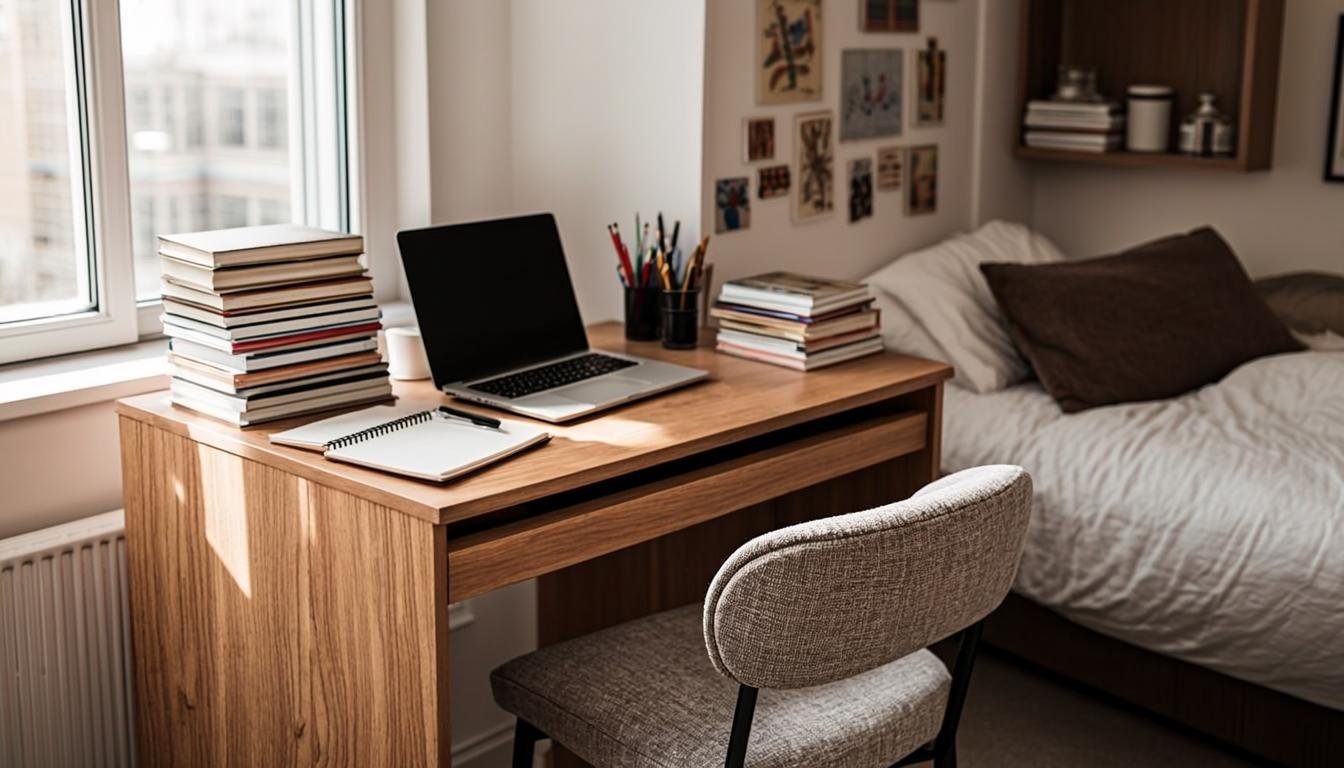

When I started working from home as a college student, my "office" was my bed and a lap desk from Target. My back hurt, my grades slipped, and I was constantly distracted by my roommate playing video games six feet away. It took me almost failing a semester to realize that my workspace was part of the problem.
You do not need a thousand-dollar setup to be productive. You need a few specific things that actually work for how students live. Small spaces, shared rooms, tight budgets, and messy schedules. That is the reality.
BloggingJobsHub.com is created by an individual to help you find AI, WordPress, Article Writing and Blogging Jobs, and teach you skills to work long-term. If you are a student looking to earn money while studying, building a functional home workspace is step one.
This guide covers everything you need to build a work from home setup that actually fits a student lifestyle. I have kept every recommendation under realistic price limits because I remember what it was like to choose between a desk chair and groceries.
What students actually need from a workspace
Student work is different from professional office work. You need a space that handles essay writing, Zoom classes, group projects, and maybe a part-time remote job or freelance gig. All while sharing a room or an apartment and spending as little money as possible.
The priorities are different. Durability matters because you will move at least once or twice. Size matters because your room is probably not big. Noise management matters because your roommates or family are not going to be quiet just because you have a deadline.
Here is what actually matters for a student setup:
A flat surface at the right height. You need a place to put your laptop, a notebook, and a drink. It does not need to be fancy. It needs to be stable and roughly at elbow height when you are sitting.
A reasonably comfortable seat. Not a luxury ergonomic chair. Just something that does not make your back scream after two hours. We will get into specific options later.
Decent lighting. Studying and writing in a dark room wrecks your eyes. A simple desk lamp solves this.
Reliable internet. This is non-negotiable. Everything you do as a student depends on your connection.
That is really it at the core. Everything else is nice to have, not essential. If you are on a tight budget, nail these four things first.
Desk options for student budgets
Your desk does not need to be expensive. It needs to be the right size for your space and sturdy enough to hold your stuff. Here are real options at different price points.
Under $50 desks
Foldable TV tray table ($20 to $30)
Yes, seriously. A folding TV tray is one of the most practical student desk options available. It takes up almost no space when folded, you can move it anywhere, and it holds a laptop and a notebook without wobbling. I used one for my entire sophomore year.
The downside is obvious. There is no storage. No room for a monitor. No cable management. But if you are working on a laptop and you need something right now for under $30, this works.
IKEA LACK side table ($15 to $25)
The IKEA LACK table is a small square table that makes a passable desk for a tight space. It is 22 inches square, which fits a laptop with some room for a notebook or a coffee cup. It looks decent, costs almost nothing, and you can toss it when you move out.
Used desks on Facebook Marketplace or Craigslist ($20 to $50)
This is the best value option if you are willing to do a little hunting. People sell solid wood desks for dirt cheap when they move or upgrade. I found a real wooden desk with a drawer for $30 on Facebook Marketplace during my junior year. It was ugly, but it was sturdy and it worked.
Under $100 desks
IKEA LINNMON desk ($50 to $70)
The LINNMON is the standard budget student desk for good reason. It is a simple tabletop with legs that you assemble yourself. It comes in several sizes, and the 47-inch version gives you enough room for a laptop, a monitor, and some books. Pair it with the ALEX drawer unit underneath for actual storage.
The total for the desk and one drawer unit is about $80 to $100. This was the most common setup in my apartment building. Everyone had some version of it.
Mainstays Parsons Desk from Walmart ($60 to $80)
A simple desk with a clean look that fits in small rooms. It is about 36 inches wide, which is enough for a laptop and a few books but tight for a monitor setup. The build quality is basic but adequate for a few years of student use.
Amazon Basics Folding Desk ($50 to $65)
A proper folding desk that is bigger and sturdier than a TV tray. When folded, it is about 4 inches thick and can slide behind a door or under a bed. When open, it gives you about 32 inches of width. Good for dorm rooms where you need to clear space regularly.
Under $150 desks
IKEA MICKE desk ($80 to $120)
The MICKE includes built-in cable management, a small drawer, and a shelf. It looks intentionally minimal and fits well in small spaces. The 42-inch version is the sweet spot for students who want something that looks a bit more finished than a bare tabletop on legs.
Prepac Wall Mounted Desk ($90 to $130)
If floor space is really tight, a wall-mounted desk folds flat against the wall when not in use. The Prepac version is sturdy enough for a laptop and a monitor. Installation takes about 30 minutes with a drill. Not ideal if you are renting and cannot put holes in the wall, but great for dorm rooms with permission.
Check out /remote-jobs/ for more ideas on setting up a productive home workspace that supports remote work.
Chair options that will not break your budget
Do not sleep on chair quality. I destroyed my posture sitting on a cheap dining chair for two years, and my physical therapist later told me that was likely the cause of my chronic lower back pain.
Under $50
IKEA MAMMUT children's chair ($25 to $35)
Hear me out. This is technically a kids chair, but it supports up to 220 pounds and it is surprisingly comfortable for short to medium study sessions. The plastic shell is easy to clean. It is small, which is perfect for cramped student rooms. Not ideal for 8-hour work days, but perfectly fine for studying and attending classes.
Basic folding chair ($15 to $25)
A metal folding chair with a padded seat from Walmart or Amazon. Nobody is going to call it comfortable, but it works in a pinch. If you are spending most of your time on a laptop in bed or on the couch and just need a chair for occasional desk work, this gets you by.
Under $100
IKEA MILLBERGET swivel chair ($50 to $80)
This is probably the most common student office chair in existence. It swivels, has adjustable height, and comes in several colors. The padding is decent for the price. It will not last forever. The mechanism on mine started squeaking after about 18 months. But for a couple of years of student use, it does the job.
Flash Furniture Mid-Back Office Chair ($70 to $100)
Available on Amazon and at most office supply stores, this is a step up from the bare minimum. It has basic lumbar support and a slightly better build quality than the IKEA option. I sat in one of these at a friend's apartment and it felt noticeably more supportive for longer sessions.
Gaiam Balance Ball Chair ($70 to $90)
An exercise ball on a frame with wheels. This is not for everyone, but if you are the type who fidgets constantly, sitting on a slightly unstable surface keeps you engaged. It also forces better posture because you cannot easily slouch on a ball. The downside is that it takes some getting used to, and you cannot really lean back.
Under $150
HON Ignition 2.0 (refurbished) ($100 to $140)
HON makes commercial-grade office furniture, and the Ignition 2.0 is their mid-range chair. Buying refurbished from office liquidation sites gets you a genuinely good chair at a student price. These are built to last years of daily use and have proper lumbar support.
Search for refurbished HON or Steelcase chairs on eBay or at local office furniture liquidators. You can often find chairs that originally cost $400 to $600 selling for under $150 because a company upgraded their office.
Laptop vs desktop for student work
This decision affects your entire setup.
Why most students should stick with a laptop
A laptop gives you flexibility. You can take it to class, the library, a coffee shop, or your couch. For a student, that mobility matters more than raw performance.
Most modern laptops handle writing, web browsing, video calls, and light photo editing without any issues. A Chromebook for $200 to $300 covers the basics. A mid-range Windows laptop or MacBook Air for $500 to $800 handles everything a student throws at it.
The catch is the screen size and keyboard. Laptop keyboards are cramped. Laptop screens are small. If you are spending hours typing essays or doing freelance work, these limitations get old fast.
When a desktop makes sense
If you are doing video editing, 3D modeling, or heavy programming coursework, a desktop gives you more performance for your money. A $600 desktop outperforms a $600 laptop in raw power because desktop components are cheaper and easier to upgrade.
Desktops also pair naturally with a full-sized monitor, keyboard, and mouse, which is better for long work sessions. You can set up a proper ergonomic workspace instead of hunching over a laptop.
The hybrid approach: laptop plus accessories
This is what I recommend for most students. Use your laptop as your main computer, but add a monitor, keyboard, and mouse for desk work. When you need to go to class or the library, just grab the laptop and go.
A basic wired keyboard and mouse combo costs about $15 to $20. Add a budget monitor from our guide on /skills-learning/ and you have a desktop-like experience when you are at your desk without sacrificing laptop portability.
Essential accessories under $50 each
These are the things that make a cheap setup feel much more usable.
Keyboard and mouse
Logitech MK270 Wireless Combo ($25 to $30)
A wireless keyboard and mouse pair that connects through a single USB receiver. The keyboard is full-sized with a number pad. Battery life is excellent. Logitech claims 24 months for the keyboard and 12 months for the mouse. I used this combo for over a year and never changed the batteries.
Amazon Basics Wired Keyboard and Mouse ($12 to $15)
Even cheaper. No batteries to worry about. The keyboard is basic membrane type, which is not great for typing long essays but works fine for general use.
Laptop stand
If you are using a laptop at your desk, a stand raises the screen to eye level. This alone makes a huge difference in comfort.
Nulaxy Ergonomic Laptop Stand ($15 to $25)
An adjustable aluminum stand that holds laptops from 10 to 17 inches. It folds flat for storage and is sturdy enough to type on if you use an external keyboard. I have seen this same stand recommended by Wirecutter and it consistently gets good reviews.
Rain Design mStand ($30 to $40)
A fixed-height aluminum stand that looks clean and professional. It matches well with Apple laptops. You cannot adjust the height, which is a drawback, but the fixed angle works for most people.
Webcam
If you are doing Zoom classes or video calls for a remote job, a good webcam matters.
Logitech C270 HD Webcam ($20 to $30)
720p resolution, which is not amazing but perfectly adequate for classes and casual meetings. It has a built-in microphone that is better than most laptop mics. Plug and play setup.
Logitech C920 HD Pro Webcam ($50 to $70)
1080p resolution with significantly better image quality. If you are doing freelance work, job interviews, or client calls, this is worth the upgrade. It is one of the most popular webcams on Amazon for good reason.
USB hub
Most budget laptops have limited ports. A USB hub expands your connectivity.
Anker 4-Port USB Hub ($15 to $20)
A simple, reliable USB 3.0 hub that lets you connect your keyboard, mouse, webcam, and an external drive to a single laptop port. Anker makes some of the most dependable budget tech accessories.
Sabrent USB-C Hub ($20 to $35)
If your laptop only has USB-C ports, you need a hub that converts to regular USB, HDMI, and SD card slots. The Sabrent options on Amazon are reliable and affordable.
External storage
A small external hard drive or SSD for backing up your work.
SanDisk 256GB Extreme Portable SSD ($30 to $45)
Fast, tiny, and durable. This fits in your pocket and transfers files quickly. Use it to back up essays, projects, and anything you cannot afford to lose. Cloud backups like Google Drive are fine, but having a local backup is smart too.
Lighting that helps you focus
Bad lighting is a productivity killer. I know because I spent a semester writing papers in a room lit only by a single overhead bulb and my laptop screen. My eyes ached constantly.
Desk lamps
IKEA TERTIAL work lamp ($10 to $15)
A classic adjustable arm lamp. It clamps to the edge of your desk, which saves surface space. The bulb is not included, so pick up an LED bulb at the same time. Total cost with bulb is about $15.
Glocusent LED Neck Reading Light ($15 to $25)
This hangs around your neck and directs light onto whatever you are looking at. It sounds weird, but it is fantastic for studying in shared rooms because it only illuminates your workspace, not the entire room. Your roommate can sleep while you work.
BenQ e-Reading Desk Lamp ($80 to $100)
This is a splurge, but if you spend hours reading textbooks or writing papers, the adjustable color temperature makes a real difference. You can set it to warm light for late-night studying or cool light for daytime work. RTINGS.com covers desk lamp comparisons if you want to compare options.
Window positioning
If your desk is near a window, position your monitor or laptop so the window is to your side, not behind your screen or behind you. Windows behind your screen cause glare. Windows behind you cause screen reflections.
Side lighting is ideal. Natural light during the day reduces eye strain and helps you stay alert. Just avoid direct sunlight hitting your screen.
Internet considerations for student remote work
Your internet connection is the foundation of your remote setup. If it drops during a Zoom exam or a client deadline, nothing else matters.
Minimum speeds
For basic student work like writing papers and browsing, you need at least 10 Mbps download speed. For video calls, aim for at least 25 Mbps download and 5 Mbps upload. If you share your internet with roommates or family, those numbers need to be higher.
Budget internet options
Xfinity Internet Essentials ($10 to $15/month)
If you qualify based on income or participation in assistance programs, this gives you 50 Mbps for a very low price. Available in Comcast service areas.
T-Mobile Home Internet ($50/month)
A 5G home internet option that does not require a contract or installation. Plug the gateway into an outlet and you have internet. Speeds vary by location but typically range from 25 to 100 Mbps. Good for students who move frequently because you can take it with you.
Your campus network
Most universities provide internet in dorms and on campus. It is usually fast enough but can be unreliable during peak hours when everyone is streaming Netflix. Do not rely solely on campus Wi-Fi for important deadlines.
Wi-Fi router upgrade
If you are using the Wi-Fi router your ISP provided, upgrading to a better one can improve reliability and range.
TP-Link Archer A7 ($60 to $80)
A solid dual-band router that covers most apartments and small houses. Easy to set up and reliable for the price. If you are sharing Wi-Fi with multiple roommates, this makes a noticeable difference in stability.
Mesh network systems
If you live in a large apartment or a house with thick walls, a mesh system like the TP-Link Deco (about $90 for a 2-pack) extends coverage to dead spots. Not necessary for a single dorm room, but useful in shared apartments.
For tips on finding remote work that pays well while you are in school, visit /freelancing/.
Complete setups by budget
Here are three complete workspace builds at different price points. Each includes a desk, chair, and essential accessories.
The $100 setup
This is the absolute minimum for a functional workspace.
- IKEA LACK side table: $20
- IKEA MAMMUT chair: $30
- Nulaxy laptop stand: $18
- Logitech MK270 keyboard and mouse: $27
- Used desk lamp from thrift store: $5
- Total: about $100
This setup assumes you already have a laptop. It gives you a flat surface at desk height, a place to sit, a raised screen, and external input devices. It is not glamorous, but it works. I know because this is essentially what I used during my first year of remote work.
The $200 setup
A noticeable step up in comfort and functionality.
- IKEA LINNMON desk with ALEX drawer: $80
- IKEA MILLBERGET chair: $65
- Nulaxy laptop stand: $18
- Logitech MK270 keyboard and mouse: $27
- IKEA TERTIAL lamp with LED bulb: $15
- Total: about $205
This is the setup I wish I had built from the start. The LINNMON desk gives you enough room for a laptop, notebook, and accessories. The drawer unit stores pens, chargers, and other clutter. The chair is reasonably comfortable for multi-hour sessions.
The $300 setup
This adds a monitor and better accessories.
- IKEA LINNMON desk with ALEX drawer: $80
- Flash Furniture Mid-Back chair: $80
- Dell S2421HN 24-inch monitor: $140 (but wait, this puts us at $300 without the extras)
- Let me adjust: IKEA LINNMON desk only: $50
- Flash Furniture chair: $80
- Amazon Basics 24-inch monitor: $100
- Nulaxy laptop stand: $18
- Logitech MK270 keyboard and mouse: $27
- IKEA TERTIAL lamp: $15
- Total: about $290
This setup adds an external monitor, which is a real productivity boost. You can have your laptop on one side and the monitor on the other, or close the laptop and use the monitor as your main display with the external keyboard.
If you are willing to buy used, you can often find monitors, desks, and chairs at 30 to 50% off these prices on Facebook Marketplace, Craigslist, or at university surplus sales. I once found a Steelcase chair for $40 at my university's surplus store. Deals like that are out there if you look.
Tips for shared spaces
Many students do not have a private room. You might be sharing a dorm, an apartment bedroom, or even a living room with someone else. Here is how to make it work.
Noise management
Earbuds or headphones are essential. The Sony WH-CH520 wireless headphones cost about $40 and block out enough background noise for studying. If you need serious noise cancellation, the Anker Soundcore Life Q30 at $60 to $80 is excellent for the price.
White noise helps. If your roommate is on a call or watching something, a white noise app on your phone fills the silence so sudden sounds are less distracting. I use the free version of the Brown Noise app and it works great.
Set boundaries. Communicate with your roommates about your schedule. If you have a class from 2 to 4 PM and need quiet, tell them. Most people are reasonable if you give them a heads up.
Space division
Room dividers like tension rods with curtains ($15 to $30) create a visual boundary between your workspace and the rest of the room. It does not block sound, but it reduces visual distractions and gives you a sense of privacy.
Directional lighting matters in shared spaces. Use a desk lamp or the Glocusent neck light instead of an overhead light to avoid disturbing your roommate.
Storage
In shared spaces, keeping your work stuff contained is important. A small rolling cart like the IKEA RÅSKOG ($30 to $40) holds your supplies and rolls into a corner when you are done working. Keeps your desk clear and your roommate happy.
Tax tips for student remote workers
If you earn money from remote work while in school, you might be able to deduct some of your setup costs. I am not a tax professional, so consult one for your specific situation. Here are some general things to know.
The home office deduction is available if you use a portion of your home exclusively and regularly for your freelance or business work. Being a student does not disqualify you, but the space needs to be used for work, not just studying.
Qualifying expenses can include your desk, chair, computer, internet, and office supplies. If you use the items for both personal and work purposes, you can only deduct the work-related percentage.
Keep receipts for everything. That $50 desk, $30 keyboard, and $15 lamp add up over a year. Take photos of your receipts or save them digitally because paper receipts fade.
Consult a tax professional. Tax rules change, and student tax situations can be complicated by financial aid, scholarships, and dependency status. Free tax preparation services like the Volunteer Income Tax Assistance (VITA) program are available for qualifying students.
IRS Publication 587 covers the home office deduction in detail. You can find it at IRS.gov.
Google also publishes helpful content guidelines that are worth reading if you are creating content online. Understanding these principles helps you produce better work, whether you are writing blog posts, building websites, or creating content for clients.
Final thoughts on building your student workspace
The best student workspace is the one that actually fits your life. Do not feel pressured to buy expensive gear because someone on YouTube said you need it. Start with what you can afford and upgrade as your needs and budget change.
A $100 setup that you actually use every day is infinitely better than a $1,000 setup that collects dust. I know students who spent a fortune on gear and never did any real work, and I know students who built their careers from a corner of a shared bedroom with a folding table and a secondhand chair.
The gear matters less than the habits. Show up, sit down, do the work. Everything else is support.
If you are looking for ways to earn money from home while studying, browse the opportunities at /blogging/ and /content-writing/.
Frequently asked questions
How much does a student work from home setup cost?
A basic functional setup costs about $100 to $150. This includes a simple desk or table, a basic chair, and a laptop stand. A more comfortable setup with an external monitor and better accessories runs $200 to $300. You do not need to spend more than $300 as a student.
What is the most important item in a student workspace?
Your chair. A bad chair causes back pain, poor posture, and fatigue that affects everything else. Spend as much as you can reasonably afford on a supportive seat. The desk is secondary.
Can I use my bed as a workspace?
You can, but you should not make it a habit. Working from bed encourages poor posture and blurs the line between rest and work, which hurts both your sleep quality and your productivity. Use a desk or table for work and keep your bed for sleep.
What is the best desk for a small dorm room?
A foldable desk like the Amazon Basics Folding Desk ($50 to $65) works well because you can fold it flat and store it when not in use. A wall-mounted desk like the Prepac is another option if you can install it. The IKEA LINNMON in the smallest size also fits in tight spaces.
Do I need an external monitor as a student?
It is nice to have but not essential. A laptop screen is adequate for most student work. An external monitor becomes more useful if you are doing freelance writing, coding, or any work that benefits from seeing multiple windows at once. A budget 24-inch monitor costs about $100 to $150.
How do I work from home in a shared room?
Use headphones to block noise, set a desk lamp to light your space without disturbing your roommate, and communicate your schedule. A room divider curtain creates a visual boundary. Keep your work supplies organized in a small cart or container that you can move out of the way when you are done.
What internet speed do I need for remote work as a student?
You need at least 25 Mbps download and 5 Mbps upload for reliable video calls and online coursework. If you share internet with roommates, aim for 50 Mbps or higher to avoid slowdowns when multiple people are online simultaneously.
Can I deduct my home office setup on my taxes as a student?
If you have freelance income or a small business, you may qualify for the home office deduction on the portion of your space used exclusively for work. Studying for classes does not count as business use. Keep all receipts and consult a tax professional for guidance specific to your situation.
What is the best budget chair for students?
The IKEA MILLBERGET ($50 to $80) is the most common choice because it offers adjustable height, decent padding, and a swivel function at a student-friendly price. For better long-term comfort, look for refurbished commercial chairs from HON or Steelcase on eBay or at office liquidation stores for $100 to $150.
How do I set up a workspace without a dedicated room?
Use a corner of your bedroom or living room. A folding desk that you can set up and take down works if space is really tight. The key is having a consistent spot where you work, even if it is not a private office. Train yourself to associate that spot with productivity.
Is a standing desk worth it for students?
Not at typical student budgets. Cheap standing desks under $150 tend to wobble and have unreliable height adjustment mechanisms. If you want to stand occasionally, put your laptop on a stack of books or a cheap shelf. Save the standing desk investment for when you have a real income and a permanent workspace.
What accessories should I buy first for a student setup?
In order of priority: a decent chair, a laptop stand, and an external keyboard and mouse. These three things make the biggest difference in comfort and productivity. Everything else, from monitors to webcams, can come later as your budget allows.

Best chairs for writers who sit all day
Best monitor size for SEO and blogging work