


I wrote my first 200 blog posts on a 2015 MacBook Air with 4GB of RAM. Pages took 10 seconds to load. I could not run more than four browser tabs without the whole system freezing. Somehow, I still made money.
But here is what I wish someone had told me back then. The right laptop makes you faster. Not because it makes you a better writer, but because it removes the friction between your brain and the screen.
When you blog for a living or do SEO work, your laptop is your office. It runs your browser with 30 tabs open, your WordPress dashboard, your SEO tools, your image editor, and your communication apps all at once.
That takes real processing power. And if you are buying a laptop in 2025, you have more good options than ever.
This guide covers the best laptops for blogging and SEO work at every price point. I have personally tested or used most of these machines. I will tell you exactly what to buy based on your budget and workflow.
BloggingJobsHub.com is created by an individual to help you find AI, WordPress, Article Writing and Blogging Jobs, and teach you skills to work long-term. Having the right tools matters. But so does having the right skills.
What bloggers and SEO professionals actually need in a laptop
Before we get into specific models, let me break down what matters for this kind of work.
Processor (CPU)
Blogging and SEO work is mostly browser-based. You have Google Docs or WordPress open, multiple Chrome tabs for research, maybe Ahrefs or SEMrush running in another tab, an image editor, and Slack or email.
This workload needs a modern processor. You do not need the most expensive chip on the market, but you do need something current.
Intel Core i5 or i7 from the 12th generation or newer. AMD Ryzen 5 or 7 from the 5000 series or newer. Apple M2, M3, or M4 chips. Any of these handle blogging and SEO work without breaking a sweat.
Where you will feel the difference is when you have 20+ browser tabs open with SEO tools running. Older processors will slow down and fans will spin up. Newer processors handle this load barely breaking a sweat.
RAM
This is where most people underspend. 8GB of RAM is the bare minimum for basic blogging. But if you run SEO tools alongside your browser, 8GB will feel tight fast.
I recommend 16GB for anyone doing professional blogging or SEO work. The difference between 8GB and 16GB is noticeable when you have multiple browser windows, a CMS open, and analytics tools running.
32GB is overkill for most bloggers. You might want it if you also do video editing or run local development environments. But for pure writing and SEO research, 16GB is plenty.
Storage
Get an SSD. Always. A hard drive from 2010 will make any modern laptop feel terrible.
256GB is the minimum I would accept. 512GB is better. 1TB is ideal if you store a lot of images, videos, or client files locally.
Most bloggers keep files in the cloud, so you might not need much local storage. But SEO tools and browser caches eat up space faster than you would expect.
Screen size and quality
For writing, a 13-inch screen is fine. For SEO work where you are looking at spreadsheets, analytics dashboards, and multiple tools side by side, a 15 or 16-inch screen makes life easier.
Screen quality matters for eye comfort during long writing sessions. Look for IPS panels with good color accuracy and at least 1080p resolution. If you can get 1440p or better, your eyes will thank you during 8-hour workdays.
RTINGS.com does detailed laptop display testing including brightness, color accuracy, and viewing angles. Their reviews are worth checking before you buy.
Battery life
If you blog from coffee shops, co-working spaces, or your couch, battery life matters a lot. You do not want to be tethered to an outlet all day.
Apple laptops lead in battery life. The MacBook Air M3 gets 15+ hours of real-world use. Windows laptops have improved but most still hit 8 to 10 hours max.
Chromebooks can get 10 to 12 hours of battery life because Chrome OS is lightweight.
Keyboard and trackpad
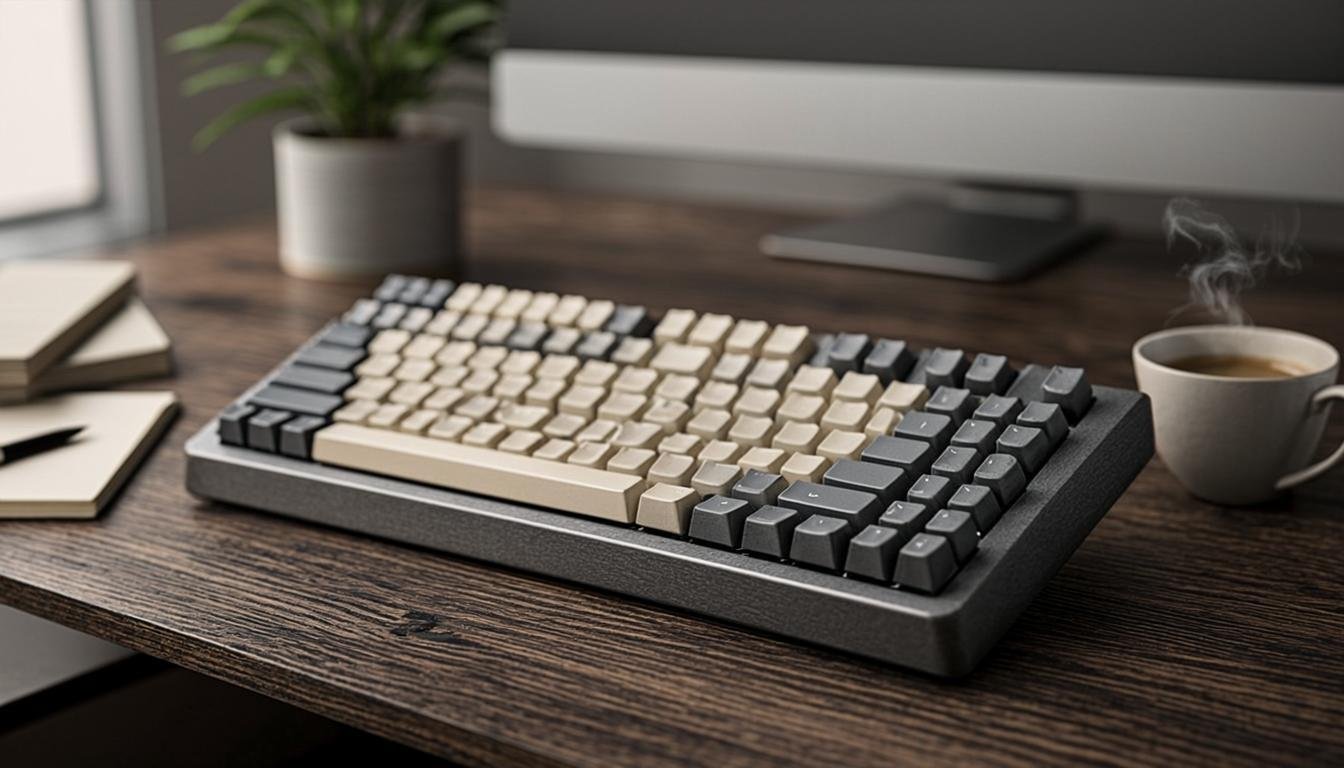
You will type thousands of words on this thing. The keyboard needs to feel good.
Key travel (how far the keys press down), key spacing, and overall typing feel vary a lot between laptops. I prefer keyboards with at least 1mm of key travel. Shallow keyboards like the old butterfly-style MacBook keys are fatiguing for long writing sessions.
The trackpad matters too. Apple makes the best laptop trackpads in the industry. Windows laptops are getting closer but most still lag behind.
Portability
How often do you work outside your home office? If you travel or commute, weight and size matter. A 13-inch laptop under 3 pounds is easy to carry anywhere. A 16-inch laptop at 5+ pounds is a commitment.
Think honestly about where you work. If you are at a desk 90% of the time, portability matters less and screen real estate matters more.
Best premium laptops for blogging and SEO work
If you have a healthy budget and want a machine that lasts 5+ years, these are your best options.
Apple MacBook Air M3 (13-inch)
This is the laptop I recommend to most bloggers. It starts at $1,099 for the base model with 8GB RAM and 256GB storage. I would bump it to 16GB RAM and 256GB storage for $1,299.
Why it works so well for blogging and SEO:
The M3 chip handles 30+ browser tabs without lag. The battery lasts all day. The keyboard is comfortable for long typing sessions. The trackpad is the best in the industry. It weighs just 2.7 pounds.
The Air has no fan, which means it is completely silent. That matters if you record audio or video near your laptop.
The 13.6-inch Liquid Retina display is sharp and bright enough for outdoor use. Not quite as good as the Pro display, but more than adequate for writing and SEO work.
Who should skip it: If you need to run Windows-only SEO tools or prefer a larger screen. Also, the base 8GB model is a compromise. Pay the extra for 16GB.
Wirecutter recommends the MacBook Air M3 as the best laptop for most people. I agree with that pick for bloggers specifically.
Apple MacBook Pro 14-inch (M3 Pro)
The MacBook Pro 14-inch starts at $1,999. It is more machine than most bloggers need, but it is worth considering if you also do video editing, run heavy local SEO tools, or want a laptop that will handle anything you throw at it for the next 7 years.
The M3 Pro chip with 18GB of RAM (base configuration) does not slow down no matter what I throw at it. I have had 50+ Chrome tabs, WordPress, Photoshop, and a video rendering all running at once and it barely noticed.
The 14.2-inch Liquid Retina XDR display is gorgeous. Mini-LED backlighting means deep blacks and excellent contrast. Great for photo editing if you also manage your blog's images.
It weighs 3.4 pounds, which is still very portable. Battery life is around 15 hours for typical workloads.
Who should buy it: Bloggers who also create video content, run resource-intensive SEO tools locally, or want a laptop with zero compromises.
Who should skip it: Pure writers who do not need the extra power. The Air M3 does the same basic tasks for $700 less.
Dell XPS 15 (2024)
The Dell XPS 15 is the best Windows laptop for bloggers who want a premium experience. It starts at $1,299 with an Intel Core Ultra 5 processor, 16GB RAM, and 512GB SSD.
The 15.6-inch OLED display option (around $1,499) is stunning. Colors are accurate, contrast is excellent, and the higher resolution makes text crisp at any size.
The keyboard is comfortable with good key travel. Not as nice as Apple's but better than most Windows laptops. The trackpad is large and responsive.
Battery life is decent at around 8 to 10 hours for web browsing and writing. Not MacBook levels but good for a Windows laptop.
At 3.4 pounds, it is portable enough for daily carry. The build quality is excellent with an aluminum chassis.
Who should buy it: Windows users who want premium build quality and a large, beautiful display for SEO dashboard work and writing.
Who should skip it: If you need more than 10 hours of battery life or prefer macOS.
Framework Laptop 16
This one is for the tech-minded blogger. The Framework Laptop 16 starts at $1,399 and is unique because every major component is user-replaceable.
Need more RAM? Pop in a new stick. Want better storage? Swap the SSD. Battery worn out? Replace it yourself in 5 minutes. Broken port? Unscrew the expansion card and put in a new one.
It ships with your choice of AMD Ryzen 5 or 7 processors. The base model comes with 16GB RAM and 500GB SSD.
The keyboard is good, the 16-inch display is sharp (2560×1600 IPS), and the build quality is solid if not quite Apple-level premium.
Who should buy it: Bloggers who want a repairable, upgradeable laptop and care about reducing e-waste. Also great if you like tinkering.
Who should skip it: If you want something that works perfectly out of the box without any hassle. Framework requires a bit of technical comfort.
Best mid-range laptops for blogging and SEO work
You do not need to spend $1,000+ to get a laptop that handles blogging and SEO work well.
Acer Swift 3 (2024)
The Acer Swift 3 is a sleeper pick that more bloggers should know about. It runs about $600 to $700 depending on configuration.
You get an AMD Ryzen 5 7530U processor, 16GB RAM, and a 512GB SSD. That spec sheet handles blogging and SEO work without any issues.
The 14-inch 1080p IPS display is decent. Not going to win any awards but perfectly fine for writing and research. The keyboard is comfortable with 1.2mm key travel.
Battery life sits around 8 to 10 hours. Weight is 2.8 pounds. Build quality is aluminum and feels sturdy for the price.
The trackpad is the weakest point. It works but does not match the smoothness of Apple or Dell trackpads.
Who should buy it: Budget-conscious bloggers who want good specs without paying premium prices.
ASUS Zenbook 14 (2024)
The ASUS Zenbook 14 is usually around $650 to $800 and offers one of the best values in the Windows laptop market.
Configurations vary but you can find models with Intel Core i5 or i7 processors, 16GB RAM, and 512GB SSDs in this range.
The standout feature is the display. The 14-inch 2.8K OLED panel is gorgeous. Text is razor sharp, colors are vivid, and it makes staring at spreadsheets and articles all day much more pleasant.
The keyboard is excellent with 1.4mm key travel. One of the best typing experiences on a Windows laptop at this price.
Battery life is around 8 hours. Weight is 3.0 pounds. The aluminum chassis looks clean and professional.
Who should buy it: Writers who prioritize display quality and typing comfort on a mid-range budget.
Lenovo IdeaPad Flex 5 (2024)
The Lenovo IdeaPad Flex 5 starts around $550 and is a 2-in-1 convertible. You can use it as a regular laptop or flip the screen back to use it as a tablet.
It comes with an AMD Ryzen 5 processor, 16GB RAM, and 256GB SSD at the base price. The 14-inch 1080p IPS touchscreen works well in both laptop and tablet modes.
The keyboard is comfortable, the trackpad is decent, and the build quality is acceptable. Not premium but not flimsy either.
Battery life is about 8 hours. It weighs 3.3 pounds.
Who should buy it: Bloggers who also take notes by hand, sketch content ideas, or prefer the flexibility of a touchscreen.
Microsoft Surface Laptop 5
The Surface Laptop 5 starts around $700 for the 13-inch model with 8GB RAM. I recommend the 16GB configuration at around $900.
The 13.5-inch PixelSense display is excellent. 2256×1504 resolution, good color accuracy, and touch support. The 3:2 aspect ratio gives you more vertical space, which is great for writing and reading long articles.
The keyboard is one of the best on any Windows laptop. Alcantara-covered palm rest feels comfortable during long sessions. Good key travel and satisfying typing feel.
Battery life is around 10 hours. Weight is 2.8 pounds. The aluminum chassis is slim and attractive.
Who should buy it: Bloggers who want a premium Windows typing experience and like the 3:2 screen ratio for reading and writing.
Best budget laptops for blogging and SEO work
If you are just starting out and money is tight, you can absolutely blog on a budget laptop. I did it for years.
Acer Aspire 5
The Acer Aspire 5 is consistently one of the best budget laptops available. It starts around $400 to $500 depending on sales.
Typical specs include an AMD Ryzen 5 5500U processor, 8GB RAM, and a 256GB SSD. The 15.6-inch 1080p IPS display is adequate for the price.
The keyboard has a numpad, which some bloggers like for data entry in SEO spreadsheets. The trackpad is mediocre but usable.
Battery life is about 6 to 7 hours. It weighs 3.9 pounds, which is on the heavier side for a budget laptop.
The biggest compromise is the 8GB RAM. If you can upgrade it to 16GB (which is possible on most Aspire 5 models), do it. The upgrade costs about $20 and makes a real difference with multiple browser tabs open.
Who should buy it: New bloggers on a tight budget who need a full Windows laptop.
Lenovo IdeaPad 3
The Lenovo IdeaPad 3 starts around $350 to $450 and is one of the cheapest usable laptops for blogging.
It comes with an AMD Ryzen 3 or 5 processor, 8GB RAM, and a 256GB SSD. The 15.6-inch 1080p display is acceptable.
The keyboard is surprisingly comfortable for a budget machine. Lenovo makes good keyboards across their lineup. The trackpad is small but functional.
Battery life is around 6 hours. Build quality is plastic but does not feel like it will fall apart.
Who should buy it: Absolute beginners who need the cheapest laptop that can handle basic blogging tasks. Pair it with Google Docs and a good internet connection and you are in business.
HP Laptop 15
The HP Laptop 15 is roughly $400 to $480 and offers similar specs to the Acer Aspire 5. Intel Core i5 processor, 8GB RAM, 256GB SSD, 15.6-inch 1080p display.
The keyboard is comfortable and the design is clean. Not exciting, but functional. HP's build quality is decent at this price point.
Battery life is about 7 hours. Weight is 3.9 pounds.
Who should buy it: Bloggers who want a simple, no-frills laptop from a major brand with good warranty support.
Best Chromebooks for bloggers
Chromebooks have come a long way. If your blogging workflow is mostly browser-based, a Chromebook might be all you need.
Acer Chromebook Spin 714
The Acer Chromebook Spin 714 is the best Chromebook for serious bloggers. It runs about $500 to $600.
It has an Intel Core i5 processor, 8GB RAM, and a 128GB SSD. The 14-inch 1920×1200 IPS touchscreen is sharp and bright enough for most environments.
Chrome OS runs browser-based apps smoothly. Google Docs, WordPress, Google Analytics, Ahrefs, SEMrush, and most SEO tools work in the browser without issues.
Battery life is excellent at around 12 hours. Weight is 3.0 pounds. The aluminum chassis feels premium.
The keyboard is one of the best on any Chromebook. Good key travel, responsive, and comfortable for extended writing.
Who should buy it: Bloggers whose entire workflow lives in the browser and who want all-day battery life at a lower price.
Lenovo IdeaPad Flex 5i Chromebook
The Lenovo IdeaPad Flex 5i Chromebook is around $400 to $480 and is one of the best value Chromebooks available.
Intel Core i3 processor, 8GB RAM, 64GB or 128GB storage. The 13.3-inch 1080p IPS touchscreen is clear and colorful.
The 2-in-1 design lets you use it as a tablet, which is nice for reading articles and researching content on the couch.
Battery life hits 10 hours. The keyboard is comfortable. Build quality is good for the price.
Who should buy it: Bloggers on a budget who live in Google's ecosystem (Docs, Drive, Gmail) and do not need traditional desktop software.
When Chromebooks do not work for bloggers
If you use desktop tools like Microsoft Word, Adobe Photoshop, or local SEO software, a Chromebook will not work for you. Chrome OS only runs browser-based apps and Android apps from the Google Play Store.
Also, some SEO tools that require browser extensions or specific desktop software do not work on Chromebooks. Check your specific tool requirements before buying.
Used and refurbished laptops for bloggers
You do not have to buy new. Refurbished laptops can save you 30 to 50 percent compared to retail prices.
Apple Certified Refurbished
Apple sells refurbished MacBooks directly on their website with full warranty coverage, new battery, and new outer shell. The savings are usually 15 percent.
A refurbished MacBook Air M1 starts around $749. That is a phenomenal deal for a laptop that handles blogging and SEO work easily.
I bought a refurbished MacBook Pro from Apple two years ago and it was indistinguishable from new. The warranty and support are identical to buying new.
Best Buy refurbished
Best Buy sells refurbished and open-box laptops at reduced prices. Their refurbishment process includes inspection and cleaning. You get a 90-day warranty.
I have seen Dell XPS 15 models on Best Buy's refurbished section for 30 to 40 percent off retail.
Amazon Renewed
Amazon Renewed laptops are backed by a 90-day replacement or refund guarantee. The selection is massive and prices are competitive.
Check the seller ratings and reviews before buying. Stick to laptops renewed by Amazon or highly rated refurbishers.
What to check when buying refurbished
Verify the battery health. Ask for the cycle count on MacBooks. Check for screen defects, keyboard issues, and port functionality.
Make sure the laptop comes with a warranty. 90 days is minimum. 1 year is better.
Check if the operating system license is genuine and transferable.
Laptops to avoid for blogging and SEO work
Not every laptop is good for this kind of work. Here is what to skip.
Cheap tablets with keyboards
An iPad with a keyboard attachment is not a laptop replacement for serious blogging. The file management is frustrating. Browser tab management is limited. SEO tools do not work well on tablet browsers.
iPads are great for consuming content and light writing. They are not great for running a professional blogging business.
Netbooks and ultra-budget laptops under $250
Laptops in the $150 to $250 range typically have Intel Celeron or Pentium processors, 4GB RAM, and eMMC storage. These machines struggle with more than 5 browser tabs.
You can technically blog on one of these, but the constant lag and freezing will drive you crazy. Spend a little more and get at least 8GB RAM and a real processor.
Gaming laptops
Gaming laptops are powerful but they are heavy, loud, and have terrible battery life. You do not need a dedicated GPU for blogging or SEO work. The 2 to 3 hour battery life is a serious limitation for mobile workers.
The flashy RGB lighting and aggressive designs also look unprofessional if you take client calls on camera.
Outdated models
Avoid any laptop more than 4 years old unless it has been upgraded with more RAM and an SSD. Old processors and limited RAM will make your blogging workflow painfully slow.
Specs comparison table
| Laptop | Price | Processor | RAM | Storage | Screen | Battery |
|---|---|---|---|---|---|---|
| MacBook Air M3 | $1,099 | Apple M3 | 8GB (upgrade to 16GB) | 256GB | 13.6-inch Liquid Retina | 15+ hours |
| MacBook Pro 14 M3 Pro | $1,999 | Apple M3 Pro | 18GB | 512GB | 14.2-inch Liquid Retina XDR | 15 hours |
| Dell XPS 15 | $1,299 | Intel Core Ultra 5 | 16GB | 512GB | 15.6-inch OLED | 8-10 hours |
| Framework 16 | $1,399 | AMD Ryzen 5/7 | 16GB | 500GB | 16-inch IPS | 8 hours |
| Acer Swift 3 | $600 | AMD Ryzen 5 | 16GB | 512GB | 14-inch 1080p IPS | 8-10 hours |
| ASUS Zenbook 14 | $650 | Intel Core i5 | 16GB | 512GB | 14-inch 2.8K OLED | 8 hours |
| Lenovo IdeaPad Flex 5 | $550 | AMD Ryzen 5 | 16GB | 256GB | 14-inch 1080p IPS touch | 8 hours |
| Surface Laptop 5 | $700 | Intel Core i5 | 8GB (upgrade to 16GB) | 256GB | 13.5-inch PixelSense | 10 hours |
| Acer Aspire 5 | $400 | AMD Ryzen 5 | 8GB | 256GB | 15.6-inch 1080p IPS | 6-7 hours |
| Lenovo IdeaPad 3 | $350 | AMD Ryzen 5 | 8GB | 256GB | 15.6-inch 1080p IPS | 6 hours |
| HP Laptop 15 | $400 | Intel Core i5 | 8GB | 256GB | 15.6-inch 1080p IPS | 7 hours |
| Acer Chromebook Spin 714 | $500 | Intel Core i5 | 8GB | 128GB | 14-inch 1920×1200 IPS | 12 hours |
| Lenovo Flex 5i Chromebook | $400 | Intel Core i3 | 8GB | 128GB | 13.3-inch 1080p IPS | 10 hours |
Prices are approximate starting prices as of 2025. Configurations with more RAM and storage cost more.
How to set up your laptop for blogging and SEO work
Buying the right laptop is step one. Setting it up properly is step two.
Essential software for bloggers
A good writing app is non-negotiable. Google Docs is free and works everywhere. Microsoft 365 at $70 per year gives you Word, Excel, and cloud storage.
For distraction-free writing, I like Bear for Mac at $30 per year or Ulysses at $50 per year. Both support Markdown and keep your writing environment clean.
An FTP client if you manage your own WordPress site. FileZilla is free. Transmit for Mac is $45 and worth it for the better interface.
Essential SEO tools
Ahrefs at $99 per month is the industry standard for keyword research and backlink analysis. SEMrush at $120 per month is a strong alternative.
Google Analytics and Google Search Console are free and essential. Every blogger should have these installed on their site.
SurferSEO at $89 per month helps optimize content for search engines. Clearscope at $170 per month does similar work at a higher price.
Browser setup
Chrome is the standard for SEO work because most extensions are built for it. But Chrome is a resource hog. If your laptop has 8GB RAM, consider using Brave or Microsoft Edge for regular browsing and keeping Chrome only for SEO tools.
Install uBlock Origin to block unnecessary scripts that slow down your browser and drain your battery.
Cloud storage
Back up your work. Google Drive gives you 15GB free. Microsoft OneDrive gives you 5GB free. iCloud gives you 5GB free.
For professional bloggers, a paid cloud storage plan is worth it. Google One at $20 per year gives you 100GB. Dropbox Plus at $120 per year gives you 2TB.
I use Google Drive for documents and Backblaze at $70 per year for full laptop backups. If my laptop dies, I can restore everything to a new machine in hours.
Extending your laptop's lifespan
A good laptop is an investment. Here is how to make it last.
Keep it cool
Heat kills laptop components faster than anything. Do not use your laptop on a bed or pillow that blocks the vents. A simple laptop stand like the Rain Design mStand at $50 improves airflow and raises the screen to a better height.
Battery care
Lithium-ion batteries degrade over time. You can slow this process by keeping your battery between 20 and 80 percent charge. Most laptops let you set a charge limit in their power management software.
Apple's Optimized Battery Charging feature does this automatically. ASUS and Lenovo have similar options in their proprietary software.
Do not leave your laptop plugged in at 100% all day every day. It degrades the battery faster.
Keep software updated
Operating system updates, driver updates, and browser updates fix security vulnerabilities and often improve performance.
Set your laptop to install updates automatically. Check once a month to make sure everything is current.
Clean the hardware
Dust builds up in the fans and vents over time. Compressed air cans at $8 for a 3-pack from Amazon help you blow out dust every few months.
Wipe down the keyboard and screen with a microfiber cloth. Avoid harsh cleaning chemicals.
Using your laptop for client work
If you blog for clients or run an SEO agency, your laptop needs to handle multiple projects simultaneously.
Multiple browser profiles
Use Chrome profiles or Firefox containers to separate client work. One profile per client. This keeps your bookmarks, extensions, and login sessions organized.
I have a Chrome profile for each client with their specific SEO tools, analytics, and WordPress installations bookmarked. Switching between them takes one click.
Virtual desktops
Both Windows and macOS support virtual desktops. Create one desktop for writing, one for SEO research, one for communication. This reduces window clutter and helps you focus on one task at a time.
Communication tools
Slack, Zoom, and Google Meet run fine on any modern laptop. If you take a lot of video calls, consider adding an external webcam like the Logitech Brio at $170 for better video quality.
Where to find blogging and SEO work
Having the right laptop is one piece of the puzzle. Finding paid work is another.
BloggingJobsHub.com is created by an individual to help you find AI, WordPress, Article Writing and Blogging Jobs, and teach you skills to work long-term. You can browse listings for blogging jobs, content writing positions, and remote work opportunities.
The skills-learning resources on BloggingJobsHub.com teach you the practical abilities that clients pay for. SEO optimization, WordPress management, content strategy. These skills turn a good laptop into a money-making tool.
For more on building a blogging career, check out the blogging section on BloggingJobsHub.com. The content-writing and freelancing sections are also packed with useful resources.
Google's helpful content guidelines emphasize creating content that demonstrates real expertise and provides genuine value to readers. The better your tools and skills, the better content you produce.
FAQ: best laptops for blogging and SEO work
How much RAM do I need for blogging and SEO work?
16GB is the sweet spot for professional blogging and SEO work. You can get by with 8GB if you mostly use your browser for writing and keep your tab count under 15. But once you add SEO tools like Ahrefs, Google Analytics, and multiple research tabs, 8GB starts to feel cramped. The performance difference between 8GB and 16GB is noticeable and the upgrade usually costs $50 to $100. Worth it every time.
Is a MacBook better than a Windows laptop for blogging?
It depends on your preferences and workflow. MacBooks have better battery life, better trackpads, and are completely silent because most models have no fans. They also last longer on average. Windows laptops offer more variety in screen sizes, are usually cheaper for the same specs, and run Windows-only SEO tools without workarounds. Both platforms handle blogging and SEO work perfectly well. Pick the ecosystem you are comfortable in.
Can I use a Chromebook for professional blogging?
Yes, if your entire workflow is browser-based. Google Docs, WordPress, Google Analytics, Ahrefs, and SEMrush all run in the browser. But if you need desktop apps like Adobe Photoshop, Microsoft Word, or local SEO software, a Chromebook will not work. Chromebooks also have limited storage, which matters if you work with large image files. For pure writing and browser-based research, a good Chromebook like the Acer Spin 714 at $500 is a solid choice.
What is the best budget laptop for SEO work?
The Acer Swift 3 at $600 to $700 offers the best balance of performance and price. You get an AMD Ryzen 5 processor, 16GB RAM, and a 512GB SSD. That handles SEO tools and browser-heavy workflows without issues. If your budget is tighter, the Acer Aspire 5 at $400 works but has only 8GB RAM. Upgrade the RAM yourself for $20 and it becomes much more usable.
How long should a blogging laptop last?
A good quality laptop should last 4 to 6 years with proper care. MacBooks tend to last longer, often 5 to 7 years, because Apple supports their operating systems for longer. Windows laptops typically get 4 to 5 years of solid use before they start feeling slow. Battery replacement after 3 years can extend the useful life significantly. Keep your laptop cool, update the software, and do not drop it. Simple habits that add years of life.
Do I need a dedicated GPU for blogging or SEO work?
No. Blogging and SEO work are not graphically intensive. Integrated graphics handle everything you need. Save the money you would spend on a dedicated GPU and put it toward more RAM or a better display. You only need a dedicated GPU if you also do serious video editing, 3D rendering, or gaming. Bloggers who create YouTube videos can edit 1080p footage on integrated graphics without issues.
Should I buy a laptop with 256GB or 512GB storage?
Get 512GB if you can afford it. 256GB fills up faster than you expect, especially with browser caches, SEO tool data, and downloaded client files. If you store everything in the cloud and your local files are mostly text documents, 256GB works. But for most professional bloggers, 512GB gives you breathing room. The price difference is usually $50 to $100, which is worth avoiding storage anxiety.
Is it worth buying a refurbished laptop for blogging?
Yes, if you buy from a reputable source. Apple Certified Refurbished MacBooks come with a full warranty, new battery, and new outer shell. The savings are around 15 percent. Best Buy and Amazon Renewed offer 90-day warranties on refurbished laptops with savings of 30 to 50 percent. I have bought refurbished laptops from Apple and had excellent experiences. Just verify the battery health and check for cosmetic issues before the return window closes.
What is the best laptop screen size for SEO work?
14 to 15 inches is ideal for SEO work. This gives you enough screen space to view analytics dashboards, keyword research tools, and content side by side. A 13-inch screen works but requires more window switching. A 16 or 17-inch screen is great for productivity but sacrifices portability. If you work at a desk most of the time, go bigger. If you travel or work from coffee shops, stay at 14 inches or smaller.
How do I keep my laptop running fast for blogging?
Keep your browser tabs under control. Close tabs you are not using. Use an ad blocker like uBlock Origin to reduce the resources websites consume. Restart your laptop at least once a week. Keep your operating system and browser updated. Do not install unnecessary software. If your laptop has 8GB RAM and feels slow, adding another 8GB stick is usually the cheapest and most effective upgrade.
Can I do video editing for my blog on a budget laptop?
You can edit 1080p video on most modern budget laptops. The Acer Swift 3 or Lenovo IdeaPad Flex 5 handle basic video editing in apps like DaVinci Resolve (free) or Adobe Premiere Elements. 4K video editing requires more power. A MacBook Air M3 handles 4K editing smoothly. For serious video work, consider the MacBook Pro M3 Pro. But if your blog videos are simple talking head clips at 1080p, almost any laptop from the last 3 years will handle it.
Where can I find blogging jobs to pay for a new laptop?
BloggingJobsHub.com is created by an individual to help you find AI, WordPress, Article Writing and Blogging Jobs, and teach you skills to work long-term. The site lists current job openings in blogging, content writing, and SEO. Building skills in areas like SEO optimization, WordPress management, and content strategy makes you more hireable and lets you command higher rates. Check the freelancing and remote-jobs sections for additional opportunities.


Best mouse for SEO experts and bloggers
Minimal desk setup for content creators