
Remote Work Productivity Tips for Bloggers and Freelancers (2026): The No-Fluff Guide to Getting Stuff Done
Let’s be real for a second. When you first switched to remote work, you probably imagined lazy mornings with coffee, a laptop on the couch, and projects magically completing themselves while you binged Netflix. I know I did. Turns out, working from home is harder than it looks — and I’ve been doing this full-time since 2019.
Here’s the thing most “productivity gurus” won’t tell you: there’s no single hack that transforms you into a machine. What actually works is a system — a collection of habits, tools, and boundaries that keep you sane and productive without burning out by Thursday.
Whether you’re a freelance writer juggling five clients, a blogger building your audience, or a content creator trying to make this whole “working in sweatpants” thing sustainable, this guide covers everything I’ve learned the hard way. No theory. No fluff. Just practical stuff you can start using today.
What This Guide Covers
- Setting Up a Productive Home Office
- Time Management Techniques That Actually Work
- Creating a Daily Routine That Sticks
- Dealing with Distractions (Without Going Crazy)
- The Best Productivity Tools for Bloggers and Freelancers
- Communication Tools That Don’t Suck
- Managing Multiple Clients and Projects
- Working Across Time Zones Like a Pro
- Staying Healthy While Working From Home
- Taking Real Breaks (Yes, They Matter)
- Avoiding Burnout and Staying Motivated
- Work-Life Balance Isn’t a Myth
- Dealing With Social Isolation
Setting Up a Productive Home Office (Without Spending a Fortune)
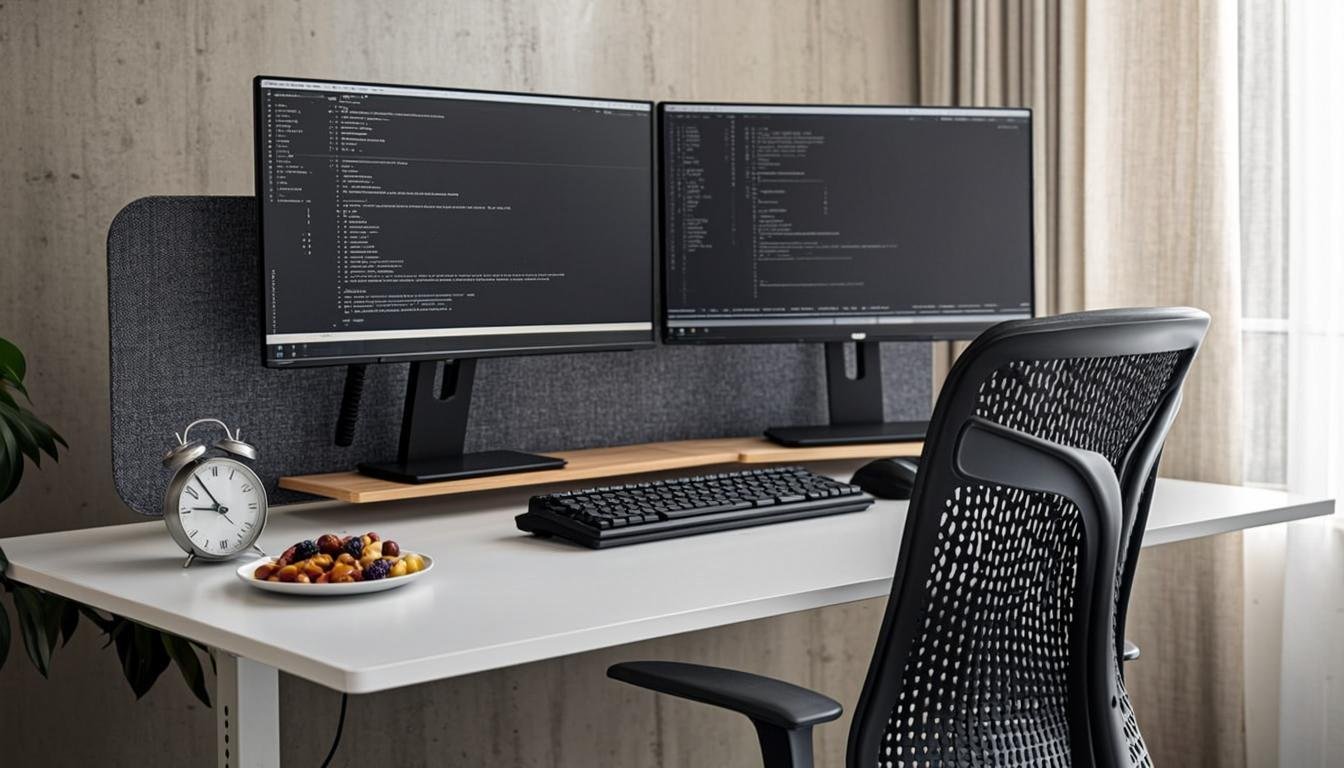
Your environment shapes your behavior. I know that sounds like something from a self-help book, but it’s backed by actual research. If your “office” is your bed with a pillow propped behind your back, you’re already fighting an uphill battle.
Your Desk and Chair Matter More Than You Think
When I started freelancing, I worked from my kitchen table for three months. My back hated me. My posture was terrible, and I was constantly distracted by dirty dishes. Then I invested in a proper setup, and it changed everything.
You don’t need a $2,000 Herman Miller chair (though I won’t judge you if you go that route). Here’s what actually matters:
- A desk at the right height. Your elbows should form a 90-degree angle when typing. If your desk is too high or too low, you’ll end up with shoulder and wrist pain. Adjustable standing desks have gotten remarkably affordable — the Ergotron and Uplift Desk options are solid without breaking the bank.
- A chair that supports your lower back. Lumbar support isn’t optional when you sit for 8+ hours a day. Look for adjustable height, armrests, and a seat depth that doesn’t cut off circulation behind your knees.
- Monitor at eye level. Staring down at a laptop screen causes “tech neck,” and that headache you keep getting? Yeah, that’s partly why. A simple laptop stand and external keyboard cost less than $50 combined.
Lighting: Natural Light is Your Best Friend
If you have a window in your workspace, position your desk perpendicular to it. You want natural light coming from the side, not directly behind your screen (that causes glare) or directly in your face (that causes squinting). Studies from NIH research show that natural light exposure during work hours improves alertness, mood, and even sleep quality.
No window? Get a daylight-simulating desk lamp. It’s not the same, but it’s way better than working under a dim overhead bulb.
The Psychological Boundary of a Dedicated Workspace
Here’s something nobody talks about enough: when your workspace is also your relaxation space, your brain gets confused. Working in bed trains your brain to associate your bed with stress and deadlines. That’s a recipe for insomnia.
Even if you live in a tiny apartment, carve out a corner that’s just for work. When you sit there, you’re working. When you leave that spot, you’re not. This single boundary has saved my sanity more times than I can count.
Want to take this further? Check out our guide on building the ultimate freelance workspace on a budget.
Time Management Techniques That Actually Work
I’ve tried every time management method under the sun. Most of them lasted about three days before I abandoned them. But a few have stuck around because they’re flexible enough to work with the unpredictable nature of freelance work and blogging.
The Pomodoro Technique: Simple But Effective
You’ve probably heard of this one — work for 25 minutes, take a 5-minute break, repeat four times, then take a longer break. It sounds almost too simple to be useful, but here’s why it works for bloggers and freelancers:
- It breaks intimidating projects into manageable chunks. “Write a 3,000-word article” feels overwhelming. “Write for 25 minutes” feels doable.
- It forces you to take breaks. Without structure, it’s easy to stare at a screen for four hours straight and wonder why your eyes hurt.
- It creates momentum. Starting is the hardest part. Once you commit to just 25 minutes, you usually keep going.
The standard 25-minute intervals work well for writing tasks, but I’ve found that creative work — brainstorming, outlining, strategy — benefits from longer sprints. More on that next.
Time Blocking: Structure Without Rigidity
Time blocking means assigning specific blocks of time to specific tasks. Instead of working from a to-do list, you work from a calendar. Here’s what a typical time-blocked day looks like for me:
| Time | Block | Activity |
|---|---|---|
| 7:00 – 8:00 AM | Morning routine | Exercise, breakfast, review the day |
| 8:00 – 9:30 AM | Deep work block 1 | Writing — first drafts, no editing |
| 9:30 – 10:00 AM | Break | Walk, stretch, make tea |
| 10:00 – 11:30 AM | Deep work block 2 | Client work, research, outlining |
| 11:30 AM – 12:00 PM | Admin | Emails, invoicing, project management |
| 12:00 – 1:00 PM | Lunch | Away from desk, no screens |
| 1:00 – 2:30 PM | Deep work block 3 | Editing, publishing, SEO optimization |
| 2:30 – 3:00 PM | Break | Movement, snack |
| 3:00 – 4:30 PM | Flex block | Catch-up, meetings, learning |
| 4:30 – 5:00 PM | Wrap-up | Plan tomorrow, close tabs |
The key insight here? I don’t follow this perfectly every day. Some mornings my kid gets sick. Sometimes a client needs a rush revision. Time blocking isn’t about perfection — it’s about having a default structure you can return to when things go sideways.
90-Minute Focus Blocks: The Secret Weapon
This one comes from research on ultradian rhythms — your brain operates in roughly 90-minute cycles of high focus followed by a need for rest. Working with this natural rhythm instead of against it is a game-changer.
Here’s how to use 90-minute focus blocks:
- Pick your most important task for the day.
- Close everything else — email, Slack, browser tabs, phone notifications.
- Work with full focus for 90 minutes.
- Take a genuine 20-30 minute break where you don’t look at a screen.
One 90-minute block of focused writing produces more quality output than three hours of distracted, multitasked “work.” I usually fit two of these blocks into my morning, and that’s where 80% of my best work happens. If you want to dive deeper into maximizing your creative output, our post on writing productivity for freelance bloggers breaks this down even further.
Creating a Daily Routine That Actually Sticks
Every remote work article tells you to “create a morning routine.” That’s great advice, but most of them make it sound like you need to wake up at 5 AM, meditate for 30 minutes, journal, drink a kale smoothie, and then do yoga before checking your phone.
Please don’t do that unless that genuinely sounds appealing to you. The best routine is one you’ll actually follow. Here’s what I’ve found matters most:
Start With Intention, Not Your Phone
The first 30 minutes of your day set the tone for everything. If you start by scrolling through Twitter or checking email, you’re letting other people’s priorities hijack your morning. Instead, try this:
- Review your plan. What are the 2-3 things that, if you accomplish them today, you’d consider the day a success? Write them down.
- Do your hardest task first. Mark Twain allegedly said, “Eat a live frog first thing in the morning, and nothing worse will happen to you the rest of the day.” For bloggers, that usually means writing. For freelancers, it might be the project you’ve been procrastinating on.
- Protect your peak hours. Everyone has a time of day when they’re sharpest. For me, it’s 8-11 AM. For you, it might be 2-5 PM. Figure out when your brain does its best work and guard that time fiercely.
End Your Day Deliberately
One of the biggest traps of remote work is that there’s no natural stopping point. In an office, people pack up and leave. At home, there’s always one more email, one more edit, one more thing to “just quickly check.”
Create a shutdown ritual. Mine takes about 10 minutes:
- Review what I accomplished against my plan.
- Update my task list for tomorrow.
- Close all browser tabs and applications.
- Physically leave my workspace.
This sounds simple, but it creates a psychological signal that work is over. Without it, you’ll find yourself “just checking one thing” at 10 PM while your family wonders if you still live with them.
Dealing With Distractions (Without Going Crazy)
Working from home means your distractions are personalized. Nobody’s going to stop by your desk to chat about their weekend, but your cat will absolutely step on your keyboard during a Zoom call. Here’s how to handle the most common culprits:
Household Distractions
If you share your home with other people, boundaries are non-negotiable. I don’t mean a passive-aggressive “DO NOT DISTURB” sign on your door (though those work too). I mean having an actual conversation about what your work hours mean.
- Visual signals work wonders. A closed door is obvious. If you don’t have a door, headphones on = I’m working. Headphones off = you can talk to me.
- Communicate your schedule. Post it on the fridge. Send it in the family group chat. “I’m deep working from 9-11 AM and 1-3 PM. Outside those hours, I’m available.”
- Have a backup plan for emergencies. Kids get sick. Packages need signing for. Build buffer time into your schedule so a 20-minute interruption doesn’t derail your whole day.
Digital Distractions
Here’s the uncomfortable truth: your phone is the biggest threat to your productivity. Not your kids, not your roommate, not construction noise outside — your phone.
Practical fixes that actually work:
- Put your phone in another room during focus blocks. Seriously. If it’s within arm’s reach, you’ll pick it up. Your willpower isn’t stronger than apps designed by thousands of engineers to capture your attention.
- Use website blockers. Tools like Freedom and Cold Turkey let you block distracting sites during work hours. I block Twitter, YouTube, and Reddit from 8 AM to 5 PM on workdays.
- Turn off notifications. Every notification is someone else’s priority interrupting yours. Disable all non-essential notifications on your phone and computer. Your inbox will still be there in two hours. I promise.
- Use a separate browser profile for work. This is a simple but powerful trick. Have one Chrome profile with just your work bookmarks and extensions, and another for personal stuff. When you open your work profile, you’re in work mode.
The Best Productivity Tools for Bloggers and Freelancers
I’ve tested dozens of productivity tools over the years. Most of them overpromise and underdeliver. Here are the ones that have actually earned a permanent spot in my workflow:
| Tool | Best For | Price | Why I Use It |
|---|---|---|---|
| Notion | Project management, content planning, knowledge base | Free (personal) / $8/mo (Plus) | All-in-one workspace. I manage my editorial calendar, client projects, and notes in one place. |
| Toggl Track | Time tracking | Free (basic) / $9/mo (Starter) | Essential for hourly billing. Also shows where your time actually goes vs. where you think it goes. |
| Forest | Focus sessions, reducing phone use | $3.99 one-time | Game-ified focus timer. Plant a virtual tree when you focus; the tree dies if you leave the app. Silly but effective. |
| RescueTime | Automatic time tracking, productivity analysis | Free (basic) / $6.50/mo (Premium) | Runs in the background and tells you exactly how productive (or unproductive) you’ve been. Painful but eye-opening. |
| Todoist | Task management | Free (basic) / $4/mo (Pro) | Simple, fast, available on every device. Natural language input means you can type “Write blog post every Monday” and it creates a recurring task. |
| Notion AI | AI-assisted writing, summarization | Included with paid plans | Helps outline articles, summarize meeting notes, and brainstorm. Not a replacement for good writing, but a solid assistant. |
One important note: don’t tool-hop. Pick a core set of 3-4 tools and stick with them. Every hour you spend setting up a new app is an hour you’re not doing billable work. The best tool system is the one you’ll actually use consistently.
For more tool recommendations tailored to freelance writers, see our essential tools for freelance writers roundup.
Communication Tools That Don’t Suck
When you work remotely, you lose the benefit of casual office communication — the quick question across the desk, the impromptu brainstorm, the “hey, did you see that email?” moments. Communication tools need to fill that gap without becoming a source of constant interruption.
Async-First Communication
The biggest shift I made was going async-first. Instead of defaulting to real-time communication (calls, instant messages), I default to asynchronous communication (email, recorded videos, shared documents). This means:
- People can respond on their schedule, not yours.
- You’re not constantly interrupted throughout the day.
- There’s a written record of decisions and discussions.
- Clients in different time zones aren’t left waiting.
The Right Tool for the Right Conversation
| Communication Type | Best Tool | When to Use |
|---|---|---|
| Quick questions | Slack, Discord | Non-urgent, simple questions that need a brief response |
| Detailed updates | Email, Google Docs | Project updates, deliverables, feedback that needs a paper trail |
| Complex discussions | Zoom, Google Meet | Brainstorming, conflict resolution, relationship-building |
| Client communication | Email + scheduled check-ins | Weekly or bi-weekly calls with email for everything in between |
| Project updates | Trello, Asana, Notion | Status updates, task assignments, deadline tracking |
Slack is the standard for remote team communication, but be careful — it can become a massive distraction if you leave notifications on for every channel. Mute everything except direct messages and your most critical channels. Check the rest on a schedule, not when they ding.
Managing Multiple Clients and Projects Without Losing Your Mind
This is where a lot of freelancers fall apart. You’ve got three blog posts due this week, a website copy revision from a client who keeps changing their mind, and a long-term retainer project that needs attention. Oh, and you wanted to publish on your own blog too. Sound familiar?
The Portfolio Board System
I use a Kanban board (in Notion, but Trello or Asana work great too) with columns for each client. Every project has its own card with:
- Deadline (with a reminder 3 days before)
- Current status
- Estimated hours remaining
- Links to relevant files and briefs
- Any blockers or questions for the client
Every Monday, I review the full board and plan my week. This takes about 20 minutes and saves me hours of context-switching throughout the week because I always know exactly what needs to happen next.
The Two-Client Rule
Here’s a guideline that took me way too long to learn: never take on more new clients than you can onboard in a single week. My personal rule? No more than two new clients per month. Onboarding takes time — contracts, onboarding calls, understanding their brand voice, setting up communication channels. Spread yourself too thin and the quality of your work drops, clients get frustrated, and you end up working 60-hour weeks just to keep up.
If you’re struggling to find quality clients, our guide to finding high-paying freelance blogging clients has practical strategies that go beyond the usual job board hunting.
Revenue Diversification: Don’t Put All Eggs in One Basket
One client shouldn’t represent more than 40% of your income. If they pause their content budget (which happened to a lot of freelancers in 2020 and again in 2023), you’re in trouble. Aim for a mix of:
- Retainer clients (steady income, predictable workload)
- One-off projects (higher hourly rate, variety of work)
- Your own content (blog, newsletter, digital products — long-term asset building)
Working Across Time Zones Like a Pro
If you work with international clients (and as a blogger or freelancer, you probably should — it dramatically expands your opportunities), time zones are either a headache or a strategic advantage. Here’s how to make them the latter:
Find the Overlap Window
Use World Time Buddy to find the 2-3 hour window where your working hours overlap with your client’s. Protect this window for real-time communication — calls, quick Slack conversations, collaborative work. Everything else can be async.
Document Everything
When you can’t hop on a quick call to clarify something, written documentation becomes critical. Create templates for common processes, maintain detailed project briefs, and over-communicate in writing. It feels like more work upfront, but it prevents the back-and-forth email chains that waste everyone’s time.
Set Expectations Early
In your initial contract or onboarding, clearly state your working hours, response time expectations, and preferred communication channels. “I’m available for calls between 9 AM-12 PM EST and respond to emails within 24 hours” sets clear boundaries and prevents the “why aren’t they responding? It’s only 3 AM their time” confusion.
Staying Healthy While Working From Home
Remote work has a sneaky way of making you less healthy. You don’t have to commute (good), but you also don’t have to walk to the bus stop, climb stairs, or even stand up (bad). Here’s what’s actually made a difference for me:
Exercise and Movement: Non-Negotiable
You don’t need a gym membership or a fancy home workout setup. You need to move your body regularly. Here’s what works:
- Walk every single day. I aim for 30 minutes minimum, usually split — 15 minutes in the morning and 15 after lunch. It’s not a workout, it’s maintenance. Walking improves creativity and problem-solving, so bring a notebook or use a voice memo app.
- Desk stretches every 90 minutes. Set a timer. Stand up, stretch your arms overhead, roll your shoulders, twist your torso. Takes 3 minutes and prevents the stiffness that builds up from sitting.
- One real workout, 3-4 times per week. Whatever you enjoy enough to actually do consistently. Running, yoga, bodyweight exercises, cycling — it doesn’t matter what you choose. It matters that you do it. I use DAREBEE for free, no-equipment workout plans when I don’t feel like going to the gym.
Hydration and Nutrition
The remote worker’s diet is a disaster waiting to happen. Kitchen is 10 steps away. Snacks are always available. Coffee machine is right there. Before you know it, you’ve had four cups of coffee and nothing but granola bars by 2 PM.
Fixes that require almost no willpower:
- Fill a large water bottle at the start of each day. Keep it on your desk. When it’s empty, refill it. That’s it.
- Prep lunch the night before or batch-cook on weekends. The decision fatigue of “what should I eat” at noon is real, and it usually leads to ordering delivery.
- Keep healthy snacks visible and unhealthy ones hidden. Put fruit on your desk and move the cookies to a high shelf. Environment design beats willpower every time.
Sleep: The Foundation of Everything
I used to stay up late “getting ahead” on work. Then I’d drag through the next day, need more caffeine, go to bed even later, and repeat the cycle. It was a slow-motion productivity trainwreck.
Here’s what the Sleep Foundation recommends, and what I’ve found actually works:
- Consistent sleep and wake times. Even on weekends. Your circadian rhythm doesn’t care that it’s Saturday.
- No screens 30 minutes before bed. Blue light suppresses melatonin production. Read a physical book, stretch, or listen to a podcast instead.
- Cool, dark room. Most people sleep better in a room that’s cooler than they think — around 65-68°F (18-20°C).
- Get morning sunlight. 10-15 minutes of natural light exposure within an hour of waking helps regulate your circadian rhythm and makes it easier to fall asleep at night.
Taking Real Breaks (Yes, They Actually Matter)
I want to distinguish between two types of breaks because they have very different effects on your brain and productivity:
Micro-Breaks: The 5-Minute Resets
These happen between Pomodoro sessions or at the end of a focus block. They’re short, frequent, and designed to prevent fatigue. The key is what you do during them:
- Good: Stand up, stretch, look out a window, get water, step outside for fresh air.
- Bad: Check social media, read news, respond to emails. These aren’t breaks — they’re just different types of cognitive work.
Research from North Carolina State University found that micro-breaks that involve detaching from work (physically and mentally) significantly reduce fatigue and improve subsequent focus. Social media browsing doesn’t count as detachment because it’s cognitively demanding in its own way.
Real Breaks: The 30-60 Minute Recharges
Your lunch break is not a working lunch. I’ll say that again for the people in the back: your lunch break is not a working lunch.
Eating while reading emails or watching YouTube doesn’t give your brain the downtime it needs. A real break means:
- Leaving your workspace entirely.
- Eating without looking at a screen.
- Doing something completely different — walking, cooking, reading fiction, taking a nap (20 minutes is the sweet spot).
- Not thinking about work at all.
After a real break, I consistently produce better work in the afternoon than I would have if I’d powered through. The break isn’t lost time — it’s an investment in the quality of your next work session.
Avoiding Burnout and Staying Motivated
Burnout doesn’t happen overnight. It creeps up on you — a little more cynicism here, a little less energy there, until one morning you sit down at your desk and realize you haven’t cared about your work in weeks. I’ve been there. It’s not fun, and recovering from it takes way longer than preventing it.
Warning Signs You’re Heading Toward Burnout
- Dreading work that used to excite you.
- Working longer hours but producing less.
- Irritability with clients, family, or both.
- Physical symptoms: headaches, insomnia, muscle tension.
- Feeling like nothing you do matters.
- Inability to concentrate, even on simple tasks.
If three or more of these sound familiar, it’s time to make changes. Now, not “after this deadline.”
Prevention Strategies That Actually Work
Take real days off. Not “working from the couch” days. Actual days where you don’t open your laptop. Schedule them in advance and treat them with the same respect you’d treat a client deadline. I take every Friday off, and it’s the single best decision I’ve made for my career longevity.
Have a creative outlet that isn’t work. If your work is writing, your hobby probably shouldn’t be writing a novel. Do something that uses different parts of your brain — cooking, woodworking, painting, rock climbing, literally anything that isn’t staring at text on a screen.
Set realistic capacity. I can produce about 4,000-5,000 words of high-quality content per day before the quality starts dropping. Knowing this number means I can accurately estimate how much work I can take on without overcommitting. Track your output for a few weeks to find your own number.
Celebrate small wins. Freelancers are terrible at this. We finish a project and immediately start worrying about the next one. Take 5 minutes to acknowledge what you accomplished. Keep a “done” list alongside your to-do list. When you’re having a rough day, reading through what you’ve already achieved is surprisingly motivating.
Staying Motivated When You’re Your Own Boss
Motivation is unreliable. Some days you’ll wake up excited to work; other days, the thought of writing another word makes you want to throw your laptop out the window. Relying on motivation to get work done is a losing strategy. Instead, build systems:
- Habit stacking. Attach work habits to existing habits. “After I make my morning coffee, I sit at my desk and write for 90 minutes.” The coffee becomes a trigger for the writing session.
- Accountability partners. Find another freelancer and check in weekly. Knowing someone will ask “how’s that project going?” is powerful motivation. We have a freelance community where members pair up for exactly this purpose.
- Visual progress tracking. Use a habit tracker, a word count calendar, or a revenue chart. Seeing progress builds momentum.
- Remember your “why.” Write down why you chose this path. Freedom? Flexibility? Financial independence? Creative expression? Put it somewhere visible. On the days when everything feels hard, that reminder matters.
Work-Life Balance Isn’t a Myth (But It Requires Effort)
“Work-life balance” has become such a buzzword that it’s almost meaningless. Let’s make it concrete. Work-life balance doesn’t mean splitting your day perfectly in half. It means:
- Being present where you are. When you’re working, work. When you’re with your family, be with your family. Not half-working and half-watching your kid’s soccer game.
- Having interests outside of work. If you removed your freelance work from your life, would there be anything left? Hobbies, relationships, volunteer work, fitness — you need a life that’s bigger than your to-do list.
- Saying no. Every “yes” to a new project is a “no” to something else — sleep, family time, your own blog, your sanity. Get comfortable turning down work that doesn’t fit your capacity, rates, or interests.
The Shifting Definition of Balance
Balance isn’t static. Some weeks, a big project requires 50+ hours and balance looks like surviving. Other weeks, you coast at 25 hours and have energy for everything else. The goal isn’t perfect equilibrium every day — it’s ensuring that over the course of a month or quarter, you’re not consistently sacrificing the same area of your life.
Dealing With Social Isolation
This is the one nobody prepares you for. Working from home is lonely. Not “I miss office small talk” lonely — more like “I haven’t had a meaningful conversation with another human being in three days and I just talked to my houseplant” lonely.
It’s not a weakness. Humans are social creatures, and removing daily in-person interaction has real psychological effects.
Practical Ways to Stay Connected
- Co-working spaces. Even one or two days a week at a co-working space gives you the ambient social energy of working around other people. Many offer day passes if you don’t want a monthly membership.
- Coffee meetings. Schedule regular coffee or lunch meetups with friends, other freelancers, or even former colleagues. Treat these as non-negotiable appointments.
- Online communities. Join Slack groups, Discord servers, or forums related to your niche. They’re not a replacement for in-person interaction, but they help. Our freelance writing community hosts weekly virtual co-working sessions where members work on mute cameras for accountability.
- Conferences and meetups. Attend at least 1-2 industry events per year. The energy of being around people who do what you do is incredibly renewing.
- Volunteer or join local groups. A book club, a running group, a community garden — anything that gets you regularly interacting with people who have nothing to do with your work.
When to Seek More Help
If isolation is affecting your mental health — persistent sadness, loss of interest in activities you used to enjoy, difficulty getting out of bed, or feelings of hopelessness — please reach out to a professional. There’s no shame in needing support, and online therapy platforms have made it more accessible than ever.
Frequently Asked Questions
How many hours should a freelancer realistically work per day?
Most productive freelancers work 5-6 focused hours per day, not 8. The key word is “focused” — deep work without constant interruptions. You’ll often accomplish more in 5 hours of focused effort than in 8 hours of distracted multitasking. Track your output and you’ll likely find your productivity drops off a cliff after hour 5 or 6. Respect that limit rather than fighting it.
What’s the best time tracking app for freelancers?
It depends on your needs. Toggl Track is the most popular for manual time tracking because it’s simple and generates great reports for clients. RescueTime runs automatically in the background and gives you an honest picture of where your time actually goes. If you need detailed project tracking with invoicing, FreshBooks combines time tracking with accounting.
How do I stop procrastinating when working from home?
Procrastination usually stems from one of three things: the task feels too big (break it into smaller pieces), you don’t know where to start (create a clear first step), or you’re afraid it won’t be good enough (lower your standards for your first draft). The 5-minute rule helps with all three: commit to working on the task for just 5 minutes. Usually, starting is the hardest part, and momentum takes over once you begin.
Is working from home actually more productive than working in an office?
Research consistently shows yes — Stanford’s famous study found a 13% productivity increase for remote workers. But that’s an average. It depends on your personality, your home environment, and the type of work you do. Deep work like writing and coding tends to benefit enormously from fewer interruptions. Collaborative work can suffer without the right tools and communication practices.
How do I separate work from personal life when they happen in the same space?
The three most effective strategies are: (1) a dedicated workspace you physically leave at the end of the day, (2) a shutdown ritual that signals your brain that work is over, and (3) a consistent schedule with clear start and end times. If you work in a studio apartment where none of this is possible, at minimum, put your laptop in a drawer or cover it when you’re done working. Out of sight, out of mind.
What’s the best way to handle clients in very different time zones?
Go async-first. Find a 1-2 hour overlap window for real-time conversations and handle everything else through email, shared documents, and recorded video updates (using tools like Loom). Always clarify your working hours and response times upfront. Many clients actually prefer async communication once they experience how efficient it is.
How do I stay motivated without a boss or manager?
Build external accountability systems since internal motivation is unreliable. Set weekly goals and share them with an accountability partner. Use a public commitment (post your weekly targets on social media or in a community). Track your progress visually. And most importantly, schedule regular breaks and time off — burnout kills motivation faster than anything else.
How much should I invest in my home office setup?
Start with the essentials and upgrade over time. Priority order: a good chair ($200-500), a proper desk ($150-400), an external monitor ($150-300), and a laptop stand with keyboard ($50-100). That’s roughly $550-1,300 for a solid setup. You don’t need to buy everything at once — I started with just a better chair and added the rest over six months. The ROI is significant: fewer back problems, fewer headaches, and better focus pay for themselves quickly.
Final Thoughts
Remote work isn’t automatically better or worse than office work — it’s just different. And it requires a different set of skills: self-discipline, boundary-setting, and intentional communication that don’t matter as much when someone else is managing your schedule.
The good news? These skills are learnable. You don’t need to implement everything in this guide at once. Start with one thing — maybe a morning routine, or putting your phone in another room during focus blocks, or taking an actual lunch break away from your desk.
Small changes, applied consistently, compound into massive improvements over time. I’ve been refining my remote work system for over six years, and I’m still tweaking it. That’s normal. The goal isn’t perfection — it’s building a work life that’s sustainable, productive, and maybe even enjoyable.
Now go take a real break. You’ve earned it.