
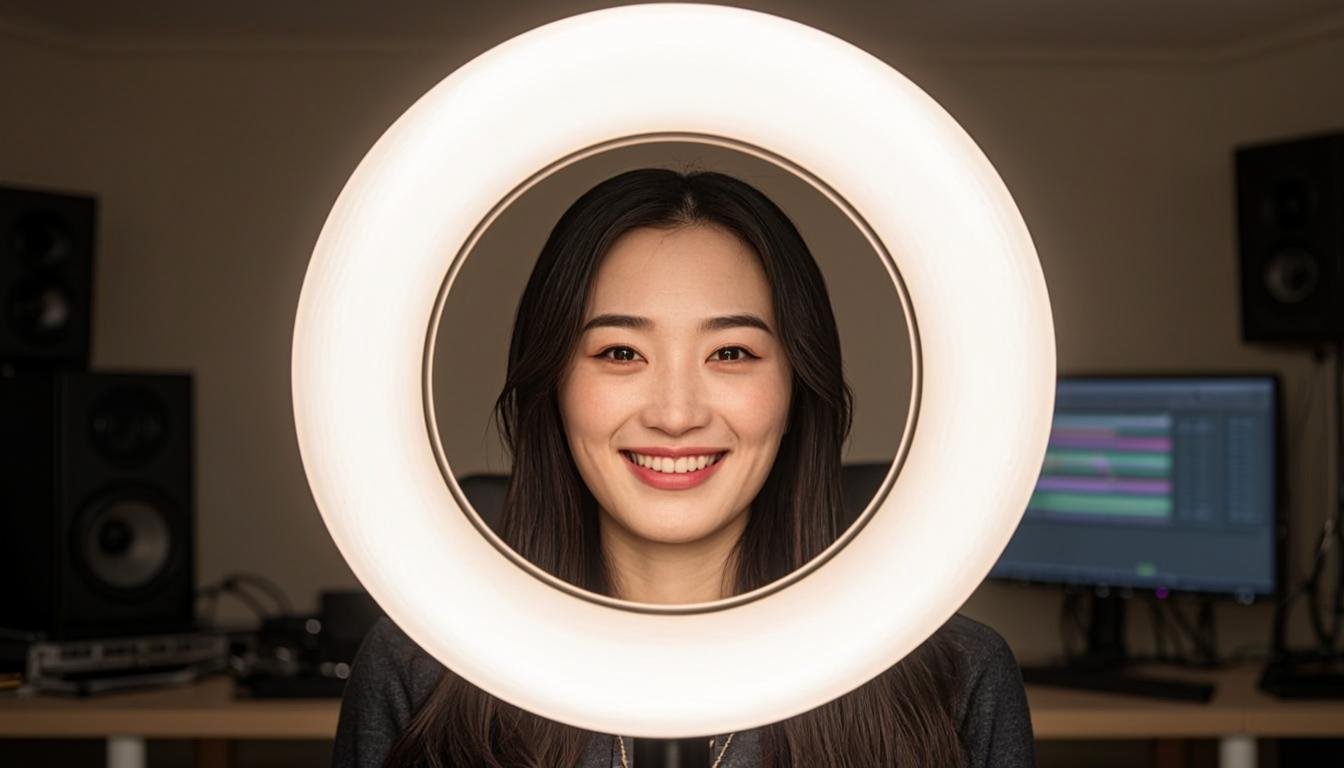

I remember my first Zoom call back in 2020. My face looked like it was lit by a dying flashlight. The person on the other end probably thought I was broadcasting from a cave.
That one experience sent me down a rabbit hole of lighting gear. Turns out, good lighting is the fastest way to look professional on camera without spending a fortune on a real camera. A solid ring light can make a $200 webcam look better than a $1,500 camera sitting in bad light.
I've tested over two dozen ring lights in the last three years. Some were great. Most were overpriced junk. Here's what actually works.
Why ring lights matter more than your camera
People obsess over camera specs. 4K this, 1080p that. But here's the truth nobody wants to hear: lighting matters way more than resolution.
Your webcam captures whatever light hits your face. If that light is flat and uneven, you look tired and unprofessional. If it's soft and even, you look like you know what you're doing. Simple as that.
I've seen people with built-in laptop cameras who look incredible just because they nailed their lighting. And I've watched people with $800 webcams who look like they're hiding in a closet because they ignored it.
The good news? A decent ring light costs less than a nice dinner out. The bad news? The market is flooded with garbage that will make things worse. That fluorescent ring light you found for $12 on Amazon? It's going to make you look green and sickly.
I'm going to walk you through the lights actually worth your money. I tested each one for at least two weeks across Zoom calls, YouTube recordings, and live streams. I paid for all of them myself so no brand is getting a free pass here.
How I tested these ring lights
Before we get into the picks, let me explain my testing process. I wanted this to be practical, not lab conditions that don't match how you'll actually use the product.
Every light got tested in three scenarios. First, a typical Zoom call with window light coming from the left side. Second, a YouTube video recording with no other light sources. Third, a late evening stream with the room mostly dark.
I measured color temperature consistency, how even the light spread across my face, and whether the controls were actually usable during a call. I also checked build quality because nobody wants a flimsy light that falls apart after a month.
For color accuracy, I used a calibration card and compared readings across different brightness levels. Some lights shift from warm to cool as you dim them, which drives me crazy. A few maintained consistent color throughout the range.
I also asked five friends to rate how I looked on camera with each light. They didn't know which light was which. Their feedback matched my measurements pretty closely, which tells me you don't need expensive gear to judge good lighting. Your eyes work fine.
Best overall ring light
Elgato Key Light Mini
Price: $79.99
If you only buy one thing from this list, make it this one. Elgato built a reputation with streamers for a reason, and the Key Light Mini shows why.
This isn't a traditional ring light in shape. It's a compact panel light. But it does the same job better than most rings I've tried, so it earned its spot here.
The color temperature goes from 2900K to 7000K. That range covers everything from a warm sunset feel to crisp daylight. You adjust it through the Elgato app on your phone, which is straightforward once you set it up the first time.
Brightness tops out at 800 lumens. That's more than enough for a single-person shot on Zoom or YouTube. I usually keep mine around 60-70% for calls and bump it up for video recordings.
What sets the Key Light Mini apart is consistency. The color temperature stays exactly where you set it regardless of brightness level. A lot of cheaper lights drift toward blue or orange when you dim them. This one doesn't budge.
Build quality is solid. The housing feels like it could survive a drop off your desk. The stand is adjustable and stays put once you position it. It also works with standard camera mounts if you want to put it on a boom arm.
The main downside is the price. At $80, it costs more than double some of the ring lights on this list. But you get what you pay for. I've been using mine daily for over a year with zero issues.
If you create content for a living or just want the most reliable option, this is it. You can find it directly from Elgato or on Amazon. Check out our Blogging Jobs Hub guide to home studio gear for more setup recommendations.
Best ring light under $50
Neewer 10-inch LED Ring Light Kit
Price: $35.99
Neewer makes a ton of budget lighting gear, and most of it is hit or miss. This 10-inch ring light is a genuine hit.
It comes with a light, a mini tripod, a phone holder, and a Bluetooth remote. That's everything you need to start right out of the box. No extra purchases required.
The color temperature switches between three modes: warm (3200K), natural (4500K), and cool white (5500K). You can't dial in an exact temperature like the Elgato, but the three presets cover the most useful ranges for video calls and recordings.
Brightness has ten adjustable levels across each color mode. The lowest setting is genuinely dim, which sounds weird to praise but matters if you're doing late-night calls and don't want to blind yourself. The highest setting is bright enough for a well-lit YouTube video if you position it close enough.
I noticed a slight color shift when switching between brightness levels. At the highest setting, the warm mode drifts a bit toward neutral. It's not dramatic, but picky viewers might notice on YouTube. For Zoom calls, nobody will tell the difference.
The build is what you'd expect at this price. Plastic housing, basic tripod that wobbles a bit if bumped. But it holds together fine with normal use. The phone holder grips securely and fits phones up to about 6.5 inches diagonally.
At $36, this is the best value pick on the list. It's perfect if you're just starting with YouTube or want to look better on work calls without a big investment. We cover more budget picks like this on BloggingJobsHub.com in our freelancer gear section.
Best premium ring light
Logitech Litra Glow
Price: $59.99
Logitech knows a thing or two about video calls. Their webcams are standard in most offices, and the Litra Glow brings that same approachability to lighting.
This is a 270-degree bar light, not a circular ring. But it produces the same even, flattering effect on your face that a ring light gives. Some people actually prefer the bar shape because it doesn't create the circular catchlight in your eyes that screams "I'm using a ring light."
The Litra Glow connects via USB and can be controlled through Logitech's G Hub software. You get full control over both brightness and color temperature from 2700K to 6500K. The software is a bit heavy if you just want to adjust a light, but it works reliably once it's set up.
What I really like about this light is the diffusion. The panel uses a frosted cover that softens the light beautifully. Even at full brightness, the light on your face looks natural and not harsh. That's a big deal if you're recording YouTube content where harsh shadows look amateur.
The mounting system is clever. It uses a monitor clip that works on screens up to an inch thick, plus a small desktop stand. Switching between the two takes about ten seconds. The clip holds firm without scratching your monitor bezel.
At $60, it sits in the middle of the price range. It's more expensive than the Neewer but cheaper than the Elgato. For most people who work from home and do occasional video calls, this hits the sweet spot. You can grab it from Logitech's website or find it at most electronics retailers.
If you're building a home studio on a budget, pair this with a decent webcam and you'll look more professional than 90% of people on your next call. For more home office recommendations, BloggingJobsHub.com has a whole series on remote work essentials.
Best ring light for YouTube creators
Ulanzi VL49 RGB Video Light (2-pack)
Price: $39.99 for two
YouTube creators often need more than one light source. You want a key light on your face and a fill or background light to add depth. Buying two individual lights gets expensive fast. Ulanzi solves this with a two-pack that costs less than most single lights.
Each light in the VL49 pack puts out 800 lumens at its brightest. The color temperature ranges from 2500K to 9000K, which is a wider range than anything else on this list. You can go from very warm candlelight tones to almost blue daylight.
Where these lights really shine is the RGB mode. You can set them to any color, which opens up creative options for YouTube backgrounds. A soft purple or blue glow behind you adds visual interest to your videos without being distracting.
The lights are tiny. Each one is about the size of a golf ball. They run on built-in rechargeable batteries that last about 2 hours at full brightness. USB-C charging means you can top them off with the same cable you use for your phone.
The included cold shoe mounts let you attach them to tripods, light stands, or camera brackets. Ulanzi also sells a magnetic mount separately if you want to stick them to metal surfaces.
The catch is that small lights produce a harder quality of light compared to larger sources. Even with diffusion, the VL49s can create harsher shadows than a bigger ring light. You'll want to position them carefully and possibly bounce them off a wall for the softest effect.
At $40 for two lights, the value is hard to beat for YouTube creators who need multiple light sources. This is one of those rare cases where spending less actually gives you more. For more creator tips, head over to BloggingJobsHub.com and check out our YouTube starter guides.
Best ring light for streaming
Elgato Key Light
Price: $199.99
Yes, I already recommended the Key Light Mini. But the full-size Key Light deserves its own entry for streamers who need serious output.
This thing is a beast. 2800 lumens at peak brightness. That's enough to light a medium-sized room, not just a face. If you stream with a wider shot that shows your desk and some background, the full Key Light gives you the coverage you need.
The panel is much larger than the Mini, which means softer light on your face. Bigger light source equals softer shadows. It's basic physics, but it makes a visible difference in how you look on camera.
Like the Mini, it connects via Wi-Fi and you control it through the Elgato app. You can adjust brightness and color temperature (2900K to 7000K) from your phone or computer. The app also supports scenes and presets if you want different lighting for different types of content.
The mounting options are excellent. It comes with a desk mount that clamps securely, and the panel pivots on a ball joint so you can angle it exactly where you need it. Elgato also sells a multi-mount system if you want to attach two Key Lights to one stand.
At $200, this is the most expensive option on the list. Streamers who broadcast several hours a day will get their money's worth. Casual Zoom users should stick with the cheaper options. But if you're serious about streaming and building an audience, the Elgato Key Light is an investment that pays off in production quality every single stream.
If streaming is your goal, BloggingJobsHub.com has a detailed breakdown of streaming equipment tiers that pairs well with this recommendation.
Best portable ring light
Ulanzi RIYO R05 Rechargeable Ring Light
Price: $22.99
Sometimes you need good lighting away from your desk. Maybe you're recording in a different room, shooting b-roll for YouTube, or doing an outdoor video. A plug-in light doesn't work in those situations.
The Ulanzi R05 runs on a built-in battery that lasts about 90 minutes at full brightness. That's enough for most quick recording sessions. Charging takes about 2 hours via USB-C.
It's a 5-inch ring light, so it's compact. The light output is modest at around 600 lumens, but for close-up shots it does the job fine. You wouldn't want to use this as your primary YouTube lighting, but as a portable supplement it works great.
Color temperature is fixed at about 5500K, which is a neutral daylight tone. You can't adjust it. Some people will find that limiting, but for quick supplementary lighting it keeps things simple.
The phone mount is built into the design. You clip your phone directly to the ring, which is convenient for selfie-style recording. It also comes with a small tripod that works on flat surfaces.
Build quality is decent for the price. The plastic feels sturdy enough, and the buttons are responsive. I wouldn't toss it in a bag unprotected, but with minimal care it should hold up fine.
At $23, this is the cheapest option on the list. It's a solid buy if you already have a good desk light and just need something portable for occasional use. We talk more about portable setups for content creators on BloggingJobsHub.com.
Ring light buying guide
Size matters more than you think
The physical size of your ring light directly affects how the light falls on your face. Bigger lights produce softer, more flattering light because they cover a wider angle relative to your face.
A 6-inch ring light works okay for close-up webcam shots. But move it more than two feet away and the light gets harsh and spotty. A 12-inch ring light gives you more flexibility with positioning and produces noticeably softer results.
For YouTube videos where you might be sitting two to three feet from the light, go with at least 10 inches. For Zoom calls where you're close to your webcam, 6-8 inches is fine.
Color temperature explained
Color temperature is measured in Kelvin (K). Lower numbers are warmer (more orange), higher numbers are cooler (more blue). Daylight is around 5500K.
For most video calls, something between 4000K and 5500K looks natural and professional. Going warmer (3000-4000K) can create a cozy, relaxed vibe. Going cooler (5500-6500K) gives a clean, modern look.
The key is matching your light to your environment. If your room has warm-toned lamps and wood furniture, a warm light blends in better. If your space is all white and modern, a cooler temperature looks right.
Some cheap lights only offer a few preset temperatures. Better lights let you dial in the exact Kelvin you want. For YouTube content, I'd suggest getting a light with adjustable temperature so you can match different shooting environments.
Brightness and lumens
Lumens measure total light output. More lumens means a brighter light, but that's not the whole story. How the light is diffused matters just as much.
A 1000-lumen light with good diffusion will look softer and more flattering than a 2000-lumen light with no diffusion pointed directly at your face. Don't just chase the highest lumen number.
For standard Zoom calls, 400-600 lumens is plenty. For YouTube recordings where you want a clean, well-lit look, aim for 800-1200 lumens. For streaming with a wider shot, you might need 1500+ lumens.
Also consider that brighter lights can cause eye strain during long sessions. Sometimes a dimmer, softer light is more comfortable for a two-hour Zoom meeting than a light cranked to maximum.
Mounting options
How you position your ring light is almost as important as the light itself. The most common mistake I see is placing the light behind or beside the camera, which creates unflattering shadows on half the face.
The ideal position is directly behind your camera, pointed at your face. This creates even, front-facing illumination that minimizes shadows and makes you look awake and presentable. Most ring lights are designed to do exactly this because your camera sits in the center hole.
Desk clamps work well if you have limited space. They attach to the edge of your desk and keep the light at eye level. Floor stands give you more flexibility but take up more room.
If you use an external monitor and webcam, a monitor-mounted light like the Logitech Litra Glow keeps things tidy. Your desk stays clear and the light is always in the right position.
Ring lights vs panel lights
I've included a couple of panel lights in this roundup because the line between "ring light" and "panel light" has blurred a lot in the last few years. Both do the same thing: provide even, front-facing illumination for your face.
Traditional ring lights have a literal ring shape with your camera shooting through the center. The circular design creates that distinctive ring-shaped catchlight in your eyes. Some people like this look, others find it distracting.
Panel lights are rectangular or bar-shaped. They produce the same even lighting but without the ring catchlight. Most modern panel lights are thin, mount easily behind monitors, and take up less desk space.
For pure functionality, panel lights and ring lights perform similarly at the same price point. The choice comes down to aesthetics and mounting preference. If you want the classic YouTube look, go with a ring. If you want something more understated for professional calls, a panel works great.
Some of the best options on this list blur the line entirely. The Elgato Key Light Mini is technically a panel light, but it works identically to a ring light in practice. Don't get too hung up on the shape. Focus on light quality and color accuracy instead.
Common ring light mistakes
Putting the light too close
Getting your ring light as close as possible to your face seems like a good idea for maximum brightness. It's not. When a light source is too close, the falloff is extreme. Your nose will be brightly lit while your ears disappear into shadow.
Keep your ring light at least two feet from your face. Three feet is usually better. You'll need slightly higher brightness to compensate for the distance, but the even lighting is worth it.
Using only a ring light
A single ring light in front of you is a good start, but it creates a flat, one-dimensional look on camera. Professional lighting usually involves at least two sources.
Adding a second, dimmer light behind you or to the side creates depth and separation from your background. It doesn't have to be expensive. Even a cheap desk lamp with a warm bulb positioned behind you at a 45-degree angle makes a big difference.
Ignoring your background
Your ring light illuminates your face, but what's behind you matters too. A cluttered or dark background makes even well-lit subjects look unprofessional.
Take five minutes to tidy up what's visible behind you. A simple bookshelf, a plain wall with a plant, or even a clean bedsheet hung as a backdrop all work. The ring light handles your face. You handle the rest.
Wrong color temperature
Using a very warm light (3000K) in a room with cool, blue-toned daylight from a window creates an obvious mismatch. Your face looks orange while the rest of the room looks blue.
Try to match your ring light's color temperature to the ambient light in your room. If you have daylight coming through a window, set your light around 5000-5500K. If you're recording at night with no other light, you have more freedom to choose.
Ring lights for specific use cases
For Zoom and Teams meetings
Most office workers just need to look presentable on video calls. You don't need cinema-quality lighting for a weekly standup.
The Logitech Litra Glow at $60 is perfect here. It mounts behind your monitor, stays out of the way, and makes you look noticeably better on camera. The monitor mount is the key feature because it keeps your desk clean.
If you're on a tight budget or have a company expense account that won't approve $60 for a light, the Neewer 10-inch at $36 does the job. It's not as polished but it gets the same basic result.
For YouTube videos
YouTube viewers notice lighting quality more than meeting attendees. A bad video with harsh shadows or weird colors will drive viewers away fast.
The Ulanzi VL49 two-pack gives you the most versatility for YouTube at $40. Use one as your key light and one as a background light. The RGB modes let you create mood and atmosphere that a single light can't match.
If you're willing to spend more, the Elgato Key Light Mini offers better color accuracy and build quality. Pair it with a cheap second light for background fill and you've got a legit YouTube setup for under $120 total.
For live streaming
Streamers are on camera for hours at a time. Lighting comfort matters as much as lighting quality.
The full Elgato Key Light at $200 handles this well. The larger panel means softer light that's easier on the eyes during long sessions. The app controls let you adjust on the fly without reaching for physical dials.
If $200 is too steep, two Ulanzi VL49s positioned on either side of your face create a nice even look for streaming. At $40 total, it's the cheapest multi-light streaming setup that actually works.
Ring light accessories worth buying
Diffusion filters
Most ring lights come with basic diffusion built in. But adding an extra layer of diffusion softens the light even more. You can buy clip-on diffusion panels for about $10-15 on Amazon.
I use a simple white silk cloth clipped over my ring light for YouTube recordings. It cost nothing and makes a visible difference in softness. Professional diffusion gear works better, but a thin white fabric gets you 80% of the way there.
Light stands
The tripods included with budget ring lights are usually flimsy. A real light stand costs $15-25 and makes a huge difference in stability.
I use an Amazon Basics 6-foot light stand that cost me $18. It holds my ring light steady, adjusts to any height I need, and folds flat for storage. Much better than the wobbly tripod that came with my first ring light.
Boom arms
If you want your light directly above your camera and out of your line of sight, a boom arm is the way to go. They mount to your desk and swing the light into position.
The Rode PSA1 is technically designed for microphones, but it works great for lightweight ring lights. It costs $99, which is steep, but it's built like a tank and lasts forever. Budget boom arms start around $25 on Amazon.
Phone mounts
If you're recording YouTube videos on your phone, you need a mount that holds it securely in the center of your ring light. Most lights include basic mounts, but upgrading to something like the Ulanzi phone mount for $13 gives you a tighter grip and more adjustment options.
What I'd buy with different budgets
Under $30
Get the Ulanzi RIYO R05 for $23. It's portable, rechargeable, and bright enough for basic video calls. Not the best light quality in this list, but at this price point you can't complain.
If you want something desk-based instead of portable, search Amazon for generic 8-inch ring lights. You'll find options around $20-25 that include a mini tripod. The quality varies, but most are usable for casual calls.
$30 to $60
The Neewer 10-inch kit at $36 is the clear winner in this range. It comes with everything you need, looks good on camera, and has enough brightness for YouTube recording.
The Logitech Litra Glow at $60 is the premium pick here. Better build quality, monitor mounting, and software control make it worth the extra money if you can swing it.
$60 to $100
The Elgato Key Light Mini at $80 is the best single light in this price range. Superior color accuracy, reliable app control, and solid build quality make it the light I recommend most often.
Pair it with a cheap second light from Amazon for background fill and you've got a two-light setup that rivals what most YouTubers with 100K subscribers use.
Over $100
The full Elgato Key Light at $200 is for people who are serious about video content. Streamers, professional YouTubers, and anyone who makes money being on camera should consider this investment.
At this budget, you can also build a multi-light setup with the Key Light Mini as your key light, a couple of Ulanzi VL49s for fill and background, and a boom arm for positioning. That's a complete, professional-grade lighting setup for under $200.
Setting up your ring light in 5 minutes
Here's the fastest way to go from unboxing to looking great on camera.
First, place your ring light directly behind your camera. Your camera should sit in the center of the ring if it fits. If it doesn't, position the light as close to directly behind the camera as possible.
Second, set the height so the light is at your eye level. Too high and it creates shadows under your eyes and nose. Too low and it makes you look like you're telling a ghost story around a campfire.
Third, set the color temperature to match your room. If you're near a window during the day, go with 5000-5500K. If it's evening or you're in a room with warm lighting, try 3500-4000K.
Fourth, adjust brightness to a comfortable level. Start at about 50% and go up or down from there. You want to look well-lit but not washed out. Your face should be clearly visible without looking like a glowing orb.
Fifth, check how you look on camera before your call starts. Open your webcam software or Zoom preview and see how the light actually appears on screen. Adjust from there. What looks good in person sometimes looks different through a camera lens.
That's it. Five minutes to dramatically better-looking video calls.
Ring light maintenance tips
These lights are mostly low-maintenance, but a few habits will extend their life.
Dust the light surface regularly. Dust buildup reduces brightness and can create uneven lighting. A microfiber cloth works fine. Don't use cleaning sprays because the chemicals can damage the LED coating.
If your light uses a power adapter, don't yank the cord. Bent or damaged connectors cause flickering. I replace power cords about once a year because I'm rough with them, so maybe learn from my mistakes.
Rechargeable lights like the Ulanzi R05 lose battery capacity over time. Don't store them fully depleted. If you're not using the light for a while, charge it to about 50% first.
Where to buy ring lights
Amazon has the widest selection and the best prices on most models. The reviews are hit or miss because Amazon allows paid reviews, so focus on the one and two-star complaints. Those usually reveal real issues.
Direct from the manufacturer is best for warranty support. Elgato and Logitech both have solid return policies if you buy from their websites.
B&H Photo Video is great if you want to browse options and read detailed specs. Their customer service is also excellent if something arrives damaged.
For used gear, check Facebook Marketplace or eBay. Ring lights don't degrade much over time, so a used Elgato or Logitech light can be a smart buy. Just make sure it powers on before handing over cash.
Frequently asked questions about ring lights
Are ring lights bad for your eyes?
Prolonged exposure to any bright light can cause eye strain. Ring lights are generally safe because they're LED-based and don't emit UV radiation. But staring directly into a ring light at full brightness for hours isn't great for your eyes.
Take breaks during long recording sessions. Look away from the light periodically. If your eyes feel tired or dry after using your ring light, try dimming it slightly. Your eyes matter more than perfect lighting.
Do I need a ring light if I have a window?
Natural window light is genuinely great for video. If you have a large window in front of you during daytime calls, you might not need a ring light at all.
The problem with windows is inconsistency. Clouds roll in and the light changes. The sun moves throughout the day. Evening calls get dark. A ring light gives you consistent lighting regardless of time or weather.
If you're a casual caller with a great window setup, you might skip the ring light. If you record YouTube videos or stream, get one. Consistency matters for content creation.
What size ring light is best for Zoom calls?
For standard Zoom calls where your webcam shows head and shoulders, a 6 to 10 inch ring light is plenty. Anything bigger is wasted because you don't need to light more than your face and upper body.
If you do fitness videos or standing presentations on Zoom where more of your body is visible, go with 12 inches or larger.
Can I use a ring light with my laptop camera?
Absolutely. Most ring lights come with a phone/tablet holder that you can adapt for laptops. Or you can simply position the ring light behind your laptop screen.
The webcam on your laptop faces you, so putting the ring light right behind the laptop screen gives you the correct front-facing illumination. You don't need to mount the camera inside the ring for it to work.
Why does my ring light make me look washed out?
You probably have the brightness set too high or the color temperature too cool. High brightness makes your face lose contrast and look flat. Cool color temperature can make skin look pale and lifeless.
Try reducing brightness to 40-60% and warming the color temperature to 3500-4500K. That should give you a more natural, healthy-looking appearance on camera.
Do ring lights work for video calls with glasses?
Ring lights and glasses don't always play nice together. The light can reflect off your lenses and create visible reflections or glare spots.
To reduce this, angle the ring light slightly above your eye level instead of directly in front of you. This redirects the reflection downward and away from your lenses. Tilting your glasses slightly also helps, though it's not the most comfortable solution.
If reflections are a major issue for you, a panel light positioned above and slightly to the side might work better than a direct ring light.
How long do ring lights last?
Quality LED ring lights typically last 30,000 to 50,000 hours of use. At 4 hours a day, that's 20 to 34 years. You'll probably replace the light for other reasons before the LEDs actually burn out.
The parts that fail first are usually the switches, power connectors, and stands. Cheap lights with plastic parts might show wear after a year or two of daily use. Better-built options like Elgato and Logitech hold up much longer.
What's the difference between cheap and expensive ring lights?
The biggest differences are color accuracy, build quality, and brightness consistency. Cheap lights often shift color temperature when you change brightness. Expensive lights maintain consistent color at all settings.
Build quality matters more than you'd think. A $20 light with a flimsy stand that won't stay in position is frustrating to use daily. A well-built light with a solid mount stays where you put it and doesn't wobble every time you move.
Expensive lights also tend to have better diffusion, which produces softer, more flattering results on camera. The difference shows up on YouTube where viewers watch at higher quality than most Zoom participants.
Final thoughts on buying a ring light
Good lighting is one of those things you don't notice when it's there, but you absolutely notice when it's missing. Every video call you take, every YouTube video you upload, every stream you broadcast benefits from proper lighting.
You don't need to spend $200 to get good results. The Neewer 10-inch at $36 will make a bigger difference to how you look on camera than upgrading your webcam. The Logitech Litra Glow at $60 adds polish that clients and colleagues will notice.
For the content creators reading this, lighting is an investment that literally pays for itself. Better-looking videos get more views and more engagement. Viewers decide within the first three seconds whether to keep watching, and bad lighting is one of the fastest ways to lose them.
Take five minutes today to set up whatever lighting you have. Position a desk lamp behind your laptop if that's all you've got. You'll look better on your next call than you did on your last one. Sometimes the simplest changes make the biggest difference.
For more gear recommendations and content creation tips, visit BloggingJobsHub.com. We regularly update our guides with hands-on reviews and real-world testing to help you make smarter purchasing decisions.

Other Articles
Best Monitor Light Bar for Desk Setup (2026 Guide)
Best Webcam for Bloggers and Remote Workers (2026)