

I’ve spent the last six years writing blog posts, testing what works, and watching my traffic grow from zero to over 200K monthly visitors. And if there’s one thing I’ve learned — it’s that on-page SEO isn’t some mysterious dark art. It’s a checklist. Seriously. Once you understand what Google actually looks at on your page, everything clicks into place.
In this guide, I’m going to walk you through every single on-page SEO factor that matters in 2026. No fluff, no outdated advice, and definitely no “just write great content and you’ll rank” hand-waving. I’ll give you the exact tactics, character limits, and tools I use on every post I publish at BloggingJobsHub.
What Is On-Page SEO and Why Does It Matter in 2026?
On-page SEO refers to every optimization you make directly on a webpage to help it rank higher in search results. That includes your title tag, headings, content, images, internal links, URL structure, and more. If it lives on the page itself, it falls under on-page SEO.
This is different from off-page SEO (backlinks, brand mentions, social signals) and technical SEO (site speed, crawlability, structured data at the server level). On-page is the stuff you control every time you hit “Publish.”
Here’s why it matters more than ever: Google’s algorithms have gotten incredibly smart at understanding content quality and user intent. According to Search Engine Land’s on-site SEO guide, on-page signals remain one of the top three ranking factors alongside backlinks and content quality.
Think of it this way — you could write the most brilliant article ever created, but if your title tag is weak, your images have no ALT text, and your page takes 8 seconds to load, Google won’t show it to anyone. On-page SEO is how you translate great content into great rankings.
Title Tag Optimization: Your First Impression Matters
Your title tag is the single most important on-page SEO element. It’s the first thing searchers see in the results, and it tells Google what your page is about. Get it right, and your click-through rate (CTR) skyrockets. Get it wrong, and the best content in the world gets ignored.
The 55-60 Character Sweet Spot
Google typically displays the first 50-60 characters of your title tag in search results. If you go beyond that, your title gets truncated with an ellipsis — and that can cut off your most important keywords.
| Character Count | Display Result | Recommendation |
|---|---|---|
| Under 40 characters | Full title shown but wastes space | Add more detail or a modifier |
| 50-60 characters | Full title shown, maximizes space | Perfect — aim here |
| 61-70 characters | May get truncated depending on pixel width | Move keywords earlier |
| 70+ characters | Almost always truncated | Rewrite to be more concise |
Power Words That Boost Click-Through Rates
Adding power words to your title tag can increase CTR by 15-30% based on data from Ahrefs’ title tag research. Here are the ones that consistently perform well for blog content:
- Ultimate — signals comprehensive coverage
- Proven — suggests tested, reliable information
- Complete — implies nothing is left out
- Step-by-step — promises easy-to-follow guidance
- Updated or 2026 — shows freshness
- Checklist — signals actionable, scannable content
- Mistakes — triggers curiosity and loss aversion
My Title Tag Formula
After testing hundreds of titles, here’s the formula I use for almost every blog post:
Primary Keyword + Power Word + Benefit/Year + Brand (optional)
Example: “On-Page SEO Checklist: Complete Guide for Bloggers (2026)”
This hits the primary keyword early, includes a power word (“Complete”), adds freshness with the year, and tells the reader exactly what they’ll get. For more title strategies, check out our guide on how to write SEO-friendly blog posts that actually rank.
Meta Description Best Practices
Your meta description doesn’t directly impact rankings, but it massively affects your click-through rate. Think of it as your sales pitch — you’ve got roughly 150-160 characters to convince someone to click your result instead of the nine others on the page.
The 150-160 Character Rule
Google displays up to ~155-160 characters before truncating. I always aim for exactly 150-155 characters to account for different screen sizes and pixel-width rendering.
What Makes a Great Meta Description
- Include your primary keyword — Google bolds matching terms, which draws the eye
- Add a clear benefit — tell the reader what they’ll learn or gain
- Include a call to action — “Learn how,” “Discover,” “Get your free”
- Match search intent — if someone’s searching for a checklist, mention “checklist” in the description
- Make it unique — never copy your meta description from another page
According to Moz’s guide to meta descriptions, pages with well-written meta descriptions can see CTR improvements of 5-20% compared to auto-generated snippets.
URL Slug Optimization
Your URL slug is one of the easiest on-page elements to get right, yet I see bloggers mess it up constantly. A clean, keyword-rich URL helps both search engines and users understand what your page is about.
URL Slug Best Practices
| Do This | Not This |
|---|---|
| yourdomain.com/on-page-seo-checklist | yourdomain.com/p=12345 |
| yourdomain.com/best-running-shoes | yourdomain.com/2024/01/15/best-running-shoes-review-update-final-v2 |
| yourdomain.com/keyword-rich-slug | yourdomain.com/The_Best_Keyword_Rich_Slug_Ever!! |
| yourdomain.com/3-5-words-max | yourdomain.com/a-complete-and-comprehensive-guide-to-everything-about |
- Keep slugs between 3-5 words
- Use lowercase letters only
- Separate words with hyphens, not underscores
- Include your primary keyword
- Remove stop words (a, the, is, and, or) when possible
- Never change URLs after publishing without setting up a 301 redirect
Header Tag Hierarchy: Structure Your Content for Humans and Bots
Header tags (H1 through H6) create the structural skeleton of your page. They help readers scan your content and help Google understand the hierarchy and relationship between topics.
How I Structure Headers
| Tag | Usage | How Often Per Page |
|---|---|---|
| H1 | Main title — your primary keyword goes here | Exactly once |
| H2 | Major sections — secondary keywords | 4-8 per article |
| H3 | Subsections within H2s | As needed |
| H4-H6 | Deep subtopics (rarely needed for blog posts) | Only for very long guides |
A common mistake I see is using H2 tags for emphasis instead of structure. Your headers should tell a story on their own — someone should be able to read just your H2s and H3s and understand the full scope of your article. Moz’s header tag guide has a great analogy: think of headers like an outline you’d write before a term paper.
Image Optimization: The SEO Element Most Bloggers Skip
Images can drive massive traffic through Google Image Search, but only if you optimize them properly. I’ve seen blog posts receive 30-40% of their total traffic from image search alone. Here’s how to make your images work harder.
ALT Text: Not Optional
ALT text serves two purposes: it helps visually impaired users understand your images via screen readers, and it tells Google what your image shows. Every single image on your page needs descriptive ALT text.
Bad ALT text: “image1.jpg”, “photo”, “click here”
Good ALT text: “woman optimizing blog post for on-page SEO on laptop”
Keep ALT text descriptive and concise (under 125 characters). Include relevant keywords naturally — don’t stuff them. And if an image is purely decorative, use an empty ALT attribute (alt=””) so screen readers skip it.
File Names Matter More Than You Think
Google uses your image file name as a ranking signal for image search. Rename your files before uploading:
Bad: IMG_4829.jpg
Good: on-page-seo-checklist-guide.jpg
Image Format and Compression
| Format | Best For | Compression Level |
|---|---|---|
| WebP | Photos and graphics — use this by default in 2026 | 25-35% smaller than JPEG |
| AVIF | Next-gen photos with even better compression | 50% smaller than JPEG (growing browser support) |
| JPEG | Photos (fallback for older browsers) | Moderate |
| PNG | Screenshots, graphics with text, transparent backgrounds | Larger file sizes |
| SVG | Icons, logos, simple illustrations | Tiny file sizes, infinitely scalable |
I compress every image before uploading using tools like Squoosh (free, by Google) or ShortPixel. I also use lazy loading so images below the fold don’t slow down initial page load. If you’re running WordPress, the best WordPress SEO plugins can handle image compression automatically.
Internal Linking Strategy: Build Your Site’s Authority
Internal links are one of the most underused SEO tactics I know. They help Google discover new pages, understand the relationship between your content, and distribute “link equity” (ranking power) across your site.
My Internal Linking Rules
- Link to 3-5 relevant pages in every new post — no exceptions
- Use descriptive anchor text — “learn about email marketing strategy” instead of “click here”
- Link from high-authority pages to newer posts that need a ranking boost
- Vary your anchor text — don’t use the exact same phrase every time
- Update old posts with links to new content (I do this monthly)
- Create topic clusters — a pillar post linking to 10-15 related subtopic posts
According to Ahrefs’ internal linking study, pages with more internal links tend to rank higher and get crawled more frequently. I’ve personally seen posts jump from page 3 to page 1 just by adding 5-6 internal links from relevant high-traffic posts.
For a deeper strategy, read our breakdown on internal linking strategies that grow blog traffic.
External Linking Best Practices
Linking out to authoritative sources isn’t just helpful for your readers — it actually signals trust to Google. Studies referenced by Search Engine Journal show that pages with outbound links to high-quality sources tend to rank higher than those that don’t link out at all.
External Linking Guidelines
- Link to 2-4 authoritative sources per 1,000 words
- Use rel=”noopener” for security on target=”_blank” links
- Set affiliate or sponsored links to rel=”nofollow sponsored”
- Link to primary sources — studies, official documentation, original research
- Don’t link to direct competitors for your target keyword
- Open external links in new tabs so readers stay on your page
- Check your external links quarterly for broken links
I keep a running list of trusted domains I frequently reference — Google’s developer docs, Ahrefs, Moz, Search Engine Journal, and reputable university studies. Having this list saves me 10-15 minutes per post.
Keyword Placement: Where and How Often
Keyword placement has changed a lot over the years. You don’t need to stuff keywords everywhere, but strategic placement still matters. Here’s what’s working in 2026.
Primary Keyword Placement Checklist
| Location | Priority | Notes |
|---|---|---|
| Title tag | Critical | As close to the beginning as possible |
| First 100 words | Critical | Include it naturally in your opening paragraph |
| H1 tag | Critical | Usually the same as your title tag |
| URL slug | High | Keep it clean and focused |
| Meta description | High | Google bolds matching keywords in results |
| At least one H2 | Medium | Use in a section heading where natural |
| Image ALT text | Medium | Only on the most relevant image |
| Body content | Medium | Use variations naturally throughout |
Keyword Density: Don’t Overthink It
In 2026, there’s no magic keyword density percentage. Google’s natural language processing understands synonyms and related concepts. I aim to mention my primary keyword 3-5 times in a 2,000+ word article, then focus on LSI keywords and variations.
LSI Keywords: The Secret to Topical Authority
LSI (Latent Semantic Indexing) keywords are terms related to your main topic. They help Google understand the context of your content and determine whether you’re comprehensively covering a subject.
For an article about “on-page SEO,” LSI keywords might include: title tag, meta description, header tags, keyword density, image optimization, internal links, page speed, schema markup.
I use LSIGraph and also look at the “People Also Ask” section in Google search results to find related terms. Including 8-12 LSI keywords naturally throughout your content sends strong topical relevance signals.
Content Length and Quality Signals
Let me be blunt: word count is not a ranking factor. Google has confirmed this repeatedly. But longer, more comprehensive content tends to rank higher because it covers topics more thoroughly, earns more backlinks, and keeps readers on the page longer.
Content Length Benchmarks by Type
| Content Type | Recommended Word Count | Why |
|---|---|---|
| Listicle / round-up | 1,500-2,500 words | Each item needs explanation |
| How-to guide | 2,000-3,500 words | Step-by-step detail with screenshots |
| Complete guide / pillar | 3,500-5,000+ words | Comprehensive coverage, like this article |
| Product review | 1,500-3,000 words | Pros, cons, comparisons, alternatives |
| Comparison post | 2,000-3,000 words | Detailed feature-by-feature analysis |
| Definition / what-is | 800-1,500 words | Clear explanation with examples |
Quality Signals Google Actually Cares About
Instead of obsessing over word count, focus on these quality signals that Google’s helpful content guidelines explicitly recommend:
- Original reporting, research, or analysis — bring something new to the table
- Comprehensive coverage — leave readers satisfied without needing to search again
- Practical value — readers should be able to act on your advice immediately
- First-hand experience — share your own results, screenshots, case studies
- Reader engagement — comments, social shares, time on page all signal quality
- Freshness — update content regularly, especially for fast-moving topics
I personally revisit every pillar post on my site every 6-9 months and add new sections, update screenshots, and refresh statistics. This alone has helped me maintain rankings that competitors keep losing.
User Experience Signals: The Rank Factors Nobody Talks About Enough
Google’s Core Web Vitals and user experience signals have become increasingly important ranking factors. Here’s what to optimize for.
Readability
- Keep sentences under 20 words on average
- Write at an 8th-grade reading level (use Hemingway Editor)
- Use short paragraphs — 2-4 sentences max
- Break up text with subheadings every 200-300 words
- Use bullet points and numbered lists for scannability
- Add bold text to highlight key phrases (helpful for skimmers)
- Include a table of contents for posts over 2,000 words
Formatting and Visual Variety
A wall of text sends readers bouncing. Mix up your content format to keep people engaged:
- Tables for comparisons and data
- Blockquotes for expert quotes or important callouts
- Numbered lists for step-by-step processes
- Bulleted lists for features, tips, or checklists
- Charts or infographics for data-heavy sections
- Callout boxes for warnings, tips, or key takeaways
According to Moz’s analysis of on-site factors, well-formatted content with visual variety can reduce bounce rate by 20-35% and increase time on page significantly. Both are indirect ranking signals that Google tracks.
Multimedia Integration
Adding video, audio, or interactive elements can dramatically improve engagement:
- Embedded videos — increase time on page by 2-3 minutes on average
- Custom infographics — earn backlinks and social shares
- Interactive tools — calculators, quizzes, and checklists keep users engaged
- Podcast embeds — serve audio learners who prefer listening
Schema Markup Basics: Help Google Understand Your Content
Schema markup (also called structured data) is code you add to your page that helps search engines understand your content better. In return, you can earn rich snippets — those enhanced search results with stars, FAQs, how-to steps, and other visual extras.
Schema Types Every Blogger Should Use
| Schema Type | What It Does | Rich Snippet Benefit |
|---|---|---|
| Article | Marks your page as a blog post or news article | Publish date, author info in results |
| FAQ | Identifies question-and-answer content | Expandable Q&A in search results |
| HowTo | Marks step-by-step instructions | Step-by-step preview in results |
| Review | Marks product or service reviews | Star ratings in search results |
| Breadcrumb | Shows your page’s position in site hierarchy | Breadcrumb trail in search results |
I use the Rank Math SEO plugin (or Yoast) to add schema markup without touching code. Both plugins generate article, FAQ, and breadcrumb schema automatically. For HowTo and Review schema, you might need a dedicated plugin or a custom JSON-LD block.
Test your schema markup with Google’s Rich Results Test tool after implementing it. Fix any errors before moving on — broken schema can actually hurt your chances of earning rich snippets.
Mobile Optimization: Non-Negotiable in 2026
Google uses mobile-first indexing, which means it looks at the mobile version of your page for indexing and ranking. If your mobile experience is poor, your desktop rankings will suffer too.
Mobile Optimization Checklist
- Responsive design — your layout should adapt to any screen size
- Readable font sizes — minimum 16px for body text on mobile
- Adequate tap targets — buttons and links should be at least 48x48px
- No horizontal scrolling — everything should fit within the viewport
- No intrusive pop-ups — Google penalizes mobile pop-ups that cover content
- Fast mobile loading — aim for under 3 seconds on a 4G connection
- Properly sized images — serve smaller image files to mobile devices
- Collapsible navigation — hamburger menus that actually work
- Test on real devices — not just browser simulators
I test every new post on my actual phone before publishing. Browser simulators don’t always catch touch-target issues or rendering problems that real users will encounter.
Page Speed Optimization: Every Second Counts
Page speed directly affects both rankings and user experience. Google has confirmed that page speed is a ranking factor for both desktop and mobile searches. And the data is clear — a 1-second delay in page load time can reduce conversions by 7%.
Page Speed Benchmarks
| Metric | Good | Needs Improvement | Poor |
|---|---|---|---|
| Largest Contentful Paint (LCP) | Under 2.5s | 2.5s – 4s | Over 4s |
| First Input Delay (FID) / INP | Under 100ms | 100ms – 300ms | Over 300ms |
| Cumulative Layout Shift (CLS) | Under 0.1 | 0.1 – 0.25 | Over 0.25 |
| Time to First Byte (TTFB) | Under 200ms | 200ms – 500ms | Over 500ms |
Speed Optimization Tactics That Actually Work
- Use a quality hosting provider — cheap shared hosting is the #1 speed killer I see. Upgrade to managed WordPress hosting or at minimum a VPS.
- Install a caching plugin — WP Rocket or LiteSpeed Cache can dramatically reduce load times
- Minify CSS, JS, and HTML — most caching plugins do this automatically
- Defer non-critical JavaScript — prevent render-blocking scripts from slowing initial load
- Optimize images — convert to WebP, compress, and lazy load
- Use a CDN — Cloudflare is free and serves content from servers closest to your readers
- Reduce HTTP requests — combine files, use CSS sprites for icons
- Enable GZIP or Brotli compression — reduces file sizes by 60-80%
- Update PHP to the latest version — PHP 8.x is significantly faster than 7.x
- Limit third-party scripts — analytics, ads, and chat widgets add serious weight
For a detailed walkthrough, check our complete guide to speeding up your WordPress blog.
Run your pages through Google PageSpeed Insights and GTmetrix regularly. I test my top 20 posts monthly and fix any performance regressions immediately.
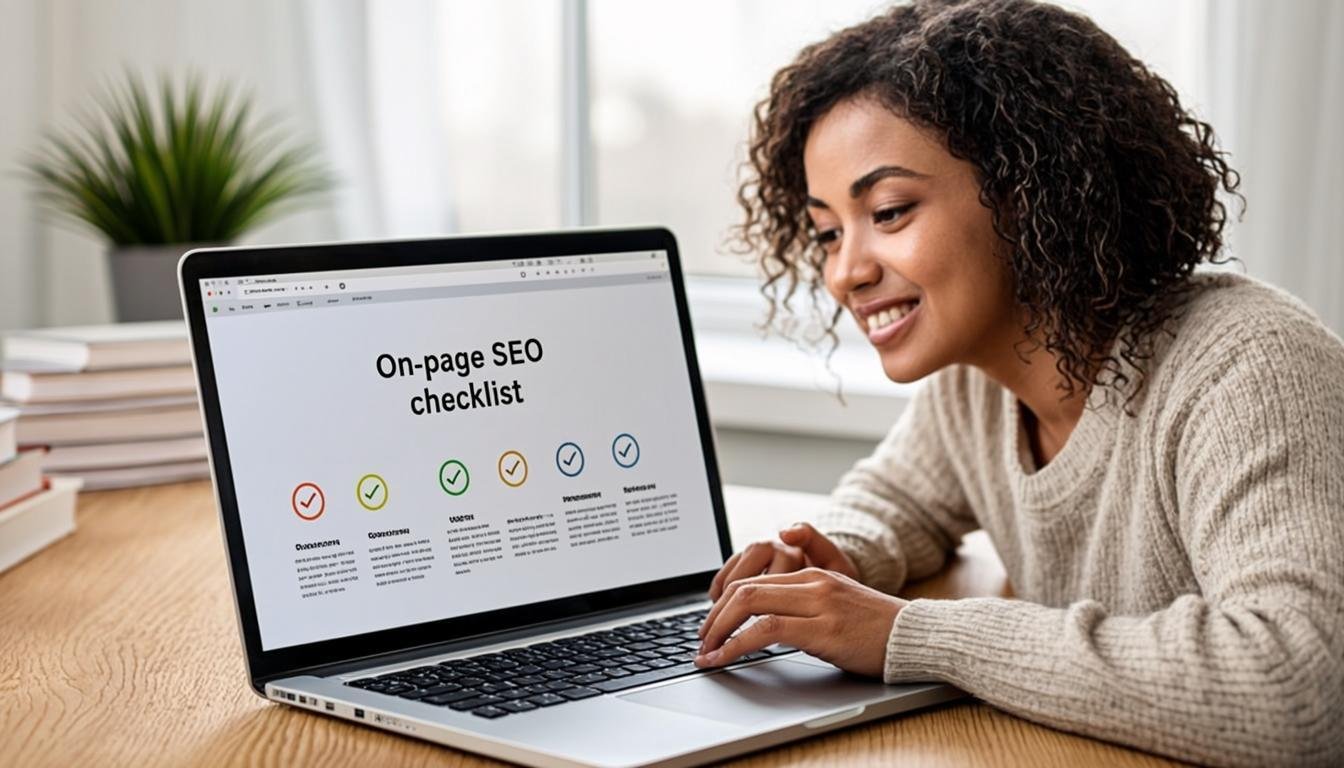
Complete On-Page SEO Checklist (Printable)
I use this exact checklist before hitting publish on every article. You can copy this table, print it, or save it to your project management tool. If you can check every box, your on-page SEO is solid.
| # | On-Page Element | Action Item | Done? |
|---|---|---|---|
| 1 | Title tag | Primary keyword within first 30 chars, 50-60 total chars, includes power word or year | ☐ |
| 2 | Meta description | 150-155 characters, includes primary keyword, clear benefit, CTA | ☐ |
| 3 | URL slug | 3-5 words, includes primary keyword, lowercase, hyphens, no stop words | ☐ |
| 4 | H1 tag | One per page, includes primary keyword, matches search intent | ☐ |
| 5 | H2 tags | 4-8 per article, logical hierarchy, includes secondary keywords where natural | ☐ |
| 6 | First 100 words | Primary keyword appears naturally within the opening paragraph | ☐ |
| 7 | Keyword variations | LSI keywords sprinkled naturally throughout the content | ☐ |
| 8 | Image ALT text | Every image has descriptive ALT text (under 125 characters) | ☐ |
| 9 | Image file names | All images renamed with descriptive, keyword-relevant names | ☐ |
| 10 | Image format | Images in WebP format, compressed, lazy-loaded | ☐ |
| 11 | Internal links | 3-5 relevant internal links with descriptive anchor text | ☐ |
| 12 | External links | 2-4 authoritative sources, proper rel attributes, open in new tabs | ☐ |
| 13 | Content quality | Original, comprehensive, actionable, includes first-hand experience | ☐ |
| 14 | Readability | Short paragraphs, varied sentence length, subheadings every 200-300 words | ☐ |
| 15 | Visual formatting | Tables, lists, bold text, blockquotes for variety and scannability | ☐ |
| 16 | Schema markup | Article and FAQ schema implemented, tested with Rich Results Test | ☐ |
| 17 | Mobile check | Responsive, readable text, proper tap targets, no horizontal scroll | ☐ |
| 18 | Page speed | LCP under 2.5s, CLS under 0.1, tested in PageSpeed Insights | ☐ |
| 19 | Table of contents | Added for posts over 2,000 words | ☐ |
| 20 | Final review | Proofread for grammar, checked all links work, previewed before publishing | ☐ |
Pro tip: I keep this checklist in a Google Doc template and copy it for every new article. It takes me about 10 extra minutes per post and has made a noticeable difference in my rankings over time.
Frequently Asked Questions
What is the most important on-page SEO factor?
Your title tag and H1 heading are the most impactful on-page elements because they directly influence both rankings and click-through rates. Google uses your title tag to understand your page’s primary topic, and it’s the first thing searchers see in results. Get your title right, and everything else becomes easier.
How many internal links should I add per blog post?
I recommend 3-5 internal links per 1,000 words. Link naturally to relevant content — don’t force links where they don’t belong. Focus on using descriptive anchor text that tells readers (and Google) what the linked page is about. Also go back and add links from your older, higher-authority posts to your new content.
Does keyword density still matter in 2026?
Not in the way it used to. There’s no ideal percentage to target. Instead, mention your primary keyword a few times naturally (3-5 times in a long-form article) and focus on LSI keywords and semantic variations. Google understands synonyms and context now, so write naturally for humans first and optimize second.
What’s the ideal blog post length for SEO?
There’s no universal ideal — it depends on your topic and search intent. A simple “what is” post might only need 800-1,200 words, while a comprehensive guide (like this one) might need 4,000+. Check what’s currently ranking on page 1 for your target keyword and aim to create something noticeably more thorough and valuable.
How do I optimize images for SEO without a plugin?
Rename your files with descriptive keywords before uploading, add ALT text to every image, and compress them using a free tool like Squoosh. Convert to WebP format for smaller file sizes. If you’re comfortable with code, add loading=”lazy” to your image tags to enable lazy loading without a plugin.
What schema markup should every blog have?
At minimum, implement Article schema (for blog posts), BreadcrumbList schema (for navigation trails), and FAQ schema (if your post includes a Q&A section). These three give you the biggest bang for your effort and can earn you rich snippets that boost visibility and click-through rates.
How often should I update old blog posts for SEO?
I recommend reviewing your top-performing posts every 6 months and your other posts annually. Look for outdated statistics, broken links, screenshots that need refreshing, and new information you can add. Google loves fresh content, and updating old posts often gives them a rankings boost within weeks.
Can on-page SEO alone get me to page 1 of Google?
For low-competition keywords, absolutely. I’ve ranked posts on page 1 with zero backlinks purely through on-page optimization and great content. But for competitive terms, you’ll need on-page SEO combined with a solid backlink profile. Think of on-page as the foundation — you need it regardless, but it may not be enough on its own for tougher keywords.