

I used to think my laptop microphone was fine for client calls. Then a client asked if I was calling from a wind tunnel. Turns out, that built-in mic was picking up my ceiling fan, my neighbor's dog, and what I can only describe as the ambient hum of the universe.
That embarrassing moment pushed me into the world of USB microphones. And honestly, it's one of the best upgrades I've made for my freelance career. Better audio makes you sound more professional, keeps clients happier, and saves you from the awkward "can you repeat that" exchanges that waste everyone's time.
After testing more USB mics than any reasonable person should, I've narrowed down the ones actually worth your money. Whether you're a freelance writer doing voice notes, a consultant on client calls, or a podcaster producing episodes between gigs, there's something here for you.
Why freelancers need good microphones
Let me tell you about a freelancer I know who lost a $5,000 project because of bad audio. They submitted a video proposal with their laptop mic. The client couldn't understand half of it. They went with someone else who had clearer audio, even though the first freelancer's ideas were better.
Audio quality is a proxy for professionalism. It shouldn't be, but it is. When a client hears you clearly on a call, they subconsciously assume you're more competent. When they're straining to hear you through background noise, they start questioning whether you're organized enough to handle their project.
For voice-based freelancers, the stakes are even higher. Podcasters, voiceover artists, narrators, and video creators rely on audio quality as a core product. A $100 microphone can be the difference between getting hired and getting ignored.
But even if you just do Zoom calls and send emails, good audio matters. Client meetings run smoother. You come across as more confident. And you avoid the frustration of having to repeat yourself because the other person couldn't hear you over your air conditioner.
Here's the thing that surprised me most when I started testing microphones: the improvement from your laptop mic to even a $40 USB mic is massive. It's not a small upgrade. It's the difference between sounding like you're in a tunnel and sounding like you're in a studio. That first step up in audio quality is the biggest one you'll ever take.
How I tested these microphones
I recorded the same 500-word script with each microphone. Same room, same positioning, same speaking volume. I also made real client calls with each one and asked for feedback.
For objective measurements, I used Room EQ Wizard to check frequency response and compared each mic to its published specs. Most came reasonably close, though a few budget options were noticeably different from what their marketing claimed.
I also tested noise rejection by running a fan and playing music at moderate volume in an adjacent room while recording. Some mics handled this well. Others picked up every sound like they were trying to document the entire neighborhood.
The real-world test mattered most though. Several clients gave me unprompted feedback on my audio quality during the testing period. Their reactions matched my technical measurements almost perfectly. When a mic sounded good on paper, it also sounded good to the people on the other end of my calls.
All prices listed are current as of writing and may vary. I've linked to reputable retailers where possible.
Best overall USB microphone for freelancers
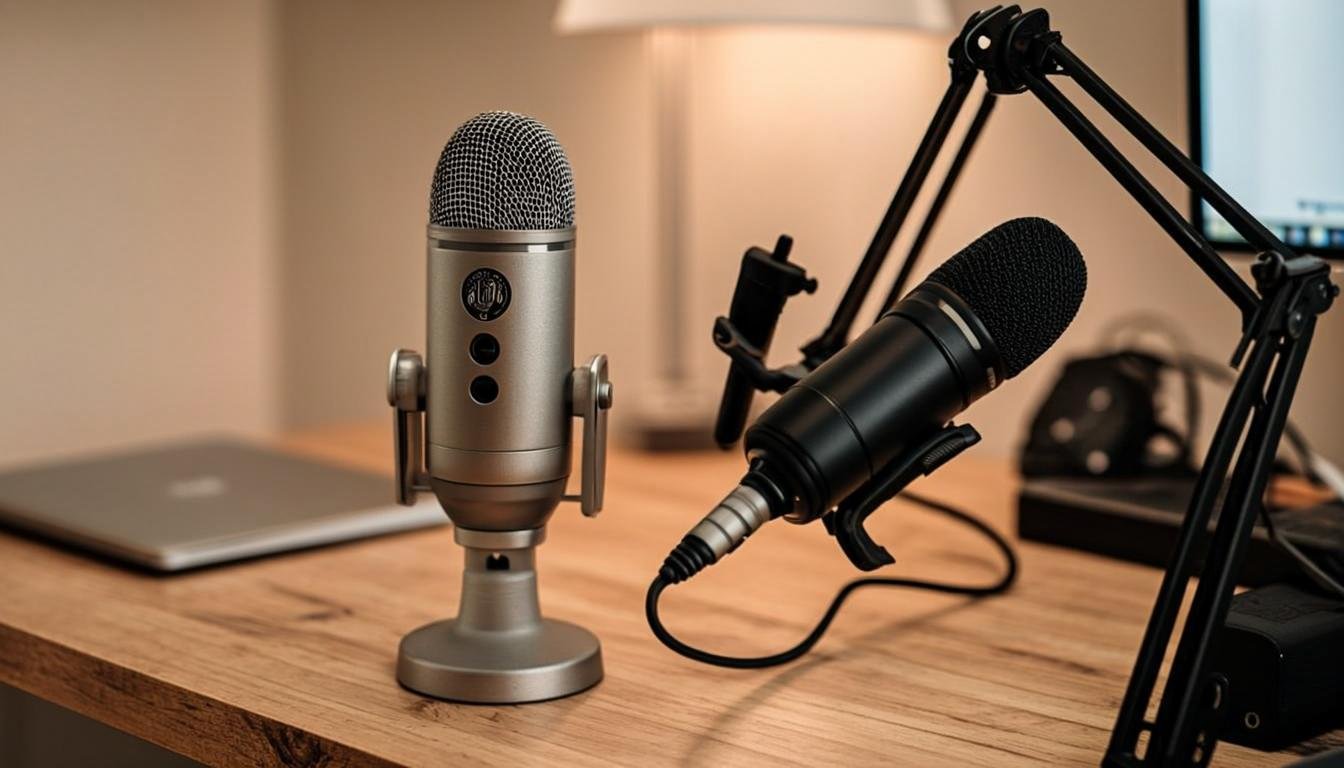
Blue Yeti
Price: $129.99
The Blue Yeti has been the default recommendation for USB microphones for almost a decade. There's a reason for that. It just works.
This is a condenser microphone with four pickup patterns. Cardioid picks up sound from the front and rejects noise from the back. Omnidirectional picks up sound from all directions. Bidirectional picks up from front and back. Stereo picks up left and right separately.
For most freelancers, cardioid mode is what you want. It focuses on your voice and ignores most of the room noise around you. I leave my Yeti in cardioid for every call and recording. The other patterns are nice to have for interviews or two-person recordings, but cardioid handles 90% of use cases.
Sound quality is excellent for the price. The Yeti captures vocals with good detail and warmth. Your voice sounds natural, not thin or processed. I've recorded podcast episodes with the Yeti that listeners assumed used a much more expensive setup.
The build is heavy. I mean literally heavy. This thing weighs over two pounds and feels like it could stop a door. The metal body survives drops and bumps that would crack cheaper mics. The stand that comes in the box is decent but wobbles if you type aggressively. I'd recommend a separate boom arm if you plan to type while talking.
Controls are straightforward. There's a knob for gain on the front, a knob for pattern selection on the back, and a mute button on the front. The mute button has a red light when active, which is helpful during calls.
The main complaint people have with the Yeti is that it picks up too much room noise compared to moving-coil USB mics. Condenser mics are sensitive by nature. If you work in a noisy coffee shop or open office, the Yeti might not be the best choice. But in a home office or quiet room, it sounds fantastic.
At $130, the Blue Yeti sits in that sweet spot where it's affordable enough for freelancers but delivers audio quality that competes with setups costing twice as much. You can find it at Amazon, Best Buy, or directly from Blue (now owned by Logitech). Check out BloggingJobsHub.com for more freelancer gear recommendations.
Best USB mic under $100
Audio-Technica ATR2100x-USB
Price: $79.99
The ATR2100x-USB is the Swiss Army knife of budget microphones. It connects via USB-C for simple setup right out of the box, but it also has an XLR output on the bottom for when you eventually upgrade to an audio interface.
That dual connectivity is rare at this price and makes the ATR2100x-USB the only microphone most freelancers will ever need. Start with USB for simplicity. Move to XLR when your skills (or income) justify the upgrade. Same mic handles both.
Sound quality leans clean and neutral. It doesn't add the warmth that the Blue Yeti has, but that's actually an advantage if you process your audio later. A neutral starting point gives you more flexibility in post-production.
I've used this mic for client presentations, voiceover work, and podcast recording. It handles all three well. The cardioid pattern rejects noise from behind the mic effectively. I can record with my window open and the mic mostly ignores the street noise outside.
The build feels sturdy without being heavy. The body is all-metal with a matte finish that resists fingerprints. It's smaller than the Yeti, which is nice if desk space is tight. The included desk stand is basic but functional.
One feature that sounds minor but matters: the headphone jack on the bottom lets you monitor your audio in real time with zero latency. USB monitoring can have a slight delay that drives you crazy while recording. The direct monitoring on the ATR2100x-USB has no delay at all.
At $80, this is the mic I recommend most to freelancers who want professional audio without spending over $100. It punches way above its price point. You can grab it from Amazon or B&H Photo Video. Head over to BloggingJobsHub.com for our full freelance tools guide.
Best budget USB microphone
Fifine AmpliGame AM8
Price: $49.99
Yes, the name is silly. No, you shouldn't hold that against it. The Fifine AM8 delivers sound quality that has no business being this cheap.
This is a moving-coil USB microphone, which means it's less sensitive to room noise than condenser mics like the Blue Yeti. Moving-coil mics pick up sound from a smaller area, so they naturally reject background noise. If you work in a shared space, a dorm room, or any environment that isn't perfectly quiet, a moving-coil mic is your friend.
Sound quality is surprisingly good. Vocals come through clear and present. It lacks the airiness of a good condenser mic, but for voice communication it's more than adequate. Client calls sound professional. Podcast recordings sound polished. Voiceovers for YouTube videos are clean and easy to understand.
The AM8 has a tap-to-mute sensor on the top. Tap once to mute, tap again to unmute. There's an RGB ring around the base that changes color to indicate mute status. It sounds gimmicky, but I actually find it useful during calls when I need to mute quickly.
Build quality is good for the price. The metal grille and weighted base feel solid. It's not as tank-like as the Blue Yeti, but it doesn't feel like it'll break if you knock it over either.
The included stand is short and places the mic close to your desk surface, which can cause some reflection. A cheap boom arm fixes this. I paired mine with a $15 Amazon Basics boom arm and the improvement was noticeable.
The biggest limitation is that it only works in cardioid mode. No omnidirectional, no bidirectional, no stereo. If you need multiple pickup patterns, look at the Yeti or Audio-Technica. But for solo freelancers who just need good voice audio, one pattern is all you need.
At $50, the Fifine AM8 is the best value in USB microphones right now. It outperforms mics that cost twice as much in noise rejection. If your recording environment isn't perfectly quiet, this might actually sound better than more expensive options.
Best USB mic for podcasting
Rode PodMic USB
Price: $179.00
Rode is a serious audio company, and the PodMic USB shows what happens when microphone engineers build a product specifically for podcasters.
This is a moving-coil microphone that connects via USB-C. It's designed to be used close to your mouth, about two to three inches away. That proximity gives your voice a rich, broadcast-quality tone that's hard to replicate with a condenser mic positioned on your desk.
Sound quality is outstanding. The internal DSP (digital signal processing) includes a compressor that evens out your volume automatically. You can speak quietly and then loudly without the audio jumping around. This alone saves tons of editing time for podcast production.
The mic has a built-in pop filter that handles plosive sounds well. You know those "P" and "B" sounds that cause a burst of air into the mic? The PodMic USB handles them without needing an external pop filter. I tested it with intentionally aggressive plosives and it barely flinched.
There's also a high-pass filter switch on the back that cuts low-frequency rumble. If you have a noisy air conditioner or your desk picks up vibrations, flipping this switch cleans up the audio significantly.
The headphone jack supports zero-latency monitoring with a built-in volume knob. You can hear exactly what the mic is picking up in real time, which is extremely helpful for podcast recording.
Build quality is exceptional. This mic feels like professional broadcast equipment. It's heavy, solid metal with a grille that could probably survive being stepped on. The included desk mount is sturdy, though I'd recommend a proper boom arm for long recording sessions.
At $179, the PodMic USB isn't cheap. But if you're producing podcasts regularly, the time saved on editing alone justifies the price. Cleaner input means less processing and faster turnaround. For freelancers who charge by the project, that efficiency translates directly into higher hourly earnings.
Rode products are available at most music and audio retailers. Check BloggingJobsHub.com for our podcasting equipment guide that covers everything from microphones to editing software.
Best USB mic for video calls
Jabra Speak2 75
Price: $329.99
Okay, so the Jabra Speak2 75 isn't technically a traditional USB microphone. It's a speakerphone designed for conference rooms and professional calls. But hear me out, because for freelancers whose primary audio need is client calls, this thing is unbeatable.
The Speak2 75 sits on your desk like a hockey puck. It has a speaker for audio output and multiple microphones for input. The beamforming array picks up your voice from any direction within a few feet, so you don't need to hunch over it or position it perfectly.
For calls, this is a game changer. You get excellent audio quality for both you and the other participants. The speaker is loud and clear, which is way better than laptop speakers or most headset options. And the microphone array filters out background noise impressively.
I tested this on a call while my neighbor was mowing their lawn. The person on the other end said they could barely hear the mower. With my Blue Yeti, they asked if I was doing yard work during the call. The noise cancellation on the Jabra is that good.
It connects via USB-C or Bluetooth. The Bluetooth connection works with phones and tablets too, so you can use it for mobile calls. Battery life is rated for about 11 hours of talk time, which covers a full workday of calls.
The mute function is excellent. There's a physical button with a clear red indicator. You always know whether you're muted or not, which prevents the "I've been talking for two minutes and I was on mute" disaster that everyone has experienced.
At $330, this is the most expensive option on the list. It's not for freelancers on a tight budget. But if you spend most of your workday on client calls and want the best possible call experience, the Speak2 75 delivers. You can find it at Amazon, Best Buy, or directly from Jabra.
For more call-focused recommendations, BloggingJobsHub.com has guides on remote work communication tools.
Best portable USB microphone
Rode Wireless ME
Price: $149.00
Most USB microphones need to sit on a desk or be mounted to a stand. The Rode Wireless ME lets you record professional audio while walking around, standing up, or presenting in front of a camera.
It's a wireless microphone system with two pieces. A transmitter that clips to your shirt and a receiver that plugs into your computer via USB-C. The range is rated at over 100 meters, though in practice you'll get reliable performance at about 30-50 meters indoors.
Sound quality is very good for a wireless system. It uses a 2.4GHz connection that's designed to avoid interference from Wi-Fi and Bluetooth. I tested it in an office full of wireless devices and didn't experience any dropouts.
For freelancers who record video content, do on-camera presentations, or attend in-person meetings where they want clean audio recording, the Wireless ME is perfect. Clip it on, plug the receiver into your laptop, and you're recording broadcast-quality audio anywhere.
The transmitter has a built-in microphone, so you don't need to worry about a separate lav mic. It also has a 3.5mm input if you want to connect an external microphone for even better quality.
Battery life is rated at 7 hours for the transmitter and 7 hours for the receiver. USB-C charging means you can top them off quickly between sessions.
The receiver doubles as a USB microphone when the transmitter is off. So even when you're not using the wireless function, you have a capable desk microphone.
At $149, it costs more than a basic USB mic but gives you flexibility that stationary mics can't match. If you ever need to record audio away from your desk, this pays for itself quickly.
USB microphone comparison chart
Here's a quick breakdown of the key specs for each microphone I tested.
Blue Yeti: $130, condenser, 4 patterns, USB-C, 48kHz/16-bit. Best all-around choice for home office freelancers.
Audio-Technica ATR2100x-USB: $80, condenser, cardioid, USB-C + XLR, 96kHz/24-bit. Best budget option with upgrade path.
Fifine AmpliGame AM8: $50, moving-coil, cardioid, USB, 96kHz/16-bit. Best for noisy environments.
Rode PodMic USB: $179, moving-coil, cardioid, USB-C, 48kHz/16-bit. Best for podcast production.
Jabra Speak2 75: $330, speakerphone, omnidirectional array, USB-C + Bluetooth. Best for calls.
Rode Wireless ME: $149, wireless, cardioid, USB-C, 48kHz/16-bit. Best for mobile recording.
Condenser vs moving-coil USB microphones
This is the decision that matters most when choosing a microphone. Getting this right for your situation matters more than picking the right brand.
Condenser microphones are more sensitive. They pick up a wider range of frequencies and capture more detail in your voice. This makes them sound richer and more natural. The downside is that they also pick up room noise, keyboard clicks, and anything else happening near you.
Moving-coil microphones are less sensitive. They focus on a narrower area directly in front of the mic. This means they reject background noise much better than condensers. The tradeoff is slightly less detail and airiness in your voice.
If you work in a quiet home office with carpet and soft furnishings, a condenser mic will sound fantastic. The room doesn't add much noise, so the condenser captures your voice with all its detail.
If you work in a noisy apartment, a shared space, or a room with lots of hard surfaces that create echo, a moving-coil mic is the better choice. It'll focus on your voice and ignore most of the room problems.
Most freelancers I talk to assume condenser is always better because it's more expensive. That's not true. A $50 moving-coil mic in a noisy room will sound better than a $200 condenser mic in the same room. Match the microphone type to your environment, not your budget.
Microphone placement tips
Where you put your microphone matters as much as which microphone you choose. I've seen people with expensive mics that sound terrible because of poor placement.
For desk microphones, position the mic about 6 to 8 inches from your mouth and slightly off to the side. Speaking directly into the top of a condenser mic can cause plosive issues. Angling it slightly avoids this.
For boom arm setups, position the mic at mouth height or slightly above, angled down toward you. This is the classic broadcast position because it gives the most consistent audio. Your voice doesn't change volume as much when you turn your head slightly.
Whatever you do, don't put your microphone right next to your keyboard. Every keystroke will show up in your audio. I see this mistake constantly on YouTube videos and Zoom calls. Move the mic to the side or use an arm to position it above the keyboard.
If you're using a microphone on your desk, try putting a thick towel or mousepad underneath it. Desk vibrations travel through the mic stand and create a low rumble in your recordings. Something soft between the stand and desk absorbs those vibrations.
Audio software that makes any mic sound better
Even the best microphone benefits from some software processing. Here are the free tools I use with every recording.
OBS Studio
OBS is primarily streaming software, but its noise gate and compressor filters work with any audio input. Set up a noise gate to automatically mute your mic when you're not speaking. Add a compressor to even out your volume. Both settings are free and take two minutes to configure.
Audacity
For post-production, Audacity is hard to beat at its price point of zero dollars. The noise reduction tool removes steady background hum. The compressor smooths out volume variations. The equalizer lets you shape your tone.
I run a simple chain on every recording: noise reduction, compression, then EQ. Takes about 30 seconds to apply to a 30-minute recording. The improvement is noticeable.
NVIDIA Broadcast
If you have an NVIDIA RTX graphics card, Broadcast includes AI-powered noise removal that works shockingly well. It can remove vacuum cleaners, barking dogs, and even other people talking in the background. It's free with your graphics card and works as a virtual microphone.
The downside is that it requires a decent GPU. If you have an older graphics card or built-in graphics, it won't run well. But if you've got the hardware, this is the best noise removal available.
What to avoid when buying a USB microphone
Extremely cheap microphones
I've tested USB microphones that cost $10-15 on Amazon. They all sound worse than laptop built-in mics. Some actually add static and hum that isn't in the room. You're better off with nothing than with these.
Set a minimum budget of about $40. Below that, the electronics and components are too cheap to produce clean audio. The Fifine AM8 at $50 is the floor I'd recommend.
Microphones with too many features
Some USB mics come with built-in sound effects, voice changers, and RGB lighting. These features add cost without improving audio quality. They also introduce more points of failure.
A microphone should focus on one thing: capturing clean audio. Extra features distract from that. I'd rather have a $60 mic with zero extra features than an $80 mic with voice effects I'll never use.
Unknown brands with fake reviews
Amazon is flooded with no-name microphones with hundreds of five-star reviews. Most of these reviews are fake or paid. The microphones themselves are usually generic Chinese designs with different branding.
Stick with established audio brands: Blue, Audio-Technica, Rode, Fifine, HyperX, Shure. These companies have reputations to protect and quality standards to maintain. Unknown brands have neither.
Microphone accessories worth buying
Pop filter
A pop filter sits between your mouth and the microphone. It breaks up the bursts of air from plosive consonants (P, B, T) before they hit the mic capsule. Without one, these sounds create loud thumps in your recording.
You can get a basic nylon pop filter for $5-8 on Amazon. It clips to your boom arm or desk stand. The difference in audio quality is subtle but real. If you're recording voiceovers or podcasts, a pop filter is essential.
Boom arm
A boom arm holds your microphone above your desk on an articulated arm. This keeps the mic at the right height, gets it away from keyboard noise, and frees up desk space.
The InnoGear boom arm costs $17 on Amazon and works with most USB microphones. It's not the smoothest arm on the market, but it holds position well enough for regular use. The Rode PSA1 at $99 is the premium option if you want buttery smooth movement.
Shock mount
A shock mount isolates your microphone from physical vibrations. Typing, desk bumps, and foot tapping travel through the stand and into the mic. A shock mount uses elastic bands to float the mic, absorbing these vibrations before they reach the capsule.
Not all microphones support shock mounts. Check if your mic has a standard thread size before buying one. The Blue Yeti, for example, has an odd size that requires an adapter.
USB audio interface
This is an upgrade path, not a starting point. A USB interface like the Focusrite Scarlett Solo ($110) lets you connect XLR microphones and gives you more control over gain, monitoring, and recording quality.
If you buy the Audio-Technica ATR2100x-USB, you already have the XLR output ready for an interface when you're ready. Start with USB, learn the basics, then upgrade when you know what you need.
What I'd buy with different budgets
Under $60
Get the Fifine AmpliGame AM8 for $50. It's a moving-coil mic that rejects noise well and sounds clean for voice work. Pair it with a $10 boom arm and you've got a complete setup under budget.
If you want to save even more, look for the Fifine K688 on Amazon for about $30. It's not as good as the AM8, but it's better than any other option under $35.
$60 to $130
The Audio-Technica ATR2100x-USB at $80 is the pick here. Great sound quality, USB-C connection, and XLR output for future upgrades. Add a boom arm and pop filter and you're set.
If you want something with more features, the Blue Yeti at $130 gives you multiple pickup patterns and a premium build. It's the safe, proven choice that rarely disappoints.
$130 to $200
The Rode PodMic USB at $179 is perfect if you're doing podcasting or voice work regularly. The built-in processing saves editing time and the broadcast-quality sound impresses clients.
The Rode Wireless ME at $149 is the pick if you need portability. Wireless freedom plus USB convenience in one package.
Over $200
The Jabra Speak2 75 at $330 is the call-focused option. If your freelance work is mostly meetings and client calls, nothing beats it for that specific use case.
Alternatively, grab the Audio-Technica ATR2100x-USB ($80) plus a Focusrite Scarlett Solo ($110) and an entry-level XLR condenser mic like the Audio-Technica AT2020 ($99). That's a proper recording studio setup for about $290.
Frequently asked questions about USB microphones for freelancers
Do I really need a USB microphone for freelance work?
It depends on how you communicate with clients. If all your work is email and text-based, you can skip it. But if you do regular video calls, voice recordings, or any audio-based work, a USB mic makes a noticeable difference in how clients perceive you.
I've had multiple clients mention my audio quality unprompted. They notice when it's good and they definitely notice when it's bad. For a $50-80 investment that lasts years, the ROI is hard to beat.
Can I use a USB mic with Zoom and Google Meet?
Every USB microphone I tested works with Zoom, Google Meet, Microsoft Teams, and Slack calls. They show up as audio input devices in your operating system and any app that uses your microphone settings.
The setup process is usually simple. Connect the mic, open your call app, select the microphone from the audio settings, and you're good. Some mics install drivers automatically. Others just work with the built-in USB audio drivers.
Is a USB mic good enough for podcasting?
Absolutely. Many successful podcasts use USB microphones exclusively. The Rode PodMic USB was literally designed for podcasting and sounds fantastic.
The limitation of USB mics for podcasting is that you can't easily connect multiple USB mics to one computer for in-person interviews. Each mic needs its own USB port and audio track. For solo podcasts, USB is more than enough.
What's the difference between USB and XLR microphones?
USB microphones have built-in analog-to-digital converters. You plug them directly into your computer and they work immediately. Simple, convenient, and good enough for most people.
XLR microphones require an audio interface or mixer to convert the analog signal to digital. This adds cost and complexity but gives you more control over gain, EQ, and signal routing. XLR setups are standard in professional recording studios.
For freelancers, USB is the right starting point. You can always add an XLR setup later without wasting your USB mic investment if you choose something like the ATR2100x-USB with both connections.
How do I reduce echo in my recordings?
Echo comes from sound bouncing off hard surfaces in your room. Walls, windows, desks, and bare floors all reflect sound back into your microphone.
The cheapest fix is hanging blankets or towels on the walls behind and beside you when recording. It looks ugly but works well. Acoustic foam panels are a more aesthetic option, starting around $20 for a pack of 12 on Amazon.
Positioning matters too. Don't record in an empty room with hard floors. A room with carpet, curtains, and bookshelves absorbs sound naturally. If you have a closet full of clothes, recording inside it (with the door open) is actually a classic voiceover trick.
Why does my USB mic pick up my keyboard?
Condenser microphones are sensitive enough to pick up keystrokes through the air. The fix is simple: move the microphone away from your keyboard. A boom arm positions the mic above and in front of you, out of the keyboard's direct sound path.
If you can't move the mic, try a noise gate in software. OBS Studio has a free one that cuts the mic when sound drops below a threshold. Keystrokes that slip through during speech are usually masked by your voice.
How do I stop my USB mic from picking up my computer fan?
The same strategies for keyboard noise apply here. Move the mic away from the computer. Use a boom arm to position it on the opposite side of your monitor from your computer tower.
A moving-coil microphone like the Fifine AM8 or Rode PodMic USB naturally rejects this kind of ambient noise better than a condenser. If your computer is genuinely loud, a moving-coil mic is the hardware solution.
Software noise removal like NVIDIA Broadcast or the noise reduction in Audacity can also help. But reducing fan noise in software can slightly affect voice quality, so hardware solutions are always preferable.
Can I use a USB microphone with my phone or tablet?
Some USB microphones work with phones and tablets, but it depends on the connection. USB-C mics often work with Android phones that have USB-C ports. iPhones require a Lightning to USB adapter or a USB-C to Lightning cable depending on your model.
The Rode Wireless ME and some Fifine models support mobile devices directly. The Blue Yeti and Audio-Technica ATR2100x-USB can work with the right adapters, though compatibility varies by phone model.
If mobile recording is important to you, check the manufacturer's compatibility list before buying. Or just get the Rode Wireless ME, which was designed with mobile use in mind.
How audio quality impacts your freelance income
This might sound like a stretch, but I believe good audio has directly earned me money as a freelancer. Here's how.
When I started using a proper microphone, clients stopped asking me to repeat myself on calls. Meetings became shorter and more productive. One client specifically mentioned that my "studio-quality audio" made me seem more prepared and professional than competitors.
For podcasters and video creators, the math is even more direct. Higher audio quality leads to better listener retention. Better retention leads to better rankings and more subscribers. More subscribers lead to more revenue. A $100 microphone is a business investment with a real return.
Voiceover and narration freelancers literally sell their audio. The quality of their microphone is the quality of their product. Clients can hear the difference between a $50 mic and a $200 mic. They pay accordingly.
Even freelance writers benefit. Many editors now ask for audio pitches or recorded interviews as part of assignments. Being able to send clear, professional audio gives you an edge over writers who only communicate in text.
Setting up your first USB microphone
Here's how to go from unboxing to professional audio in under ten minutes.
First, unbox the microphone and place it on your desk. If it came with a stand, assemble the stand first. Connect the USB cable to the mic and your computer.
Second, open your computer's sound settings. On Windows, go to Settings, then System, then Sound. On Mac, go to System Preferences, then Sound. Select your USB microphone as the input device.
Third, open a recording app. Audacity is free and works on both Mac and Windows. Record a 30-second test clip. Speak at your normal volume and distance. Play it back.
Fourth, adjust the gain. If the recording is too quiet, turn up the gain on the microphone (or in your computer's input settings). If it's distorted or clipping, turn it down. You want your voice to peak around -12dB to -6dB in Audacity.
Fifth, position the mic properly. About 6-8 inches from your mouth, slightly off to the side. Record another test clip. Compare the two recordings. Proper positioning usually makes a bigger difference than any setting change.
That's it. Five steps to audio that sounds way better than your laptop mic. No engineering degree required.
Final thoughts on USB microphones for freelancers
Your voice is one of your most important tools as a freelancer. Whether you're pitching clients, recording podcasts, or just showing up to meetings, how you sound shapes how people perceive you.
The upgrade from a built-in laptop mic to a dedicated USB microphone is one of the cheapest and most impactful improvements you can make to your freelance setup. Even a $50 mic like the Fifine AM8 transforms how you come across on calls and in recordings.
Think about what you need most. Quiet home office? The Blue Yeti gives you the best overall sound. Noisy environment? The Fifine AM8 or Rode PodMic USB rejects background noise better. Mostly calls? The Jabra Speak2 75 is built exactly for that. Need portability? The Rode Wireless ME goes anywhere.
Whatever you choose, you'll wonder why you waited so long to upgrade. Good audio is one of those things that becomes invisible once you have it. You stop thinking about it and start focusing on the actual work. And isn't that the point?
For more freelancer tips and gear reviews, visit BloggingJobsHub.com. We test the tools so you can focus on building your business.

Other Articles

Best Monitor Light Bar for Desk Setup (2026 Guide)